Theme
Updated
Oppi
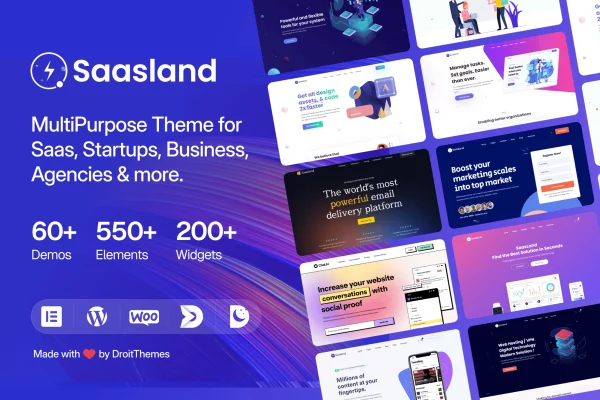
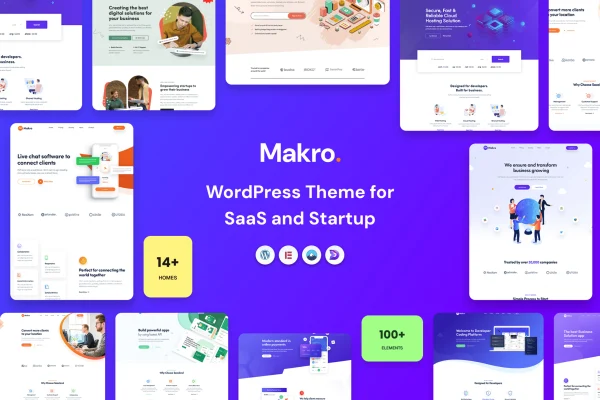
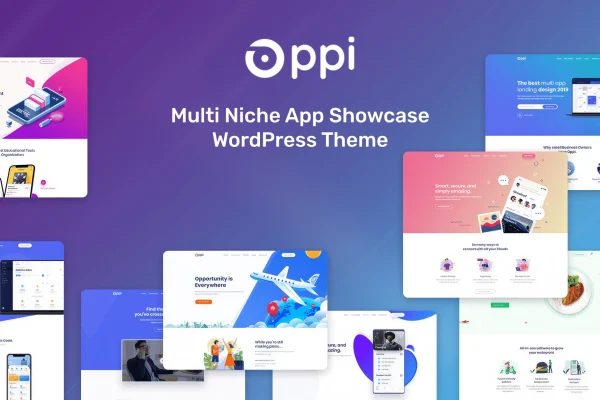
Oppi is a WordPress theme by DroitThemes built for SaaS, app and software websites. It gives tech businesses and startups ready-made demos, customizable layouts and marketing sections such as pricing tables and testimonials, so they can present a digital product without writing code.
- Version
- 1.2.7
- Released
- Jun 17, 2026
- Developer
- DroitThemes
- Type
- WordPress theme
- Licence
- GPL
- Included in
- Every plan, or $3.99 on its own
What’s new in Oppi 1.2.7
Version 1.2.7 · Jun 17, 2026
Latest
- ImprovedTheme option updated
- ImprovedDemo content updated
- ImprovedCompatibility with latest WordPress & Elementor
What it does
Product sites for software and apps tend to need the same building blocks: a clear hero area, feature sections, pricing, testimonials and calls to action. This theme packages those pieces into pre-built demo content aimed at SaaS and software companies. You can import a full demo with one click, then swap in your own text, images and branding instead of assembling every page from a blank canvas.
Day-to-day styling runs through a theme options panel where you manage colors, typography, headers and footers. Layouts are responsive, so pages adapt to desktops, tablets and phones. The theme works with Elementor, WooCommerce and WPML, which lets you build pages visually, sell products or run a multilingual site. It suits startups launching an app, software vendors explaining features and SaaS teams promoting a subscription service.
Best for
- SaaS companies promoting subscription software
- Startups launching a mobile or web app
- Agencies building sites for software clients
Features
Demos for software companies
Pre-built demo content is tailored to SaaS and software businesses, giving you finished page designs to adapt instead of building every section yourself.
One-click demo import
Import the entire demo content in one step, then replace the sample text and images with your own product details and branding.
Theme options panel
Manage colors, typography, headers, footers and other site-wide settings from a single options interface without editing any code.
Built-in marketing sections
Call-to-action sections, pricing tables and testimonial modules are included, so you can present plans and customer feedback on your product pages.
Customizable layouts
Adjust page structures and styles to match your brand identity and the kind of content you publish about your app or software.
Responsive design
Layouts adapt to desktops, tablets and smartphones, so visitors get a properly arranged page whatever device they use to browse.
Works with popular plugins
The theme supports Elementor, WooCommerce and WPML, letting you edit pages visually, add a store or translate your site into other languages.
Questions about Oppi
Can I edit the pages with Elementor?
Yes. The theme is compatible with Elementor, so you can work on page layouts visually. Site-wide settings such as colors, typography, headers and footers are handled separately in the theme options panel, which also requires no coding.
Does it include pricing tables for my plans?
It does. Pricing tables are part of the built-in marketing elements, along with call-to-action sections and testimonial modules. These suit SaaS and app sites that need to lay out subscription tiers and show customer feedback.
Can I build a multilingual or ecommerce site with it?
The theme supports WPML for multilingual sites and WooCommerce for selling products. You would add those plugins to your site, and the theme is designed to work alongside them for translated content or a shop.
How quickly can I get a starting site in place?
The one-click demo import brings in the full demo content at once. The demos are designed for SaaS and software companies, so you begin with complete pages and then customize the text, images and styling to fit your product.
Is Oppi free?
The code of Oppi is licensed under the GPL, so anyone may use, change and share it. GPL Feast is a paid service: a plan or a single purchase gives you the download and automatic updates. The developer's own support, licence key and online services are not included.
Which version of Oppi is this?
Version 1.2.7, released Jun 17, 2026. New versions appear here when the developer publishes them, and members get them as automatic updates.
How do I update Oppi?
Install the free GPL Feast Updater on your site and connect it with your API key. It installs new versions of Oppi automatically and keeps a backup, so you can roll back.