Theme
Updated
OptiBoom
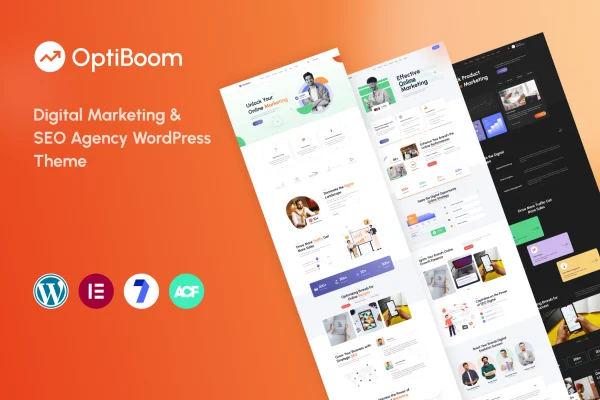
OptiBoom is a WordPress theme built by RRdevs for SEO agencies and digital marketing firms. It gives an agency a ready-made website for presenting its services, portfolio and brand, and you edit it with Elementor and the WordPress customizer instead of writing code.
- Version
- 1.0.7
- Released
- Aug 10, 2026
- Developer
- RRdevs
- Type
- WordPress theme
- Licence
- GPL
- Included in
- Every plan, or $3.99 on its own
What’s new in OptiBoom 1.0.1
Version 1.0.1 · Mar 1, 2024
Latest
- NewPortfolio Layout
- NewAbout 3 layout
What it does
Marketing agencies need a site that explains their services clearly and looks current on every screen. This theme is designed around that niche, so the layouts and widgets fit the sections an agency usually needs, such as service listings, portfolio pages and about pages. It is built on the Bootstrap 5 framework and is fully responsive and retina ready, so pages adapt to phones, tablets, laptops and desktops and images stay sharp on high-density displays.
Setup starts with a one-click demo import that copies the demo content, which you then replace with your own. From there you choose between three home page layouts, four header styles and three footer styles, and you build pages with more than 35 custom Elementor widgets made for marketing and SEO sites. Global theme options live in the Kirki-powered customizer with live previews. The theme also lists compatibility with Elementor Pro and Gravity Forms, and it works across Chrome, Firefox, Safari and Edge.
Best for
- SEO agencies presenting their services online
- Digital marketing firms building a company website
- Freelancers creating agency sites for marketing clients
Features
Elementor drag and drop editing
Pages are built and changed in Elementor with drag and drop controls, so you can rework layouts and content without touching code.
Over 35 custom widgets
More than 35 custom Elementor widgets designed for marketing and SEO agency sites give you ready building blocks for service and promotional sections.
Three home page layouts
Pick from three professional home page designs to present your agency's strengths and portfolio in the style that suits your brand.
Header and footer variations
Four header styles and three footer styles let you set up navigation and footer areas to match how you want the site to look.
One-click demo import
Import the demo website content in one step, then swap in your own text and images to get a working agency site in place quickly.
Kirki customizer options
Theme options and design settings are handled through the WordPress customizer with Kirki support, showing changes in a real-time preview as you edit.
Responsive Bootstrap 5 base
Built on Bootstrap 5 and fully responsive and retina ready, the layouts adjust to smartphones, tablets, laptops and desktops with crisp visuals.
Portfolio and about layouts
Dedicated portfolio and about page layouts help you present past client work and introduce your team and agency story.
OptiBoom older versions
- 1.0.5Dec 20, 2024
- 1.0.1Mar 7, 2024
Members and buyers of this product can download older versions.
Questions about OptiBoom
Do I need to know how to code to customize this theme?
No coding is needed for typical changes. You edit pages with Elementor's drag and drop builder and adjust theme-wide settings in the WordPress customizer, which uses Kirki and shows a live preview of your changes.
How many home page and header designs come with it?
The theme includes three home page layouts, four header styles and three footer styles. You can mix these to shape the look of your agency site, and there are also portfolio and about page layouts.
Can I make my site look like the demo?
Yes. A one-click demo import copies the demo website content into your site. From there you replace the sample text and images with your own agency's details and adjust layouts as needed.
Will the site work well on phones and different browsers?
The theme is built on Bootstrap 5 and is fully responsive and retina ready, so layouts adapt to phones, tablets, laptops and desktops. It is also listed as compatible with Chrome, Firefox, Safari and Edge.
Is OptiBoom free?
The code of OptiBoom is licensed under the GPL, so anyone may use, change and share it. GPL Feast is a paid service: a plan or a single purchase gives you the download and automatic updates. The developer's own support, licence key and online services are not included.
Which version of OptiBoom is this?
Version 1.0.7, released Aug 10, 2026. New versions appear here when the developer publishes them, and members get them as automatic updates.
How do I update OptiBoom?
Install the free GPL Feast Updater on your site and connect it with your API key. It installs new versions of OptiBoom automatically and keeps a backup, so you can roll back.