Theme
Updated
Petrix
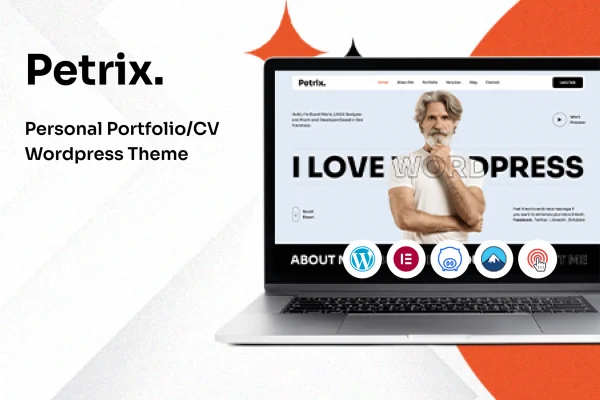
Petrix is a personal portfolio WordPress theme for artists, freelancers, designers and other creative professionals. It gives you a modern, responsive layout for presenting projects, skills and achievements, along with a blog, contact forms and pre-built demos you can import to get started.
- Version
- 1.0
- Released
- Aug 13, 2024
- Developer
- CodeeFly
- Type
- WordPress theme
- Licence
- GPL
- Included in
- Every plan, or $3.99 on its own
What’s new in Petrix 1.0
Version 1.0 · Aug 13, 2024
Latest
What it does
A portfolio site has one main job: show your work clearly so clients and employers can judge it quickly. Building that from scratch takes time, especially if you do not write code. Petrix handles the structure for you. It ships with pre-built demos you can import with one click, then you adjust colors, typography and page layouts with drag-and-drop customization to match your personal brand. The design is responsive, so your projects display properly on desktops, tablets and phones.
For presenting projects, Petrix offers several portfolio layouts, including grid, masonry and slider formats, so you can pick the arrangement that suits your type of work. Retina ready graphics support keeps images sharp on high-resolution screens, which matters for photographers, illustrators and designers. An integrated blog lets you write about your process or industry, and built-in contact forms give potential clients a direct way to get in touch. It fits individuals who want a focused personal site rather than a large business website.
Best for
- Artists and illustrators presenting a body of work
- Freelance designers looking for client work
- Creative professionals building a personal brand site
Features
Responsive design
Layouts adapt to desktops, tablets and smartphones, so visitors can browse your portfolio comfortably on whatever device they use.
Drag-and-drop customization
Personalize layouts and content without writing code, including color schemes, typography and page structure, to reflect your own brand.
Grid, masonry and slider portfolios
Choose from multiple portfolio layouts, including grid, masonry and slider formats, to present projects in the way that best suits your work.
One-click demo import
Import a pre-built demo with a single click to start from a finished layout, then replace the sample content with your own projects.
Integrated blog
Publish articles, insights and industry news from the same site, giving visitors more context about your skills and how you work.
Built-in contact forms
Contact forms are included so potential clients and employers can reach you directly from your portfolio pages.
Retina ready graphics
High-resolution support keeps your visuals crisp on retina and other high-density screens, so detailed work looks sharp.
Questions about Petrix
Do I need coding skills to customize Petrix?
No. Petrix includes drag-and-drop customization, so you can change layouts and content without code. You can also adjust color schemes, typography and page layouts to match your personal brand.
What portfolio layouts does Petrix include?
The theme offers multiple portfolio layouts, including grid, masonry and slider formats. You can choose whichever arrangement presents your projects best, whether you work with photos, illustrations, design pieces or other visual work.
Can I start from a ready-made design?
Yes. The theme comes with pre-built demos that can be imported with one click. This gives you a complete starting layout, which you can then edit with your own projects, text and images.
Can visitors contact me and read updates on the site?
Yes. Built-in contact forms let potential clients reach you directly, and an integrated blog lets you publish posts about your work, process or industry news alongside your portfolio.
Is Petrix free?
The code of Petrix is licensed under the GPL, so anyone may use, change and share it. GPL Feast is a paid service: a plan or a single purchase gives you the download and automatic updates. The developer's own support, licence key and online services are not included.
Which version of Petrix is this?
Version 1.0, released Aug 13, 2024. New versions appear here when the developer publishes them, and members get them as automatic updates.
How do I update Petrix?
Install the free GPL Feast Updater on your site and connect it with your API key. It installs new versions of Petrix automatically and keeps a backup, so you can roll back.
You might also like