Theme
Updated
Pivoo
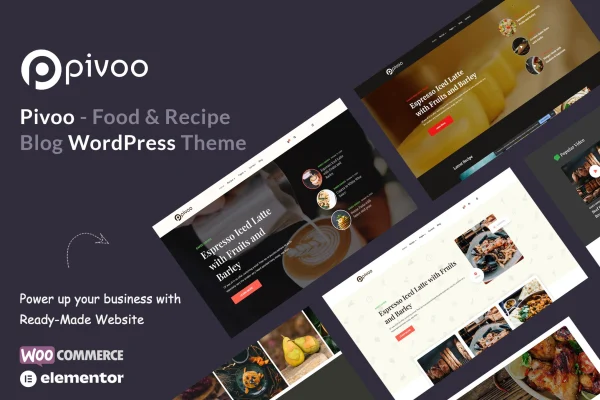
Pivoo is a WordPress theme built for food bloggers, chefs and recipe sites. It gives you a clean, responsive layout for publishing recipes, lets visitors submit their own dishes and works with Elementor for page building and WooCommerce for selling kitchen products.
- Version
- 1.3
- Released
- May 5, 2024
- Developer
- TeconceTheme
- Type
- WordPress theme
- Licence
- GPL
- Included in
- Every plan, or $3.99 on its own
What’s new in Pivoo 1.3
Version 1.3 · May 5, 2024
Latest
- ImprovedPHP 8.0 + support
- FixedDemo impot issue fixed
- ImprovedPlugins updated
- ImprovedPivoo Core plugin updated
- ImprovedCSS issue fixes
- FixedBug Fixes
What it does
Running a recipe blog on a general purpose theme often means bolting on extra tools for recipe layouts, search and reader contributions. This theme brings those pieces together. It includes custom post types for recipe content, a recipe search that lets readers filter by ingredients, categories or tags, and a submission feature so visitors and contributors can send in their own recipes. That makes it a good match for sites that want to grow a community of home cooks.
Design work happens in Elementor, including a header and footer builder with drag and drop controls, so you can shape your branding without code. The block editor is supported too. A one-click demo importer loads pre-built content to start from, and color, sidebar and menu options let you adjust the look. With WooCommerce support, you can add a shop for ingredients, kitchen tools or downloadable recipe books, and Contact Form 7 is supported for contact pages.
Best for
- Food bloggers publishing recipes and cooking stories
- Chefs building a personal recipe website
- Recipe communities that accept reader submissions
Features
Recipe submission
Visitors and contributors can submit their own recipes to your site, which helps you build a community and add new content from your readers.
Recipe search
A search option built for recipes lets readers find dishes by ingredients, categories or tags, so browsing a large recipe archive stays manageable.
Elementor header and footer builder
Design your header and footer with drag and drop tools in Elementor, and build or edit your other pages the same way without writing code.
WooCommerce store support
Set up a shop with WooCommerce to sell cooking ingredients, kitchen tools or downloadable recipe books alongside your blog content.
Custom post types and block editor
Recipe content uses custom post types and works with the WordPress block editor, so you can format posts and embed images and other media.
Retina ready responsive layout
The mobile-first, responsive design adapts to different screen sizes, and retina support keeps your food photography sharp on high resolution displays.
Color and layout options
Choose from color options plus several sidebar and menu layouts to give your food blog its own look.
One-click demo import
Import pre-built demo content in one step, then replace the sample recipes and pages with your own.
Pivoo older versions
- 1.2May 9, 20234 new, 3 improvements, 1 fix
Members and buyers of this product can download older versions.
Questions about Pivoo
Can my readers submit their own recipes?
Yes. The theme includes a custom recipe submission feature that lets visitors and contributors send in their own recipes. This is useful if you want to build a community around your blog and add content from other home cooks.
Can I sell products on a site built with this theme?
Yes. Pivoo supports WooCommerce, so you can add an online store for items such as cooking ingredients, kitchen tools or downloadable recipe books, all on the same site as your recipes.
Do I need to know how to code to customize the design?
No coding is needed for the main design work. Pages are built in Elementor, and the header and footer builder uses drag and drop tools. You can also adjust colors, sidebar layouts and menu layouts, and start from imported demo content.
How do readers find specific recipes?
The theme has a recipe search option designed for food sites. Readers can look for recipes by ingredients, categories or tags, which helps them find a dish quickly as your recipe collection grows.
Is Pivoo free?
The code of Pivoo is licensed under the GPL, so anyone may use, change and share it. GPL Feast is a paid service: a plan or a single purchase gives you the download and automatic updates. The developer's own support, licence key and online services are not included.
Which version of Pivoo is this?
Version 1.3, released May 5, 2024. New versions appear here when the developer publishes them, and members get them as automatic updates.
How do I update Pivoo?
Install the free GPL Feast Updater on your site and connect it with your API key. It installs new versions of Pivoo automatically and keeps a backup, so you can roll back.
More from TeconceTheme