Theme
Updated
Portm
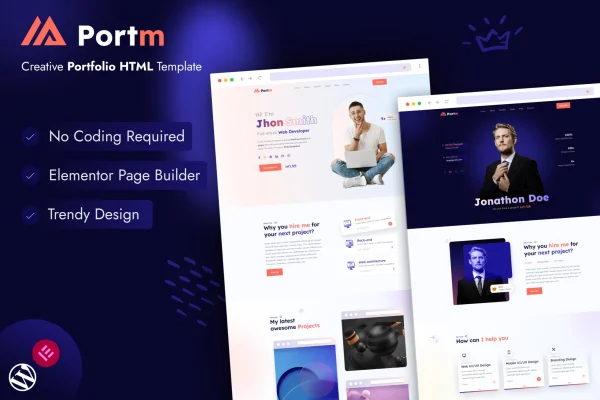
Portm is a personal portfolio WordPress theme for creatives, freelancers and professionals who want a clean place to present their projects. It works with the Elementor page builder, so you can arrange layouts with drag and drop instead of code, and it includes portfolio galleries, filters and video support.
- Version
- 1.1
- Released
- Apr 19, 2024
- Developer
- laralink
- Type
- WordPress theme
- Licence
- GPL
- Included in
- Every plan, or $3.99 on its own
What’s new in Portm 1.1
Version 1.1 · Apr 19, 2024
Latest
What it does
A portfolio site has one main job: putting your work in front of potential clients or employers without clutter getting in the way. Portm takes a minimal, modern approach that keeps your projects at the center of each page. Smooth animations and customizable sections give the layout some movement, while the design stays out of the way of your images, videos and case studies. It suits designers, photographers, developers and artists who need a personal site that reflects their skills and brand.
The theme is built to work with Elementor, so page layouts are edited through a drag-and-drop interface. A one-click demo import gives you a finished portfolio to start from, which you can then adjust with your own content, fonts and colors. Project pages can use customizable galleries, filters and video. The layout is responsive and adapts to desktop, tablet and mobile screens, and the theme works alongside common WordPress plugins for things like contact forms and social sharing.
Best for
- Designers and artists building a personal portfolio
- Photographers presenting galleries of their work
- Freelancers and developers seeking clients or employers
Features
Elementor page builder support
Customize portfolio layouts with Elementor's drag-and-drop editor, arranging sections and content visually without writing any code.
Portfolio galleries and filters
Present projects in customizable galleries with filters, so visitors can sort your work, and add video to give projects a more dynamic presentation.
One-click demo import
Import the demo content in one step to get a fully designed portfolio, then replace the sample material with your own projects and details.
Responsive layout
Pages adapt automatically to different screen sizes, so your portfolio displays properly on mobile phones, tablets and desktop computers.
Typography and color options
Change fonts and color schemes to match your personal style or brand identity across the whole site.
Minimal design with animations
A clean, minimalist look keeps attention on your work, with smooth animations and customizable sections adding polish to each page.
Works with popular plugins
Use common WordPress plugins for contact forms, social sharing and other features to extend what your portfolio site can do.
Questions about Portm
Do I need to know how to code to customize this theme?
No. Portm is built to work with Elementor, so you edit layouts through a drag-and-drop interface. You can also change typography and color schemes through the theme's options, which makes it practical for people who prefer visual editing over code.
Can I show videos in my portfolio, or only images?
Both. The portfolio tools include customizable galleries, filters and video support, so you can mix still images with video projects and let visitors filter your work to find the pieces most relevant to them.
Is there a starting design I can build from?
Yes. The theme includes a one-click demo import that sets up a fully designed portfolio. From there you swap in your own projects, text, fonts and colors to tailor the site to your needs.
Will my portfolio look right on phones?
The design is fully responsive, so layouts adapt automatically to mobile, tablet and desktop screen sizes. Your galleries and project pages adjust to fit whatever device a visitor is using.
Is Portm free?
The code of Portm is licensed under the GPL, so anyone may use, change and share it. GPL Feast is a paid service: a plan or a single purchase gives you the download and automatic updates. The developer's own support, licence key and online services are not included.
Which version of Portm is this?
Version 1.1, released Apr 19, 2024. New versions appear here when the developer publishes them, and members get them as automatic updates.
How do I update Portm?
Install the free GPL Feast Updater on your site and connect it with your API key. It installs new versions of Portm automatically and keeps a backup, so you can roll back.