Theme
Updated
Radios Theme
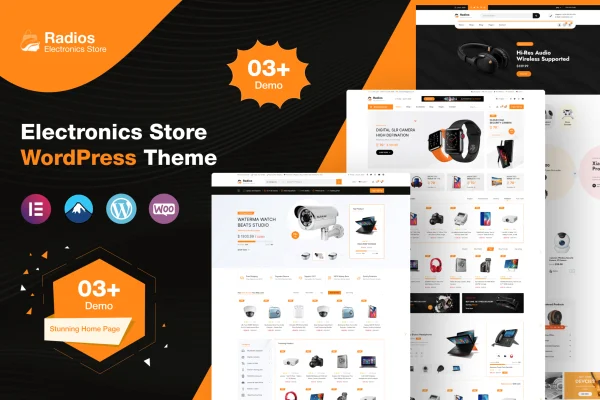
Radios Theme is a WordPress theme built for online electronics retail, made by themexriver. It works with WooCommerce and Elementor so you can set up a shop for gadgets, accessories or affiliate products, then shape its pages with a drag and drop builder.
- Version
- 1.1
- Released
- Jan 14, 2026
- Developer
- themexriver
- Type
- WordPress theme
- Licence
- GPL
- Included in
- Every plan, or $3.99 on its own
What’s new in Radios Theme 1.1
Version 1.1 · Jan 14, 2026
Latest
What it does
Building an electronics store from a general purpose theme often means a lot of layout work before the first product goes live. This theme starts you closer to the finish line. It ships with more than three demos that you can import in one click, plus more than three header styles, so you can pick a starting look and then adjust it to fit your brand. WooCommerce handles the shop side, including product listings and the checkout flow.
Page building runs through Elementor, with over 80 custom widgets added by the theme, and it also works with Elementor Pro and the Gutenberg editor. Site wide settings live in a theme options panel built on the Codestar Framework, where you can change colors freely. The layout is built on Bootstrap 4.x for responsive display, graphics are retina ready, and RTL plus WPML support helps stores that sell in more than one language. Contact Form 7 and Advanced Custom Fields Pro are supported for forms and custom content.
Best for
- Online shops selling smartphones, gadgets or home electronics
- Affiliate sites promoting electronic products and accessories
- Multilingual or right to left language electronics stores
Features
One click demo import
Import one of the included demos in a single step to get a full store layout in place, then swap in your own products and content.
Multiple demos and headers
Choose from more than three demo designs and more than three header styles to find a starting layout that suits your electronics brand.
80+ custom Elementor widgets
The theme adds over 80 Elementor widgets for building store pages by drag and drop, without writing code, and it also works with Elementor Pro.
WooCommerce shop integration
Built to run with WooCommerce, so product management, shop pages and the shopping flow are styled to match the rest of the theme.
Codestar theme options
An options panel built on the Codestar Framework lets you adjust site settings, including unlimited color changes to match your brand palette.
Custom login popup
A popup login form lets customers sign in to their accounts from the page they are on, without going to a separate login screen.
RTL and WPML support
Right to left language support and WPML readiness make the theme suitable for stores serving customers in several languages and regions.
Forms and custom fields
Contact Form 7 support covers contact forms, and Advanced Custom Fields Pro compatibility lets you add custom content fields to your store.
Questions about Radios Theme
Does Radios Theme need WooCommerce to work as a store?
Yes, the store features rely on WooCommerce. The theme is built to integrate with it for product management and shop pages, so you would use WooCommerce to list and sell your electronics products.
Can I edit the layouts without coding?
Yes. Pages are built with the Elementor drag and drop builder, and the theme adds more than 80 custom Elementor widgets. It also works with Elementor Pro and the Gutenberg editor, and colors can be changed from the theme options panel.
Will it work for a store in Arabic or another right to left language?
The theme includes RTL language support and is ready for WPML, so you can run a store in a right to left language or offer your shop in multiple languages.
Can I sell affiliate products with this theme?
The theme is described as suited to selling electronic gadgets, accessories and affiliate products, so it can work for an affiliate electronics site as well as a standard online shop.
Is Radios Theme free?
The code of Radios Theme is licensed under the GPL, so anyone may use, change and share it. GPL Feast is a paid service: a plan or a single purchase gives you the download and automatic updates. The developer's own support, licence key and online services are not included.
Which version of Radios Theme is this?
Version 1.1, released Jan 14, 2026. New versions appear here when the developer publishes them, and members get them as automatic updates.
How do I update Radios Theme?
Install the free GPL Feast Updater on your site and connect it with your API key. It installs new versions of Radios Theme automatically and keeps a backup, so you can roll back.