Theme
Updated
Safedia
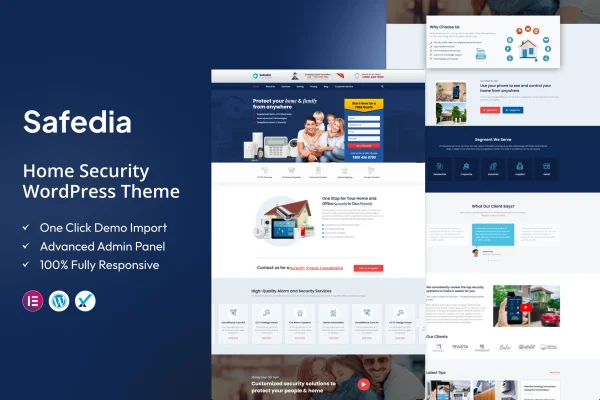
Safedia is a WordPress theme built for home security service providers. It gives companies that install alarms, CCTV systems or smart home security a professional site with ready-made service pages, booking and contact forms, and a theme options panel for adjusting the look.
- Version
- 2.0
- Released
- Oct 28, 2022
- Developer
- ThemeArc
- Type
- WordPress theme
- Licence
- GPL
- Included in
- Every plan, or $3.99 on its own
What’s new in Safedia 2.0
Version 2.0 · Oct 28, 2022
Latest
- ImprovedCompatible with PHP 8.0 or Higher versions.
- ImprovedAll Plugins are up to date.
What it does
Security companies need a website that explains their services clearly and makes it simple for homeowners to get in touch. Safedia handles this with homepage layouts made of flexible sections for services, testimonials, pricing plans and call-to-action buttons. It also includes pre-built templates for alarm systems, surveillance cameras and monitoring services, so you can describe each offering on its own page without designing those layouts from scratch.
The theme uses a responsive layout that adapts to desktop and mobile screens. Built-in booking and contact forms let visitors schedule appointments or send inquiries from the site. Because it is WooCommerce compatible, you can add a store to sell security devices or service packages. A theme options panel covers colors, fonts and layouts without code, and multilingual and right-to-left language support helps if you serve customers in more than one language.
Best for
- Home security and alarm installation companies
- CCTV and surveillance camera installers
- Monitoring services selling devices or service packages online
Features
Pre-built security service pages
Dedicated templates for alarm systems, surveillance cameras and monitoring services give each of your offerings its own ready-made page layout.
Customizable homepage layouts
Flexible homepage sections let you present services, testimonials, pricing plans and call-to-action buttons in the order that suits your business.
Booking and contact forms
Integrated forms let visitors schedule appointments and send inquiries directly through your website, which is useful for quotes and site visits.
WooCommerce compatible
Works with WooCommerce, so you can add an online store and sell security devices or service packages from the same site.
Theme options panel
Change colors, fonts and layouts from a central options panel, with no coding knowledge required to match the site to your brand.
Responsive design
The layout adjusts to desktop and mobile screens, so visitors can read about your services and contact you on any device.
Multi-language and RTL support
Multilingual and right-to-left language compatibility lets you run the site for audiences who read in different languages and scripts.
Questions about Safedia
What kinds of security businesses is this theme designed for?
It is aimed at home security service providers, including companies offering alarm systems, CCTV installation, surveillance cameras, monitoring services and smart home security. The included service page templates are built around those offerings, so the structure fits these businesses with little rework.
Can customers book appointments through the site?
Yes. The theme includes integrated booking and contact forms, so visitors can schedule appointments or send inquiries directly from your website. This suits security companies that offer consultations, quotes or installation visits.
Can I sell security products with Safedia?
The theme is WooCommerce compatible, so you can add an online store with WooCommerce and sell security devices or service packages alongside your service pages and contact forms.
Do I need to code to change the design?
No. A theme options panel lets you adjust colors, fonts and layouts without coding knowledge, and the homepage is built from flexible sections you can arrange for services, testimonials, pricing plans and call-to-action buttons.
Is Safedia free?
The code of Safedia is licensed under the GPL, so anyone may use, change and share it. GPL Feast is a paid service: a plan or a single purchase gives you the download and automatic updates. The developer's own support, licence key and online services are not included.
Which version of Safedia is this?
Version 2.0, released Oct 28, 2022. New versions appear here when the developer publishes them, and members get them as automatic updates.
How do I update Safedia?
Install the free GPL Feast Updater on your site and connect it with your API key. It installs new versions of Safedia automatically and keeps a backup, so you can roll back.