Theme
Updated
San Francisco Theme
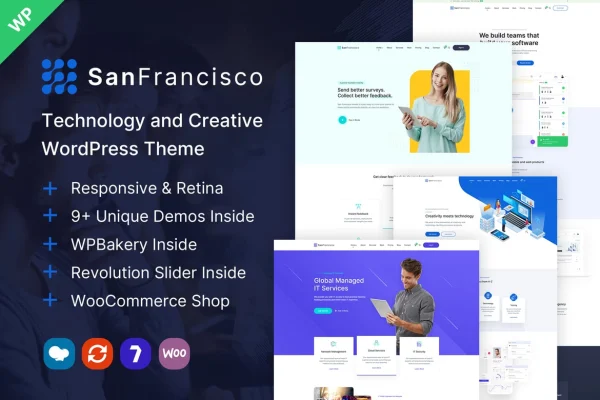
San Francisco Theme by ninzio is a creative WordPress theme for portfolio, studio, technology, app and business websites. It pairs a set of ready-made demo layouts with a drag and drop page builder, so you can build a polished site and adjust the design without writing code.
- Version
- 1.32
- Released
- Sep 19, 2026
- Developer
- ninzio
- Type
- WordPress theme
- Licence
- GPL
- Included in
- Every plan, or $3.99 on its own
What’s new in San Francisco Theme 1.32
Version 1.32 · Sep 19, 2026
Latest
What it does
Building a creative or business site from a blank theme takes a lot of design work. This theme gives you a starting point instead: more than 9 demo layouts, each with its own sliders, elements and page structure. A one click demo installer brings in the complete demo content, so you can begin from a working site and replace the text, images and projects with your own.
Page editing runs through a drag and drop builder with over 70 custom elements, and the theme works with WPBakery Page Builder. It includes multiple layouts for blogs, portfolios, galleries, shops and inner pages, and it is compatible with WooCommerce for selling products and WPML for multilingual sites. The design is responsive and retina ready, so layouts adapt to different screens and graphics stay sharp on high resolution displays.
Best for
- Designers, artists and photographers presenting portfolios
- Creative studios and agencies building client websites
- Tech startups and app makers needing a landing site
Features
More than 9 demo layouts
Choose from over 9 pre-designed demos, each with distinct layouts, sliders and elements suited to creative, technology, app, business and studio sites.
One click demo installer
Import the complete content of a demo in one step, giving you a ready site structure to edit instead of building every page from scratch.
Drag and drop page builder
Arrange and edit pages visually with a drag and drop builder that includes more than 70 custom elements, with no coding needed.
Varied page layouts
Use multiple layouts for blog, portfolio, gallery, shop and inner pages to present your writing, projects, images and products.
WooCommerce compatibility
Add an online shop to your site with WooCommerce, using the theme's shop layouts to display your products.
Multilingual with WPML
The theme is compatible with WPML, so you can run your site in more than one language.
Responsive and retina ready
Layouts adjust to phones, tablets and desktops, and visuals are prepared to display crisply on high resolution screens.
Wide customization options
Adjust most parts of the design and layout through the theme options to match the site to your brand.
San Francisco Theme older versions
- 1.31Aug 18
- 1.29Dec 2, 2025
- 1.28Sep 18, 2025
- 1.27Jun 13, 2025
- 1.20Nov 17, 2023
- 1.19Oct 31, 2023
Members and buyers of this product can download older versions.
Questions about San Francisco Theme
What kinds of websites does this theme suit?
It is built for creative, technology, app, business, studio and portfolio sites. The demo layouts cover these niches, and the blog, gallery, shop and inner page layouts let you adapt it for freelancers, agencies and small businesses.
Can I edit pages without knowing how to code?
Yes. Pages are built with a drag and drop page builder that includes more than 70 custom elements, and the theme works with WPBakery Page Builder. You can rearrange sections and change design details visually.
Can I sell products with San Francisco Theme?
Yes. The theme is compatible with WooCommerce and includes shop layouts, so you can add an online store alongside your portfolio, blog or business pages.
Does it support multilingual websites?
The theme is compatible with WPML, which lets you translate your content and offer the site in several languages for visitors in different regions.
Is San Francisco Theme free?
The code of San Francisco Theme is licensed under the GPL, so anyone may use, change and share it. GPL Feast is a paid service: a plan or a single purchase gives you the download and automatic updates. The developer's own support, licence key and online services are not included.
Which version of San Francisco Theme is this?
Version 1.32, released Sep 19, 2026. New versions appear here when the developer publishes them, and members get them as automatic updates.
How do I update San Francisco Theme?
Install the free GPL Feast Updater on your site and connect it with your API key. It installs new versions of San Francisco Theme automatically and keeps a backup, so you can roll back.
More from ninzio