Theme
Updated
Seacab
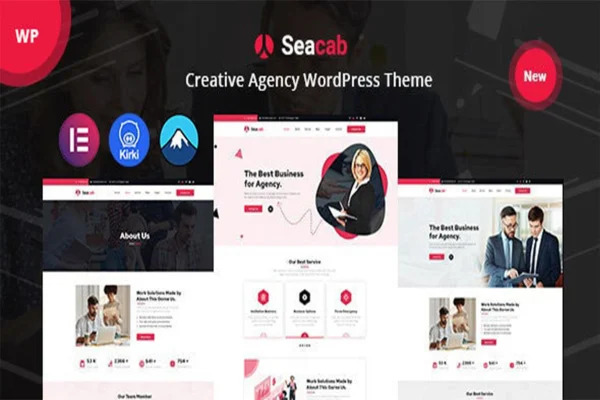
Seacab is a WordPress theme by TwinkleTheme built for creative agencies. It gives you pre-built layouts for portfolios, services and team pages, plus a filterable portfolio, a blog and optional WooCommerce support, so you can set up an agency site without writing code.
- Version
- 1.0.7
- Released
- Feb 11, 2025
- Developer
- TwinkleTheme
- Type
- WordPress theme
- Licence
- GPL
- Included in
- Every plan, or $3.99 on its own
What’s new in Seacab 1.0.7
Version 1.0.7 · Feb 11, 2025
Latest
What it does
Creative agencies need a site that presents their work, explains what they offer and introduces the people behind it. Building those pages from scratch takes time, especially without coding skills. This theme answers that with ready-made layouts for portfolio, services and team pages, along with a one-click demo import that recreates the demo site so you can start from a finished structure and swap in your own content, images and branding.
Customization happens through a drag-and-drop customizer, which keeps layout changes approachable for non-developers. Projects can be grouped into categories that visitors filter, team members get profiles with bios and social links, and a built-in blog handles news and stories. The layouts are responsive across desktops, tablets and phones. If you want to sell digital products or creative services, WooCommerce support lets you add a shop to the same site.
Best for
- Creative and design agencies presenting client work
- Marketing agencies listing services and team members
- Freelance creatives who need a portfolio with filtering
Features
Pre-built page layouts
Ready-to-use templates help you set up pages for portfolios, services and team sections quickly, giving you a starting structure to adapt to your brand.
Filterable portfolio
Display your projects in a portfolio where visitors can filter work by category, making it easier to browse different types of projects.
Drag-and-drop customizer
Adjust your site with a drag-and-drop customizer that lets you build and change pages without needing to write any code.
One-click demo import
Import the demo site in one step to replicate its pages and layout, then customize the content from that starting point.
Team member profiles
Introduce your staff with profiles that include detailed bios and social media links, so clients can see who is behind the work.
Integrated blog section
Publish news, insights and creative stories through the built-in blog, keeping your agency updates on the same site as your portfolio.
Responsive layouts
Pages adapt to desktops, tablets and smartphones, and the theme is built for consistent display across major web browsers.
WooCommerce support
Optionally add e-commerce with WooCommerce to sell digital products or creative services directly from your agency website.
Questions about Seacab
Can I build my site with this theme if I don't know how to code?
Yes. Seacab includes a drag-and-drop customizer and pre-built layouts, and the one-click demo import recreates the demo site for you. From there you replace the text, images and project entries with your own, so no coding knowledge is required for typical setup.
Can visitors filter my portfolio projects?
Yes. The portfolio supports filtering by category, so you can group projects such as branding, web design or video, and visitors can narrow the view to the type of work they want to see.
Can I sell products or services with this theme?
The theme supports WooCommerce, so you can add a shop if you want one. That lets you sell digital products or creative services directly from your site, while the shop remains optional if you only need a portfolio.
Will the site look right on phones and tablets?
The layouts are fully responsive and mobile-friendly, adjusting to desktops, tablets and smartphones. The theme is also built for cross-browser compatibility, so pages display consistently in major web browsers.
Is Seacab free?
The code of Seacab is licensed under the GPL, so anyone may use, change and share it. GPL Feast is a paid service: a plan or a single purchase gives you the download and automatic updates. The developer's own support, licence key and online services are not included.
Which version of Seacab is this?
Version 1.0.7, released Feb 11, 2025. New versions appear here when the developer publishes them, and members get them as automatic updates.
How do I update Seacab?
Install the free GPL Feast Updater on your site and connect it with your API key. It installs new versions of Seacab automatically and keeps a backup, so you can roll back.
You might also like