Theme
Updated
Seville
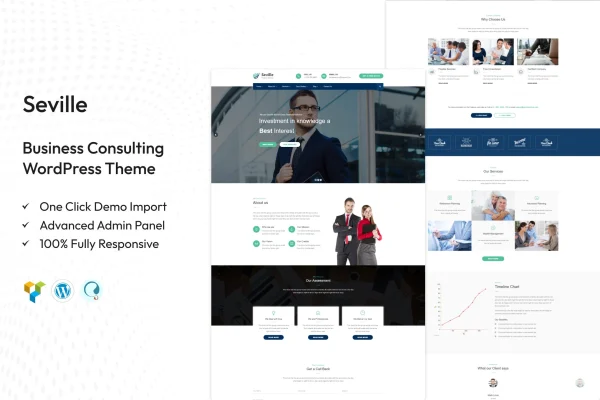
Seville is a WordPress theme by TonaTheme built for business consulting firms and independent consultants. It gives you customizable layouts and ready-made sections for services, case studies, testimonials and team bios, so you can present your consulting work clearly on a corporate site or a personal portfolio.
- Version
- 2.1
- Released
- Aug 15, 2026
- Developer
- TonaTheme
- Type
- WordPress theme
- Licence
- GPL
- Included in
- Every plan, or $3.99 on its own
What’s new in Seville 2.1
Version 2.1 · Aug 15, 2026
Latest
What it does
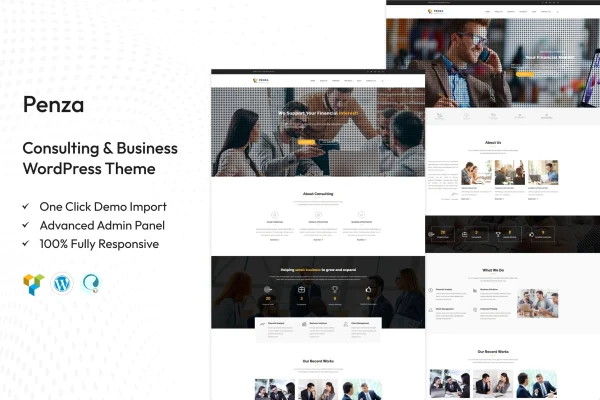
Consulting websites usually need the same core pages: a clear list of services, proof of past results, client testimonials and an introduction to the team. This theme is designed around that structure. It includes pre-built sections for each of those content types, along with portfolio layouts for highlighting completed projects and client outcomes. A clean design and straightforward navigation help visitors find what you offer and learn who you are.
The layouts are customizable, so you can adjust page structures and design elements to match your brand without writing code. The theme works with drag-and-drop page builders for editing content, and its responsive design adapts to desktops, tablets and phones. An integrated blog lets you publish industry insights and business tips, and translation readiness means you can run the site in other languages. It suits both multi-page corporate websites and smaller single-consultant portfolios.
Best for
- Business consulting firms building a corporate website
- Independent consultants creating a personal portfolio site
- Agencies and corporate teams presenting services and case studies
Features
Customizable layouts
Modify page structures and design elements to build a site that reflects your brand identity, with no coding knowledge required.
Pre-built consulting sections
Ready-to-use templates cover services, case studies, testimonials and team bios, giving you a starting point for the pages consulting firms usually need.
Portfolio layouts
Display successful projects and client outcomes in dedicated portfolio layouts, useful for presenting case work to prospective clients.
Page builder compatibility
The theme works with popular drag-and-drop page builders, so you can customize pages and update content visually.
Responsive design
Pages adapt to different screen sizes, from desktop monitors to smartphones, so visitors get a usable layout on any device.
Integrated blog
A built-in blog lets you publish industry insights, business tips and company news alongside your service pages.
Translation ready
The theme supports translation, so you can present your consulting site in multiple languages for clients in different regions.
Questions about Seville
Can I build a site for a solo consultant with this theme?
Yes. The theme is designed for both corporate consulting websites and personal consulting portfolios. You can use the portfolio layouts, service sections and blog to present your own expertise, and adjust the layouts to fit a smaller site.
Does it include sections for case studies and testimonials?
It does. Seville includes pre-built sections for services, case studies, testimonials and team bios. These give you ready-made structures for the content consulting firms typically publish, which you can then customize to suit your brand.
Do I need to know how to code to customize it?
No coding knowledge is needed to tailor the look and feel. The layouts are customizable through the theme's interface, and it works with popular drag-and-drop page builders for visual editing of pages and content.
Can I run the site in a language other than English?
The theme is translation ready, which means it supports multiple languages. That makes it possible to present your consulting services to clients who read in other languages.
Is Seville free?
The code of Seville is licensed under the GPL, so anyone may use, change and share it. GPL Feast is a paid service: a plan or a single purchase gives you the download and automatic updates. The developer's own support, licence key and online services are not included.
Which version of Seville is this?
Version 2.1, released Aug 15, 2026. New versions appear here when the developer publishes them, and members get them as automatic updates.
How do I update Seville?
Install the free GPL Feast Updater on your site and connect it with your API key. It installs new versions of Seville automatically and keeps a backup, so you can roll back.