Theme
Updated
Shiptar
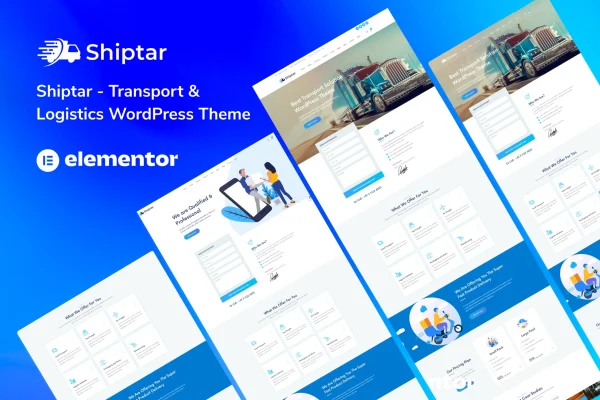
Shiptar is a WordPress theme built for transport and logistics businesses. It gives freight companies, delivery services and logistics providers a professional site with industry-specific demo layouts, quote and contact forms, and responsive pages that adapt to phones, tablets and desktops.
- Version
- 2.0.8
- Released
- Dec 29, 2025
- Developer
- wpoceans
- Type
- WordPress theme
- Licence
- GPL
- Included in
- Every plan, or $3.99 on its own
What’s new in Shiptar 2.0.8
Version 2.0.8 · Dec 29, 2025
Latest
- ChangedMaintenance release.
What it does
Transport and logistics companies need a website that explains their services clearly and makes it easy for clients to ask for a quote. Building that from a generic theme means designing service pages, fleet sections and inquiry forms from scratch. This theme starts you off with pre-built demos and layouts aimed at freight, delivery and logistics work, so you can swap in your own content, services and branding instead of planning every page yourself.
Pages are built with drag-and-drop page building and a set of theme options for adjusting layouts and elements to match your brand. Built-in contact and quote forms handle client inquiries and service requests, and you can add testimonials and details about your fleet. WooCommerce compatibility lets you sell products or services online, while support for WPML, Revolution Slider and Contact Form 7 covers multilingual sites, slider visuals and extra form options.
Best for
- Freight and shipping companies
- Delivery and courier services
- Logistics providers needing quote request forms
Features
Transport and logistics demos
Pre-built demos and layouts designed for freight, delivery and logistics businesses give you an industry-specific starting point for your site.
Responsive layouts
Layouts adjust to different screen sizes, so your service pages and forms work on desktops, tablets and smartphones.
Drag-and-drop page building
Arrange layouts and page elements with drag-and-drop building, and use the theme options to match the site to your brand identity.
Contact and quote forms
Built-in forms are designed to collect client inquiries and service requests, giving customers a direct way to ask about shipments or rates.
WooCommerce compatibility
Add online store features through WooCommerce to sell products or services directly from your transport or logistics website.
Multilingual support with WPML
The theme supports WPML, so you can run your logistics site in more than one language for clients in different regions.
Slider and form plugin support
Works with Revolution Slider for visual headers and Contact Form 7 when you need additional form customization beyond the built-in forms.
Theme documentation
Included documentation guides you through building and managing your website with the theme's layouts and options.
Shiptar older versions
- 2.0.5Oct 10, 2024
Members and buyers of this product can download older versions.
Questions about Shiptar
Can customers request a shipping quote through the site?
Yes. The theme includes built-in contact and quote forms designed to capture client inquiries and service requests. If you need more form options, it also supports Contact Form 7 for additional customization.
Can I sell services or products online with this theme?
The theme is compatible with WooCommerce, which lets you add online store capabilities. You can use it to sell products or services directly through your transport or logistics website.
Does Shiptar support multilingual websites?
Yes, it supports WPML, a popular WordPress plugin for multilingual sites. This is useful for logistics companies that serve clients across different countries or language groups.
Will I need to design my pages from scratch?
No. Shiptar comes with pre-built demos and layouts made for freight, delivery and logistics businesses. You can start from one of these and adjust it with drag-and-drop page building and the theme options.
Is Shiptar free?
The code of Shiptar is licensed under the GPL, so anyone may use, change and share it. GPL Feast is a paid service: a plan or a single purchase gives you the download and automatic updates. The developer's own support, licence key and online services are not included.
Which version of Shiptar is this?
Version 2.0.8, released Dec 29, 2025. New versions appear here when the developer publishes them, and members get them as automatic updates.
How do I update Shiptar?
Install the free GPL Feast Updater on your site and connect it with your API key. It installs new versions of Shiptar automatically and keeps a backup, so you can roll back.