Theme
Updated
SiteCrest
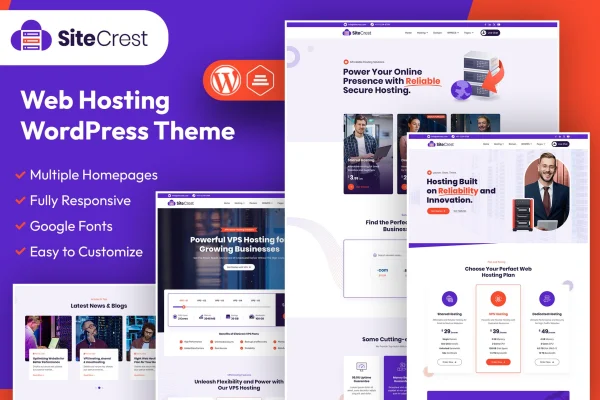
SiteCrest is a WordPress theme by designingmedia built for web hosting companies, digital service providers and IT businesses. It pairs a WordPress site with WHMCS, so your marketing pages, hosting plans and client billing can work together under one design.
- Version
- 1.1
- Released
- Feb 11, 2025
- Developer
- designingmedia
- Type
- WordPress theme
- Licence
- GPL
- Included in
- Every plan, or $3.99 on its own
What’s new in SiteCrest 1.1
Version 1.1 · Feb 11, 2025
Latest
What it does
Hosting companies usually run two systems: a website that explains their plans and a separate WHMCS area where clients pay invoices and manage accounts. When those two look and feel different, customers notice. This theme is designed for both WordPress and WHMCS, giving the public site and the client billing side a matching look. You can present services, pricing plans and support resources on WordPress pages, then let WHMCS handle client management and billing behind them.
Getting started is quicker with the one-click demo import, which sets up a working demo site you can edit instead of building every page from nothing. From there, customizable layouts and templates let you adjust the design to your brand, and typography and icon options cover fonts and visual details. Pricing tables for hosting plans give visitors a clear way to compare packages. The layout is responsive, so pages adapt to phones, tablets and desktops. It suits new hosting startups and established providers alike.
Best for
- Web hosting companies selling shared, VPS or other plans
- IT businesses and digital service providers using WHMCS
- Hosting startups that want a ready demo to build from
Features
WordPress and WHMCS integration
Connects your WordPress site with WHMCS so client management and billing run alongside your public pages in one consistent business workflow.
Hosting pricing tables
Multiple pricing table options let you lay out different hosting plans side by side so customers can compare packages and pick one.
One-click demo import
Imports a working demo website in one step, giving you a ready starting point to replace with your own content and branding.
Customizable layouts and templates
Flexible layout and template options let you adjust the look and feel of the site to match your brand identity.
Typography and icon options
Choose from a selection of fonts and icons to control readability and the visual style of your pages and service listings.
Responsive design
Pages adjust to different screen sizes, so visitors on phones, tablets and desktops see a layout that fits their device.
Support channel connections
Connect your customer support channels to the site so clients can find help and reach your team from the pages they use.
Questions about SiteCrest
Does SiteCrest work with WHMCS for billing?
Yes. The theme is built for both WordPress and WHMCS, so your WordPress pages and your WHMCS client area can share a consistent design while WHMCS handles client management and billing.
Can I display several hosting plans with prices?
Yes. The theme includes multiple hosting pricing table options, so you can show different plans clearly and let visitors compare features and prices before they choose a package.
Do I have to build the site from scratch?
No. A one-click demo import sets up a working demo site that you can use as a starting point. You then swap in your own content and adjust layouts, fonts and icons to fit your brand.
Will the site look right on mobile devices?
The theme uses a responsive design, so layouts adapt to phones, tablets and desktop screens and your plans and service pages stay readable on any device.
Is SiteCrest free?
The code of SiteCrest is licensed under the GPL, so anyone may use, change and share it. GPL Feast is a paid service: a plan or a single purchase gives you the download and automatic updates. The developer's own support, licence key and online services are not included.
Which version of SiteCrest is this?
Version 1.1, released Feb 11, 2025. New versions appear here when the developer publishes them, and members get them as automatic updates.
How do I update SiteCrest?
Install the free GPL Feast Updater on your site and connect it with your API key. It installs new versions of SiteCrest automatically and keeps a backup, so you can roll back.