Theme
Updated
Squaretype
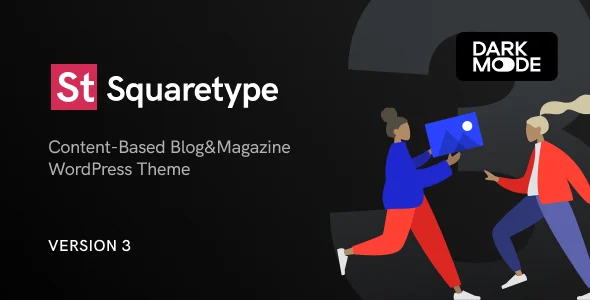
Squaretype is a WordPress theme built for blogs. It gives writers and content creators a clean, modern design with multiple pre-designed layouts, support for several post formats, and a theme options panel for changing fonts, colors and layouts without code.
- Version
- 4.0.1
- Released
- Aug 24, 2026
- Type
- WordPress theme
- Licence
- GPL
- Included in
- Every plan, or $4.79 on its own
What’s new in Squaretype 4.0.1
Version 4.0.1 · Aug 24, 2026
Latest
- ImprovedAdded compatibility with WordPress 7.1.
- ImprovedTheme typography and layout now carry through to the block editor.
What it does
Many blog themes either look dated or need custom code before they match your style. This theme starts from a clean, modern design and lets you pick from multiple pre-designed layouts, then adjust fonts, colors and layouts through an options panel. You can publish standard posts alongside gallery, video, audio and quote formats, so a mix of written and media content still looks consistent. The responsive design adapts pages to screens from large monitors down to phones.
It fits personal bloggers, creative writers and professional content creators who want a tidy reading experience. Typography is handled through a wide selection of Google Fonts, and your chosen typography and layout carry through to the block editor, so what you see while writing is closer to the published post. Built-in social sharing lets readers pass posts along on popular platforms, the code is structured with SEO in mind, and translation files are included for multilingual blogs.
Best for
- Personal bloggers wanting a clean, modern design
- Creative writers publishing stories and essays
- Content creators mixing video, audio and gallery posts
Features
Multiple pre-designed layouts
Choose from several ready-made blog layouts and adjust them to reflect your personal style and branding without starting from a blank design.
Several post formats
Publish standard, gallery, video, audio and quote posts, giving you different ways to present each piece of content on your blog.
Theme options panel
Change fonts, colors and layouts through a user-friendly settings panel that does not require any coding knowledge to use.
Google Fonts typography
Pick from a wide selection of Google Fonts to match the tone of your writing and keep headings and body text consistent.
Block editor styling
Theme typography and layout carry through to the block editor, so your drafts look closer to how posts appear on the live site.
Responsive design
Layouts adjust to different screen sizes so posts stay readable on desktops, tablets and mobile phones alike.
Social media sharing
Built-in sharing options let visitors pass your posts along on popular social platforms directly from the article.
Translation ready
Included translation files make it possible to run the blog in other languages or build a multilingual site.
Squaretype older versions
- 4.0.0Jun 181 new, 2 improvements
- 3.1.2Apr 271 new, 1 improvement
- 3.1.1May 30, 20254 improvements, 1 fix
- 3.1.0Dec 19, 2024
- 3.0.8Aug 2, 2023
- 3.0.7Apr 18, 2023
Members and buyers of this product can download older versions.
Questions about Squaretype
Can I change the look of the blog without writing code?
Yes. The theme options panel lets you adjust fonts, colors and layouts through a simple interface, and you can start from one of several pre-designed layouts. No coding knowledge is needed for these changes.
Which post formats does the theme support?
It supports standard, gallery, video, audio and quote post formats. This lets you present photo sets, embedded media or short quotes differently from regular written articles while keeping the overall design consistent.
Will my posts look right on phones?
The theme uses a responsive design, so its layouts adapt to the screen size. Posts are laid out for readability on everything from large monitors down to mobile phones.
Does it work with the WordPress block editor?
Yes. The theme's typography and layout settings carry through to the block editor, so while you write, your content is shown with styling closer to what readers will see on the published post.
Is Squaretype free?
The code of Squaretype is licensed under the GPL, so anyone may use, change and share it. GPL Feast is a paid service: a plan or a single purchase gives you the download and automatic updates. The developer's own support, licence key and online services are not included.
Which version of Squaretype is this?
Version 4.0.1, released Aug 24, 2026. New versions appear here when the developer publishes them, and members get them as automatic updates.
How do I update Squaretype?
Install the free GPL Feast Updater on your site and connect it with your API key. It installs new versions of Squaretype automatically and keeps a backup, so you can roll back.
You might also like