Theme
Updated
Stotage
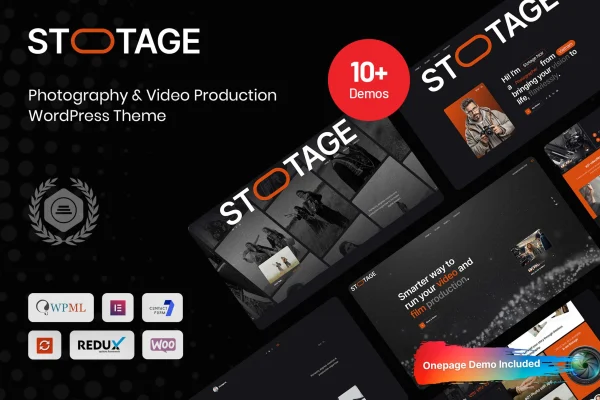
Stotage is a WordPress theme built for photography and video production work. It gives photographers, filmmakers and production agencies portfolio layouts for images and video, a drag-and-drop page builder, and styling options to match a brand.
- Version
- 1.0.1
- Released
- Jan 14, 2026
- Developer
- Case-Themes
- Type
- WordPress theme
- Licence
- GPL
- Included in
- Every plan, or $3.99 on its own
What’s new in Stotage 1.0.1
Version 1.0.1 · Jan 14, 2026
Latest
What it does
Photographers and video teams need a site that puts their work front and center, and building that from a general-purpose theme can take a lot of fiddling. This theme starts from the portfolio. You can present projects in grid, masonry or full-screen styles, embed videos and image galleries, and arrange pages with a drag-and-drop builder that does not require code. The layouts are responsive, so a portfolio adapts to desktop, tablet and phone screens.
The theme fits freelance photographers, video production agencies and hobbyists who want a portfolio site with room to grow. Typography and color settings let you bring the design in line with your brand. Because it is compatible with WooCommerce, you can also add a shop to sell prints, digital files or services from the same site. It is built to display consistently across major web browsers, and documentation is included to help you set things up.
Best for
- Freelance photographers building an online portfolio
- Video production agencies presenting client work
- Photographers who want to sell prints with WooCommerce
Features
Several portfolio layouts
Display photos and videos in grid, masonry or full-screen styles, so you can pick the presentation that suits each project or collection.
Drag-and-drop page builder
Build and rearrange pages with a visual drag-and-drop builder that requires no coding, which makes custom page designs easier to put together.
Video and gallery embeds
Embed high-quality videos and image galleries directly into your pages, giving moving and still work equal space in your portfolio.
Responsive design
Layouts adjust to desktop, tablet and smartphone screens, so visitors can browse your portfolio comfortably on whatever device they use.
WooCommerce compatibility
Works with WooCommerce, letting you sell prints, digital downloads or bookable services alongside your portfolio on the same website.
Typography and color options
Choose from a range of fonts and color settings to match the site to your studio or personal brand identity.
Cross-browser compatibility
Built to look and behave consistently across all major web browsers, so your portfolio appears as intended for every visitor.
Stotage older versions
- 1.0.0Sep 22, 2025
Members and buyers of this product can download older versions.
Questions about Stotage
Can I show both photos and videos in my portfolio?
Yes. The theme supports embedded videos and image galleries, and its portfolio layouts include grid, masonry and full-screen styles. That lets you mix still photography and video projects on the same site and choose a layout that fits each kind of work.
Do I need to know how to code to customize the pages?
No. Stotage includes a drag-and-drop page builder that works without coding. You can arrange sections visually, and the theme also offers typography and color settings so you can adjust fonts and colors to match your brand.
Can I sell prints or services from a site built with this theme?
The theme is compatible with WooCommerce, so you can add a store to sell prints, digital downloads or services. Your shop and your portfolio can live together on one website.
Will my portfolio look right on phones and tablets?
The theme is responsive and mobile-optimized, so layouts adapt to desktop, tablet and smartphone screens. It is also built for consistent display across major web browsers.
Is Stotage free?
The code of Stotage is licensed under the GPL, so anyone may use, change and share it. GPL Feast is a paid service: a plan or a single purchase gives you the download and automatic updates. The developer's own support, licence key and online services are not included.
Which version of Stotage is this?
Version 1.0.1, released Jan 14, 2026. New versions appear here when the developer publishes them, and members get them as automatic updates.
How do I update Stotage?
Install the free GPL Feast Updater on your site and connect it with your API key. It installs new versions of Stotage automatically and keeps a backup, so you can roll back.