
Theme
Updated
Supgor
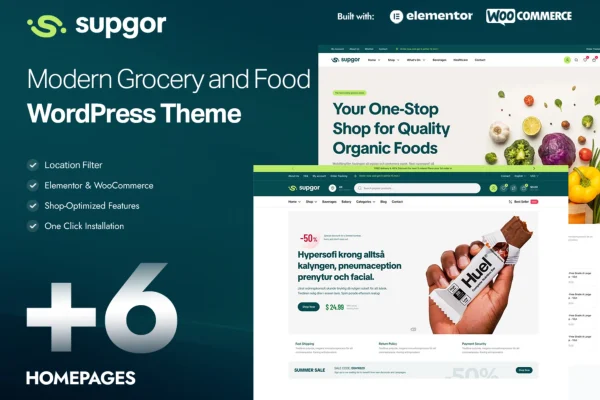
Supgor is a WordPress theme built for grocery stores, food markets, organic shops and other food businesses. It works with WooCommerce to run an online storefront, and it gives you pre-designed layouts, product filtering and theme options for adjusting the look without code.
- Version
- 1.0.5
- Released
- May 18, 2026
- Developer
- KlbTheme
- Type
- WordPress theme
- Licence
- GPL
- Included in
- Every plan, or $3.99 on its own
What’s new in Supgor 1.0.5
Version 1.0.5
Latest
- ImprovedWooCommerce.
- ImprovedSupgor Core plugin.
What it does
Selling groceries online means a lot of products, many categories and shoppers who want to find items fast. This theme is designed around that kind of store. It works with WooCommerce, so product listings, the shopping cart and checkout run through the plugin many store owners already use. Customers can narrow results with category filters, price sliders and search tools set up with grocery products in mind, which helps on catalogs with many similar items.
For the design side, you can pick from several pre-designed homepage and product page layouts, then adjust colors, fonts, headers and other details in the theme options panel. The layout is responsive, so the store adapts to desktops, tablets and phones. A built-in blog lets you post recipes, nutrition tips and store news. The theme is also translation ready and supports right-to-left languages, which suits shops serving customers in more than one language.
Best for
- Local grocery stores and food markets selling online
- Organic shops with large product catalogs
- Food delivery businesses serving multilingual customers
Features
WooCommerce compatibility
Works with WooCommerce for product listings, shopping cart management and checkout, so you can run a full online grocery store from your WordPress dashboard.
Pre-designed page layouts
Choose from multiple homepage and product page layouts as a starting point for a storefront that fits your brand.
Theme options panel
Change colors, fonts, headers and other design settings through a theme options panel, with no coding knowledge needed.
Grocery product filtering
Category filters, price sliders and search tools help shoppers narrow a large grocery catalog down to the items they want.
Responsive layout
The design adapts to desktops, tablets and smartphones, giving visitors a consistent shopping experience on whatever device they use.
Built-in blog
Publish recipes, nutrition tips and store news alongside your shop, giving customers useful content beyond product pages.
Translation and RTL support
The theme is translation ready and supports right-to-left languages, so you can run your store in the languages your customers read.
Supgor older versions
- 1.0.4Apr 62 improvements
Members and buyers of this product can download older versions.
Questions about Supgor
Does Supgor work with WooCommerce?
Yes. The theme is built with full WooCommerce compatibility, covering product listings, shopping cart management and checkout. That makes it a fit for grocery and food businesses that want to take orders online through their WordPress site.
Can I change the design without writing code?
Yes. A theme options panel lets you adjust colors, fonts, headers and more without coding. You can also start from one of several pre-designed homepage and product page layouts and customize it to match your brand.
How will customers find products in a large catalog?
The theme includes product filtering designed for grocery items, with category filters, price sliders and search tools. These help shoppers narrow down a big selection quickly instead of browsing page after page.
Can I use it for a store in a right-to-left language?
Yes. The theme is translation ready and supports right-to-left languages, so it can be used for stores serving audiences who read Arabic, Hebrew or other RTL languages, as well as multilingual shops.
Is Supgor free?
The code of Supgor is licensed under the GPL, so anyone may use, change and share it. GPL Feast is a paid service: a plan or a single purchase gives you the download and automatic updates. The developer's own support, licence key and online services are not included.
Which version of Supgor is this?
Version 1.0.5, released May 18, 2026. New versions appear here when the developer publishes them, and members get them as automatic updates.
How do I update Supgor?
Install the free GPL Feast Updater on your site and connect it with your API key. It installs new versions of Supgor automatically and keeps a backup, so you can roll back.
You might also like