
Theme
Updated
TechLife
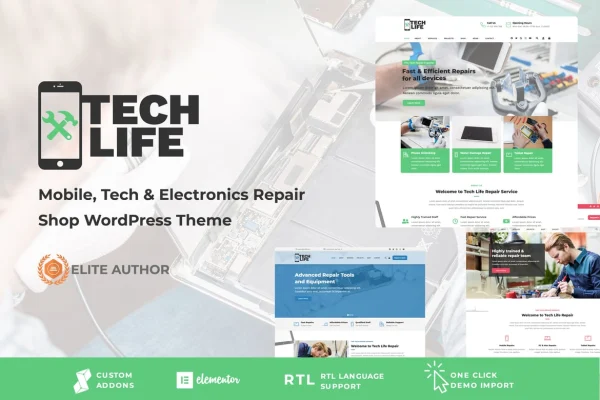
TechLife is a WordPress theme by StrongholdThemes built for businesses that repair phones, gadgets and other electronics. It gives a repair shop a clean, modern website where customers can see services and rates, read reviews and book an appointment online.
- Version
- 17.6
- Released
- Jun 7, 2026
- Developer
- strongholdthemes
- Type
- WordPress theme
- Licence
- GPL
- Included in
- Every plan, or $3.99 on its own
What’s new in TechLife 17.6
Version 17.6 · Jun 7, 2026
Latest
- ImprovedRevolution Slider to 6.7.57
- ImprovedWPBakery Page Builder to 8.7.3
- ImprovedWooCommerce template files
What it does
Repair shops need a site that answers a few direct questions: what do you fix, what does it cost and how do I get my device in. This theme is organized around those questions. Service pages cover repairs such as screen replacement, battery fixes and hardware diagnostics, pricing tables lay out your rates, and a booking system lets clients schedule appointments online instead of calling. A testimonials section gives room for reviews and success stories from past customers.
The layout is responsive, so pages adjust to smartphones, tablets and desktops, which matters when many visitors arrive looking for help with a broken phone. Sections are easy to edit, so you can match the service list to what your shop offers. Contact forms and live chat give customers a way to ask questions or request a quote, and a blog section lets you publish tech tips, maintenance advice and industry news. It suits both a single local shop and a larger tech service center.
Best for
- Local phone and tablet repair shops
- Electronics and gadget repair service centers
- Computer and hardware diagnostics businesses
Features
Online repair booking
A service booking system lets clients schedule repair appointments from your website, so requests come in without phone calls or walk-in guesswork.
Editable service pages
Customizable sections let you describe repairs like screen replacement, battery fixes and hardware diagnostics, and adjust them to match the services your shop offers.
Pricing tables
Display your service rates in clear tables so visitors can see what common repairs cost before they contact you or book an appointment.
Customer testimonials section
A dedicated area for positive reviews and repair success stories helps new visitors see how earlier customers felt about your work.
Contact forms and live chat
The theme works with contact forms and live chat, giving customers a quick way to ask questions, request quotes or get advice about a device.
Responsive layout
Pages adapt to smartphones, tablets and desktop screens, so customers can browse services and book repairs from whatever device they have on hand.
Blog section
Publish tech tips, device maintenance advice and industry news to give visitors useful reading and a reason to come back to your site.
TechLife older versions
- 17.0Oct 21, 20251 improvement
- 16.0Mar 9, 20256 improvements
- 15.6Jan 11, 20251 new, 1 improvement
Members and buyers of this product can download older versions.
Questions about TechLife
Can customers book repair appointments through the site?
Yes. The theme includes a service booking system that lets clients schedule repair appointments online. Paired with the contact forms and live chat options, it gives customers several ways to reach your shop and set up a visit.
Can I list my own repair services and prices?
Yes. The service pages have easy-to-edit sections for repairs such as screen replacement, battery fixes and hardware diagnostics, and you can change them to fit your offerings. Pricing tables let you show your rates clearly.
Will the site work well on phones?
The design is responsive, so layouts adjust to smartphones, tablets and desktops. That helps customers who are searching for a repair on their mobile device browse your services and book without trouble.
Is there a place to show customer reviews?
Yes. TechLife includes a testimonials section where you can feature positive reviews and success stories from past customers, which helps new visitors judge the quality of your repair work.
Is TechLife free?
The code of TechLife is licensed under the GPL, so anyone may use, change and share it. GPL Feast is a paid service: a plan or a single purchase gives you the download and automatic updates. The developer's own support, licence key and online services are not included.
Which version of TechLife is this?
Version 17.6, released Jun 7, 2026. New versions appear here when the developer publishes them, and members get them as automatic updates.
How do I update TechLife?
Install the free GPL Feast Updater on your site and connect it with your API key. It installs new versions of TechLife automatically and keeps a backup, so you can roll back.
You might also like