Theme
Updated
Techmedic
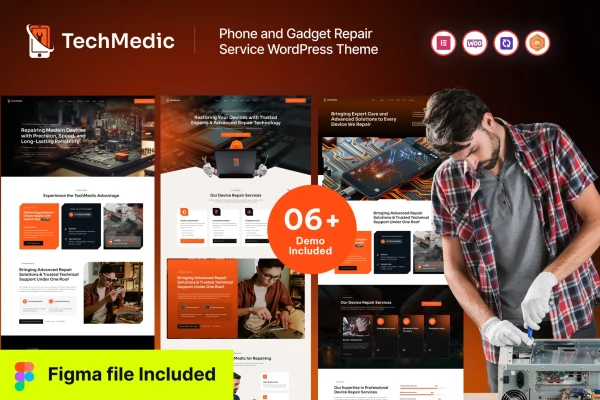
Techmedic is a WordPress theme built for phone and gadget repair businesses. It gives repair shops, independent technicians and freelancers a ready layout for presenting services, pricing and testimonials, with a theme options panel for adjusting the look without code.
- Version
- 1.0.0
- Released
- Aug 15, 2026
- Developer
- Case-Themes
- Type
- WordPress theme
- Licence
- GPL
- Included in
- Every plan, or $3.99 on its own
What’s new in Techmedic 1.0.0
Version 1.0.0 · Aug 15, 2026
Latest
What it does
A repair business website needs to answer a few questions quickly: what you fix, what it costs and how to get in touch. This theme is designed around those needs. It includes pre-built service pages for listing phone and gadget repairs, pricing tables for repair packages and rates, and contact forms that visitors can use for inquiries and appointment requests. The layout also has room for testimonials, which helps new customers see what others thought of your work.
Setup starts with a one-click demo import, which loads a fully designed demo so you can replace the sample content with your own. From there, the theme options panel lets you change layouts, colors, fonts and other design elements to match your brand. The design is responsive and retina-ready, so pages adapt to phones, tablets and desktops. The theme is compatible with WooCommerce and WPML, which suits shops that want to sell parts or accessories or run the site in more than one language.
Best for
- Phone and gadget repair shops
- Independent repair technicians and freelancers
- Tech service businesses selling parts or accessories
Features
Pre-built service pages
Ready-made pages for listing your phone and gadget repair services, so customers can find the specific repair they need without hunting around the site.
Customizable pricing tables
Present repair packages and rates in clear tables that you can edit to reflect your own services and pricing structure.
One-click demo import
Import a fully designed demo site in one step, then swap in your own text, images and details instead of building pages from scratch.
Integrated contact forms
Built-in contact forms let visitors send inquiries or request repair appointments directly from your website.
Theme options panel
Control layouts, colors, fonts and other design elements from a single options panel, with no coding needed to personalize the site.
Responsive, retina-ready design
The layout adapts to smartphones, tablets and desktops, and graphics stay sharp on high-resolution screens.
WooCommerce and WPML compatibility
Works with WooCommerce for selling products and with WPML for building a multilingual version of your repair site.
Questions about Techmedic
Can I show my repair prices on the site?
Yes. Techmedic includes customizable pricing tables where you can list repair packages and rates. You can edit them to match your own services, so customers can see what a screen replacement or battery swap costs before they contact you.
Do I need coding skills to change the design?
No. The theme options panel lets you adjust layouts, colors, fonts and other design elements without writing code. You can also start from the one-click demo import and simply replace the sample content with your own.
Can customers book repairs or send questions through the website?
The theme comes with integrated contact forms that visitors can use to send inquiries and request repair appointments. These forms give customers a direct way to reach you from your service and contact pages.
Can I sell accessories or run the site in several languages?
Techmedic is compatible with WooCommerce, so you can add a shop for parts, cases or accessories. It also works with WPML, which lets you translate your site and offer it in more than one language.
Is Techmedic free?
The code of Techmedic is licensed under the GPL, so anyone may use, change and share it. GPL Feast is a paid service: a plan or a single purchase gives you the download and automatic updates. The developer's own support, licence key and online services are not included.
Which version of Techmedic is this?
Version 1.0.0, released Aug 15, 2026. New versions appear here when the developer publishes them, and members get them as automatic updates.
How do I update Techmedic?
Install the free GPL Feast Updater on your site and connect it with your API key. It installs new versions of Techmedic automatically and keeps a backup, so you can roll back.