Theme
Updated
Tolak
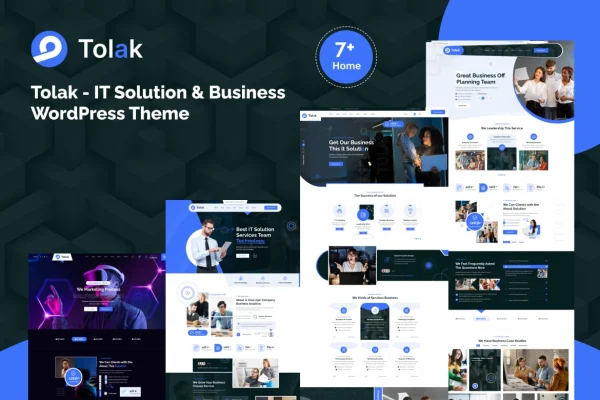
Tolak is a WordPress theme built for IT solution companies and business websites. It gives tech startups and consulting firms a modern, professional design with pre-built page templates, a responsive layout and sections made for presenting services, teams and client work.
- Version
- 1.2.0
- Released
- Aug 9, 2024
- Developer
- bracketweb
- Type
- WordPress theme
- Licence
- GPL
- Included in
- Every plan, or $3.99 on its own
What’s new in Tolak 1.2.0
Version 1.2.0 · Aug 9, 2024
Latest
- NewAdded(New): Homepage 05
- NewAdded(New): Homepage 06
- NewAdded(New): Homepage 07
- NewAdded(New): 03 Header styles
- NewAdded(New): 03 Footer styles
- FixedWoo commerce outdated template
- FixedMinor CSS issues
What it does
Building a site for an IT company or consulting firm usually means assembling the same set of pages: services, team, testimonials, pricing and case studies. Tolak comes with those sections ready, along with multiple pre-built page templates and flexible layout options. A one-click demo import loads sample content so you can start from a finished structure and swap in your own text, images and branding instead of designing every page from a blank screen.
The theme works with popular plugins including Elementor, WooCommerce and Contact Form 7, so you can add drag-and-drop page editing, an online shop or contact forms as your site needs them. Its responsive layout adapts to desktop, tablet and mobile screens. Pages can be built and adjusted without writing code, which suits business owners managing their own site as well as freelancers building sites for clients.
Best for
- IT solution and managed service companies
- Tech startups presenting products and services
- Business consulting firms and agencies
Features
One-click demo import
Import the demo content in one step to get a complete starting site, then replace the sample material with your own company details.
Pre-built page templates
Multiple ready-made page templates and flexible layout options let you shape the site around your brand and the pages your business needs.
Business-focused sections
Includes sections for services, team profiles, client testimonials, pricing tables and case studies, tailored to IT and consulting businesses.
Drag-and-drop page building
Create and edit custom pages with drag-and-drop tools, so users with any level of experience can build layouts without touching code.
Responsive layout
The layout adjusts to desktop, tablet and mobile screens, so visitors can read and navigate your pages on whatever device they use.
Works with popular plugins
Compatible with Elementor, WooCommerce and Contact Form 7, letting you add page building, online selling and contact forms to your site.
Clean, semantic code
The theme is built with clean, semantic code that follows common SEO practices, giving search engines a well-structured site to read.
Questions about Tolak
Can I use Tolak with Elementor?
Yes. The theme is compatible with Elementor, which gives you drag-and-drop editing for building and adjusting pages. It also works with WooCommerce and Contact Form 7 if you want to add a shop or contact forms.
Does the theme include pages for services and case studies?
It does. The theme includes sections for services, team profiles, client testimonials, pricing tables and case studies, all aimed at IT and consulting businesses. These sit alongside multiple pre-built page templates you can customize.
Will my site look right on phones and tablets?
The theme uses a fully responsive layout that adapts to desktop, tablet and mobile screens. Your pages rearrange to fit smaller displays, so visitors on any device can browse your services and contact you.
Can I sell products with this theme?
The theme is compatible with WooCommerce, so you can add an online store to your business site. That could suit an IT company selling software, hardware or service packages alongside its regular pages.
Is Tolak free?
The code of Tolak is licensed under the GPL, so anyone may use, change and share it. GPL Feast is a paid service: a plan or a single purchase gives you the download and automatic updates. The developer's own support, licence key and online services are not included.
Which version of Tolak is this?
Version 1.2.0, released Aug 9, 2024. New versions appear here when the developer publishes them, and members get them as automatic updates.
How do I update Tolak?
Install the free GPL Feast Updater on your site and connect it with your API key. It installs new versions of Tolak automatically and keeps a backup, so you can roll back.