Theme
Updated
Tourex
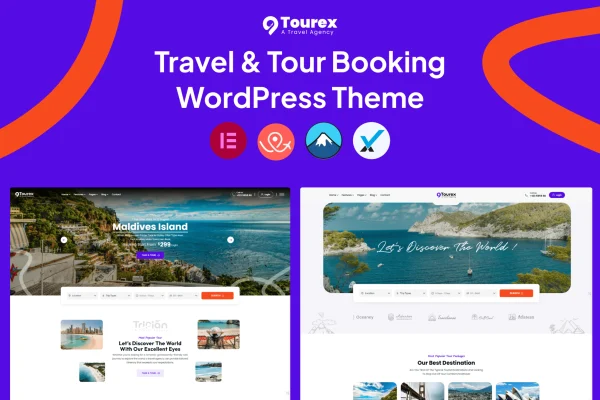
Tourex is a WordPress theme built for tour and travel businesses. It gives travel agencies, tour operators and travel bloggers a responsive website with tour listings, search and filtering, detailed itineraries and a booking system so customers can browse tours, check availability and reserve a spot.
- Version
- 1.0.2
- Released
- Feb 11, 2025
- Developer
- mthemeus
- Type
- WordPress theme
- Licence
- GPL
- Included in
- Every plan, or $3.99 on its own
What’s new in Tourex 1.0.2
Version 1.0.2 · Feb 11, 2025
Latest
What it does
Running a travel business online means presenting many tours clearly and letting people book without friction. This theme covers both sides. Visitors can browse tour packages, filter by destination, price, date or type, read full descriptions and day-by-day itineraries, and then check availability and complete a booking. It suits vacation packages, day trips and adventure tours, and the responsive layout adapts to desktops, tablets and phones.
On the management side, the booking tools help your team handle reservations, payments and inquiries, and online payment gateways are supported. A theme options panel lets you change colors, fonts and layouts without writing code, and a one-click demo import gives you a starting site that matches the demo. A blog section covers travel tips and destination guides, and the theme is translation ready with WPML compatibility for multilingual sites.
Best for
- Travel agencies selling tour packages online
- Tour operators offering day trips or adventure tours
- Travel bloggers publishing guides and bookable trips
Features
Built-in tour booking
Customers can browse tours, check availability and complete reservations through a booking interface, while your team manages reservations and inquiries from the site.
Tour search and filtering
Visitors can narrow down tours by destination, price, date or tour type, which helps them find a matching trip in a large catalog.
Flexible tour layouts
Present your travel packages with multiple layout options and image galleries, so each tour page can display photos alongside its details.
Descriptions and itineraries
Each tour can carry a detailed description and itinerary, giving travelers the full picture of what a trip includes before they book.
Online payment gateways
The theme supports online payment gateways, so customers can pay for their bookings directly on your website.
Translation ready with WPML
Tourex works with WPML and other translation plugins, letting you run your travel site in more than one language.
Theme options panel
Adjust colors, fonts, layouts and other design settings from an options panel without editing any code.
One-click demo import
Import the demo content in one step to get a site that looks like the demo, then replace it with your own tours.
Questions about Tourex
Can customers book and pay for tours directly on my site?
Yes. The theme includes a booking system where customers browse tours, check availability and complete a booking. It also supports online payment gateways, so payments can be taken on your website, and your team can manage reservations and inquiries from there.
How do visitors find the right tour among many listings?
The search and filtering tools let visitors narrow results by destination, price, date or tour type. Each tour page can then show a detailed description, an itinerary and an image gallery to help them decide.
Can I build a multilingual travel website with this theme?
Yes. Tourex is translation ready and compatible with WPML and other translation plugins, so you can offer your tour pages and content in several languages for international travelers.
Do I need coding skills to customize the design?
No. The theme options panel lets you change colors, fonts, layouts and more without touching code. You can also start from the demo with a one-click import and adjust it to match your brand.
Is Tourex free?
The code of Tourex is licensed under the GPL, so anyone may use, change and share it. GPL Feast is a paid service: a plan or a single purchase gives you the download and automatic updates. The developer's own support, licence key and online services are not included.
Which version of Tourex is this?
Version 1.0.2, released Feb 11, 2025. New versions appear here when the developer publishes them, and members get them as automatic updates.
How do I update Tourex?
Install the free GPL Feast Updater on your site and connect it with your API key. It installs new versions of Tourex automatically and keeps a backup, so you can roll back.