
Theme
Updated
Trydo
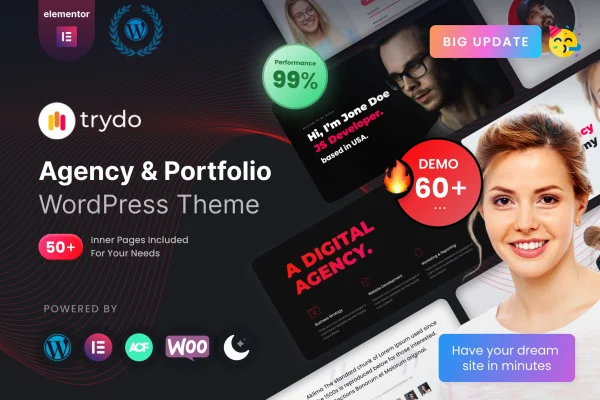
Trydo is an agency and portfolio WordPress theme by Rainbow-Themes. It gives creative professionals, agencies and freelancers a responsive base for presenting projects, running a blog or building a corporate website, with pre-built layouts and a theme options panel for styling.
- Version
- 1.6.5
- Released
- Jul 9, 2026
- Developer
- Rainbow-Themes
- Type
- WordPress theme
- Licence
- GPL
- Included in
- Every plan, or $3.99 on its own
What’s new in Trydo 1.6.5
Version 1.6.5 · Jul 9, 2026
Latest
- ImprovedTested up to WordPress Version 7.0
- ImprovedWooCommerce Outdated Templates & 10.9.x Ready
- ImprovedAdvanced Custom Fields Pro premium plugin
- ImprovedTheme required plugins
- FixedPHP version compatibility issues
- FixedBlog Single page broken issue
- FixedTGM config plugins download issue
What it does
Creative work needs a site that presents projects clearly and still has room for a blog and company pages. This theme handles that with multiple portfolio layouts, blog layouts and a set of pre-built layouts and flexible components. A drag and drop page builder lets you arrange pages without writing code, so people without development experience can still shape the site around their brand.
Getting started is quicker with one-click demo import, which loads demo content you can then edit to suit your own projects. From there, the theme options panel controls colors, typography and layouts. The design is responsive across desktops, tablets and smartphones and is built for cross-browser compatibility. It suits portfolios, creative blogs and business sites for agencies and freelancers alike.
Best for
- Creative agencies presenting client projects
- Freelance designers and creatives building a portfolio
- Small businesses wanting a corporate site with a blog
Features
Multiple portfolio layouts
Choose from several customizable portfolio templates to present a gallery of projects in the format that fits your work and your brand.
Drag and drop page builder
Build and adjust pages through a visual drag and drop interface, so you can create custom layouts without touching any code.
Theme options panel
Set colors, typography and layouts from one options panel to match the site to your brand identity.
One-click demo import
Import the demo content in one step to get a working site structure quickly, then replace the sample material with your own.
Blog layouts
Publish news, insights and updates using the built-in blog layouts, which sit alongside your portfolio and company pages.
Responsive design
Layouts adapt to desktops, tablets and smartphones, so visitors can browse your projects comfortably on whatever screen they use.
Cross-browser compatibility
The theme is built to display consistently across major web browsers, giving visitors a similar experience regardless of their browser.
Questions about Trydo
Can I build pages with Trydo without knowing how to code?
Yes. The theme includes a drag and drop page builder and a theme options panel for colors, typography and layouts, so you can create and customize pages through a visual interface instead of editing code.
Does the theme come with ready-made layouts?
It includes a variety of pre-built layouts, multiple portfolio templates and blog layouts. One-click demo import lets you load the demo content and then edit it to fit your own projects and brand.
Is it only for portfolios, or can I run a blog and business site too?
It works for all of these. Alongside the portfolio layouts, it has blog functionality for news and updates and suits corporate websites for agencies, freelancers and businesses.
Will my site look right on phones and tablets?
The design is fully responsive, adjusting for desktops, tablets and smartphones. It is also built for cross-browser compatibility so pages display consistently across major browsers.
Is Trydo free?
The code of Trydo is licensed under the GPL, so anyone may use, change and share it. GPL Feast is a paid service: a plan or a single purchase gives you the download and automatic updates. The developer's own support, licence key and online services are not included.
Which version of Trydo is this?
Version 1.6.5, released Jul 9, 2026. New versions appear here when the developer publishes them, and members get them as automatic updates.
How do I update Trydo?
Install the free GPL Feast Updater on your site and connect it with your API key. It installs new versions of Trydo automatically and keeps a backup, so you can roll back.
You might also like






