Theme
Updated
Urban Mag
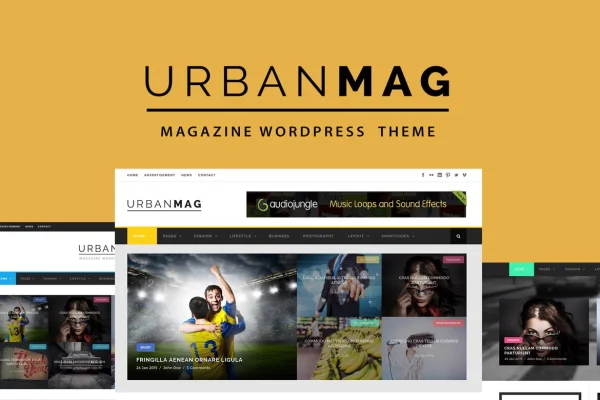
Urban Mag is a news and magazine WordPress theme by GoodLayers. It gives online magazines, news portals and editorial blogs a responsive layout, a demo importer, ready page layouts and wide color controls so you can shape a publication site around your own brand.
- Version
- 1.4.1
- Released
- Sep 15, 2026
- Developer
- GoodLayers
- Type
- WordPress theme
- Licence
- GPL
- Included in
- Every plan, or $3.99 on its own
What’s new in Urban Mag 1.4.1
Version 1.4.1 · Sep 15, 2026
Latest
What it does
Running a news or magazine site means juggling a lot of content on pages that need to stay readable. This theme gives you a ready structure for that kind of site. The GoodLayers Importer can replicate the demo content, so you start from a working layout instead of a blank screen. Page builder shortcuts let you switch on pre-configured layouts for the homepage, the contact page and other common pages, and the responsive design adapts those pages to desktops, tablets and phones.
Once the base is in place, you can adjust the look in detail. Nearly every color element can be changed, and parallax sections support adjustable scroll speed or a fixed background, with their own skins for font and link colors. A set of shortcodes adds extra content elements to posts and pages. For campaigns or signups, you can hide the header, the footer or both to build a focused landing page. PSD files are included for design work outside WordPress.
Best for
- Online magazines and editorial websites
- Independent journalists and news bloggers
- Small publishers launching a news portal
Features
Demo content importer
The GoodLayers Importer replicates the demo site in a few clicks, giving you a populated layout to edit instead of building every page from scratch.
Pre-configured page layouts
Page builder shortcuts activate ready layouts for the homepage, contact page and other standard pages, which cuts down setup time for a new publication.
Parallax and color sections
Add parallax backgrounds with adjustable speed or a fixed position, or use plain color sections to break up long pages of articles.
Skins for parallax sections
Change font and link colors inside parallax sections so text stays readable and matches the rest of your design over any background image.
Wide color customization
Nearly every color element on the site can be changed, so you can match the theme to your publication's brand colors.
Landing page options
Disable the header, the footer or both on a page to create a focused landing page with fewer distractions.
Shortcode library
A range of shortcodes lets you add extra content elements to posts and pages without writing custom code.
Responsive layout and PSD files
Layouts adapt to all screen sizes, and the included PSD files help designers plan custom graphics and branding.
Urban Mag older versions
- 1.4.0Aug 12
Members and buyers of this product can download older versions.
Questions about Urban Mag
Can I make my site look like the demo?
Yes. The theme includes the GoodLayers Importer, which replicates the demo site in a few clicks. After importing, you can replace the sample content with your own articles and adjust colors and layouts to fit your publication.
Will the theme work on phones and tablets?
The theme uses a responsive design built for all screen sizes, so your articles, homepage and other pages adjust their layout for desktops, tablets and smartphones.
Can I build landing pages without the usual header and footer?
Yes. You can disable the header, the footer or both on individual pages. This is useful for campaign pages, subscription offers or event pages where you want visitors focused on a single message.
How much control do I have over colors?
Nearly every color element on the site can be customized. Parallax sections also have their own skins, so you can set font and link colors inside those sections to keep text readable over background images.
Is Urban Mag free?
The code of Urban Mag is licensed under the GPL, so anyone may use, change and share it. GPL Feast is a paid service: a plan or a single purchase gives you the download and automatic updates. The developer's own support, licence key and online services are not included.
Which version of Urban Mag is this?
Version 1.4.1, released Sep 15, 2026. New versions appear here when the developer publishes them, and members get them as automatic updates.
How do I update Urban Mag?
Install the free GPL Feast Updater on your site and connect it with your API key. It installs new versions of Urban Mag automatically and keeps a backup, so you can roll back.
You might also like