Theme
Updated
Vayne
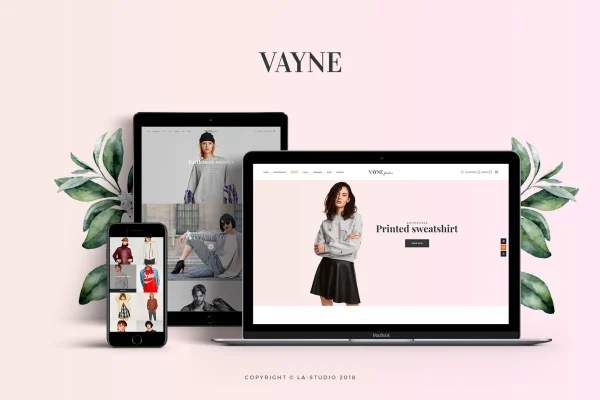
Vayne is a multipurpose WooCommerce theme for building online stores of many kinds, from fashion boutiques to electronics shops. It gives you a modern, responsive layout, ready-made demos and flexible settings so you can shape a shop around your brand without writing code.
- Version
- 1.1.3
- Released
- Jul 15, 2021
- Developer
- Be_Achemit
- Type
- WordPress theme
- Licence
- GPL
- Included in
- Every plan, or $3.99 on its own
What’s new in Vayne 1.1.3
Version 1.1.3 · Jul 15, 2021
Latest
- ImprovedCompatibility with WordPress 5.7.2.
- ImprovedCompatibility with WooCommerce 5.5.0.
- ImprovedUpdate version 6.5.4 of Revolution Slider.
- ImprovedUpdate version 6.7.0 of WPBakery Page Builder.
What it does
Setting up a WooCommerce store means handling product pages, headers, footers and layouts that look right on every screen. Vayne gives you a starting point for all of that. It works with WooCommerce for managing products, payments and shipping, and it adapts to different business types, so a clothing shop and a gadget store can both use it with their own look. Pre-built templates and multiple header and footer styles let you match the design to your brand.
The theme suits beginners opening their first shop as well as designers building stores for clients. You can begin with a one-click demo import, then adjust pages with the drag-and-drop page builder, and the theme's release notes point to WPBakery Page Builder and Revolution Slider as part of the setup. Shoppers get product filtering by category, price range and attributes, and the responsive design keeps pages usable on desktops, tablets and phones.
Best for
- WooCommerce stores selling fashion, electronics or general goods
- Beginners setting up their first online shop
- Designers building ecommerce sites for clients
Features
Responsive store design
Layouts adjust to desktops, tablets and smartphones so product pages, cart and checkout stay readable and usable on any screen size.
WooCommerce compatibility
Works with WooCommerce so you can manage products, payments and shipping through the standard store tools you already know.
Pre-built layout templates
Multiple templates and flexible settings let you shape the appearance of your store to fit your brand without editing code.
Drag-and-drop page building
Build custom page layouts visually with a drag-and-drop builder, with WPBakery Page Builder referenced in the theme's release notes.
Product filtering
Shoppers can narrow product listings by categories, price ranges and attributes, which helps them find items in larger catalogs.
Header and footer styles
Choose from several header and footer designs and customize them to give every page of your store a consistent look.
One-click demo import
Load a ready-made demo store in one step, then edit the content and design to get your own shop started faster.
Questions about Vayne
What kinds of stores can I build with Vayne?
The theme is designed to adapt to many business types, with fashion boutiques and electronics shops given as examples. Its multiple templates, header and footer styles and customization settings let you fit the design to whatever products you sell.
Do I need to know how to code to customize this theme?
No. The pre-built templates, flexible settings and drag-and-drop page builder let you adjust layouts and appearance without touching code. You can also start from a demo import and edit it from there.
Does it help customers find products in a large catalog?
Yes. The theme includes product filtering so customers can narrow results by categories, price ranges and attributes. This makes browsing easier when your store carries many items or variations.
Will my store work on phones and tablets?
The theme uses a fully responsive design, so your store's pages adjust to desktops, tablets and smartphones. Shoppers can browse products and move through your store comfortably on smaller screens.
Is Vayne free?
The code of Vayne is licensed under the GPL, so anyone may use, change and share it. GPL Feast is a paid service: a plan or a single purchase gives you the download and automatic updates. The developer's own support, licence key and online services are not included.
Which version of Vayne is this?
Version 1.1.3, released Jul 15, 2021. New versions appear here when the developer publishes them, and members get them as automatic updates.
How do I update Vayne?
Install the free GPL Feast Updater on your site and connect it with your API key. It installs new versions of Vayne automatically and keeps a backup, so you can roll back.
You might also like