Theme
Updated
Wisconsin
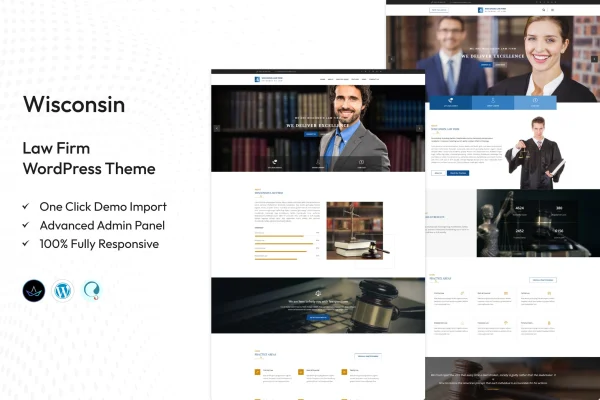
Wisconsin is a WordPress theme by TonaTheme designed for law firms and legal practices. It gives your site a professional look with ready sections for attorney profiles, practice areas and client testimonials, so visitors can quickly learn who you are and how you can help.
- Version
- 2.4
- Released
- Aug 15, 2026
- Developer
- TonaTheme
- Type
- WordPress theme
- Licence
- GPL
- Included in
- Every plan, or $3.99 on its own
What’s new in Wisconsin 2.4
Version 2.4 · Aug 15, 2026
Latest
What it does
A law firm website needs to explain practice areas, introduce the attorneys and give visitors an easy way to get in touch. This theme is built around those needs. It includes dedicated service pages for each area of practice, attorney profile sections for biographies and qualifications, and a testimonials section for client feedback. There is also space to present case results, which helps prospective clients see the kind of work your firm handles.
You can adjust colors, fonts and layouts to match your firm's branding without writing code. The layouts are responsive, so pages adapt to desktops, tablets and phones. Navigation menus help visitors find services, attorneys and contact details, while contact forms and call-to-action buttons give them a clear way to reach out. The theme works with popular WordPress plugins, such as booking systems, and supports a legal blog. It suits solo practitioners and larger firms alike.
Best for
- Solo attorneys building a professional practice website
- Small and large law firms with multiple practice areas
- Legal professionals who want a site without coding
Features
Attorney profiles
Present each lawyer on your team with a detailed biography and qualifications, giving prospective clients a clear picture of who will handle their case.
Practice area service pages
Create dedicated pages for each area of practice so visitors can read about the specific legal services your firm offers.
Client testimonials section
Display feedback from past clients in a prominent section, alongside space for case results that illustrate your firm's experience.
Customization without code
Change colors, fonts and layouts to fit your firm's branding using the theme's customization options, with no coding knowledge required.
Responsive layouts
Pages adjust to different screen sizes, so your site remains readable and usable on desktops, tablets and smartphones.
Contact forms and buttons
Add contact forms and call-to-action buttons throughout your pages to give visitors a direct way to request a consultation or ask questions.
Navigation menus
User-friendly menus help visitors move between services, attorney profiles, testimonials and contact pages without hunting for information.
Plugin compatibility
Works with popular WordPress plugins, including booking systems, and supports running a legal blog alongside your firm's main pages.
Questions about Wisconsin
Can I list each of our attorneys separately?
Yes. Wisconsin includes attorney profile sections where you can add detailed biographies and qualifications for each member of your legal team, which helps visitors learn about the people behind the firm.
Will the theme work for a firm with several practice areas?
It will. The theme provides dedicated service pages, so you can give each area of practice its own page and explain what your firm handles in that field.
Do I need to know how to code to match our branding?
No. The customization options let you adjust colors, fonts and layouts to fit your firm's look without editing code, so you can shape the site to your brand on your own.
Can I add appointment booking or a blog?
The theme is compatible with popular WordPress plugins, including booking systems, and supports a legal blog. You would add a booking plugin of your choice to handle appointments.
Is Wisconsin free?
The code of Wisconsin is licensed under the GPL, so anyone may use, change and share it. GPL Feast is a paid service: a plan or a single purchase gives you the download and automatic updates. The developer's own support, licence key and online services are not included.
Which version of Wisconsin is this?
Version 2.4, released Aug 15, 2026. New versions appear here when the developer publishes them, and members get them as automatic updates.
How do I update Wisconsin?
Install the free GPL Feast Updater on your site and connect it with your API key. It installs new versions of Wisconsin automatically and keeps a backup, so you can roll back.