Theme
Updated
Yozi
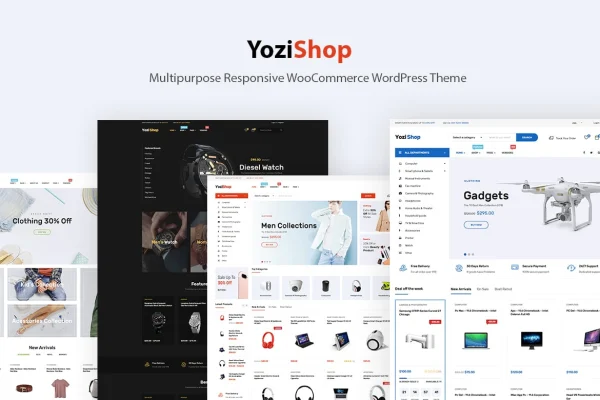
Yozi is a WordPress theme by ApusTheme built for online electronics stores, gadget shops and multi-vendor marketplaces. It runs on WooCommerce and gives you pre-built homepage designs, flexible product displays and a theme options panel for styling your store without writing code.
- Version
- 2.0.72
- Released
- Aug 11, 2026
- Developer
- ApusTheme
- Type
- WordPress theme
- Licence
- GPL
- Included in
- Every plan, or $3.99 on its own
What’s new in Yozi 2.0.72
Version 2.0.72 · Aug 11, 2026
Latest
What it does
Setting up an electronics store means presenting many products with specs, accessories and related items, and doing it in a way that works on phones as well as desktops. This theme handles that with more than nine homepage layouts made for electronics and gadget shops, plus five header and seven footer layouts. You pick a starting design, then adjust colors, fonts (including Google Fonts) and layouts from the Theme Options panel.
On the shop side, it works with WooCommerce for products, orders and payments, and it is compatible with the Dokan and WC Vendors plugins if you want several sellers on one site. Product pages can use different thumbnail layouts, show accessories and recommendations, or switch to catalog mode. It is built on Bootstrap, supports Gutenberg and WPBakery Page Builder, and its responsive, retina ready design adapts to smartphones, tablets and high-resolution screens.
Best for
- Online electronics and gadget stores built on WooCommerce
- Multi-vendor marketplaces using Dokan or WC Vendors
- Store owners who want to customize styling without code
Features
Electronics homepage layouts
More than nine pre-built homepage designs aimed at electronics and gadget stores give you a ready starting point for your storefront.
Header and footer choices
Choose from five header layouts and seven footer layouts to set up navigation and footer information the way your store needs.
Multi-vendor marketplace support
Compatible with the Dokan and WC Vendors plugins, so you can run a marketplace where multiple sellers list their own products.
Flexible product displays
Use multiple product thumbnail layouts, show accessories alongside items and display product recommendations to help shoppers find related gear.
Catalog mode
Switch the store into catalog mode when you want to present products for browsing without running a full checkout.
Theme options without code
Adjust colors, fonts including Google Fonts, and layouts from the Theme Options panel without editing any code.
Page builder compatibility
Built on the Bootstrap framework and works with both Gutenberg and WPBakery Page Builder for drag and drop page creation.
Responsive and retina ready
The design adapts to smartphones, tablets and desktops and supports high-resolution displays so product images stay sharp.
Yozi older versions
- 2.0.48Jun 15, 2023
Members and buyers of this product can download older versions.
Questions about Yozi
Does Yozi work with WooCommerce?
Yes. The theme is designed around WooCommerce, so you manage products, orders and payments through it. Its product pages add extra display options such as different thumbnail layouts, accessories, recommendations and a catalog mode.
Can I run a marketplace with several sellers?
The theme is compatible with the Dokan and WC Vendors multi-vendor plugins. With one of those installed, you can set up a marketplace where different sellers list and sell their own products on your site.
Which page builders can I use with this theme?
It supports Gutenberg, the WordPress block editor, and WPBakery Page Builder for drag and drop page building. The theme itself is built on the Bootstrap framework.
How much control do I have over the design?
You can start from more than nine homepage layouts, five headers and seven footers. The Theme Options panel then lets you change colors, fonts including Google Fonts, and layouts without touching code.
Is Yozi free?
The code of Yozi is licensed under the GPL, so anyone may use, change and share it. GPL Feast is a paid service: a plan or a single purchase gives you the download and automatic updates. The developer's own support, licence key and online services are not included.
Which version of Yozi is this?
Version 2.0.72, released Aug 11, 2026. New versions appear here when the developer publishes them, and members get them as automatic updates.
How do I update Yozi?
Install the free GPL Feast Updater on your site and connect it with your API key. It installs new versions of Yozi automatically and keeps a backup, so you can roll back.