Theme
Updated
Zeino
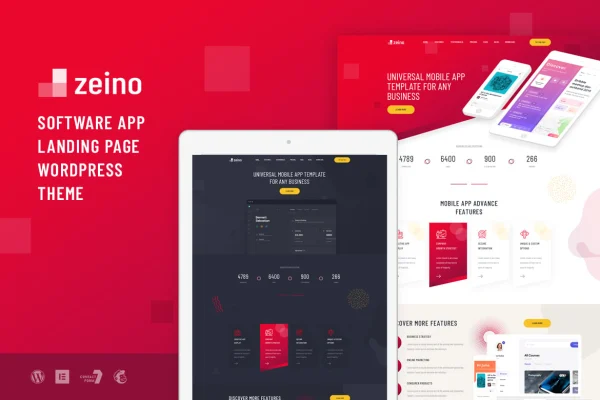
Zeino is an app landing WordPress theme by Layerdrops, built for mobile apps, software products, SaaS platforms and startups. It gives you ready-made landing page designs and inner pages for presenting app features, pricing, testimonials and team details, all editable with Elementor.
- Version
- 1.0.1
- Developer
- Layerdrops
- Type
- WordPress theme
- Licence
- GPL
- Included in
- Every plan, or $3.99 on its own
What’s new in Zeino 1.0.1
Version 1.0.1
Latest
- FixedFontawesome icon fix in elementor icon selector
What it does
Launching an app or software product usually means you need a clear landing page fast, with sections for features, pricing and social proof. This theme covers that with two home page versions and nine inner pages that already lay out the common pieces of an app or startup site. A one-click demo import loads the sample content, so you begin from a finished layout and replace the text, images and colors with your own.
Editing happens through the Elementor page builder, with drag-and-drop control over page sections, plus a live customizer that lets you pick any color and preview it in real time. Theme options are handled through Kirki. For lead capture and email signups, the theme works with Contact Form 7 and MailChimp for WP. Under the hood it uses the Bootstrap 4 framework, CSS3 animations and W3C validated, well-commented code, and the layouts are responsive across desktop, tablet and mobile.
Best for
- Mobile app makers needing a product landing page
- SaaS companies and software startups presenting features and pricing
- Freelancers and agencies building app marketing sites for clients
Features
Two home page versions
Choose between two distinct landing page designs for the front of your site and pick the one that matches your app or brand style.
Nine custom inner pages
Pre-built inner pages cover areas such as features, pricing, team and testimonials, giving your site a complete structure beyond the home page.
One-click demo import
Load the demo content in one step so your site matches the preview layout, then focus your time on swapping in your own content.
Live color customizer
Adjust colors with a backend color picker and see changes in real time, with unlimited color options to match your branding.
Elementor page building
Edit layouts and sections with the Elementor page builder using drag and drop, with no need to write code for everyday changes.
Forms and mailing lists
Works with Contact Form 7 for contact and lead forms and MailChimp for WP for collecting email subscribers from your landing page.
Responsive Bootstrap 4 layout
Built on Bootstrap 4 with responsive layouts tested across browsers and devices, so pages adapt to desktop, tablet and mobile screens.
Developer-friendly code
W3C validated, well-commented code and CSS3 animations make the theme easier to understand and extend, with documentation to guide setup and customization.
Questions about Zeino
Do I need Elementor to edit this theme?
The theme is built to work with the Elementor page builder, which gives you drag-and-drop editing of page sections. Theme-wide settings such as colors are handled through the live customizer, which uses Kirki for its options.
Can I add a contact form and newsletter signup?
Yes. The theme supports Contact Form 7 for contact and lead capture forms and MailChimp for WP for building a mailing list, so you can place both on your landing and inner pages.
What pages come ready to use?
You get two home page versions and nine inner pages. The inner pages present things like app features, pricing tables, team members and testimonials, and the one-click demo import loads them with sample content you can replace.
Will my site work on phones and tablets?
The layouts are fully responsive and have been tested across major browsers and real devices, so the pages adjust to desktop, tablet and mobile screens without separate designs.
Is Zeino free?
The code of Zeino is licensed under the GPL, so anyone may use, change and share it. GPL Feast is a paid service: a plan or a single purchase gives you the download and automatic updates. The developer's own support, licence key and online services are not included.
Which version of Zeino is this?
Version 1.0.1. New versions appear here when the developer publishes them, and members get them as automatic updates.
How do I update Zeino?
Install the free GPL Feast Updater on your site and connect it with your API key. It installs new versions of Zeino automatically and keeps a backup, so you can roll back.