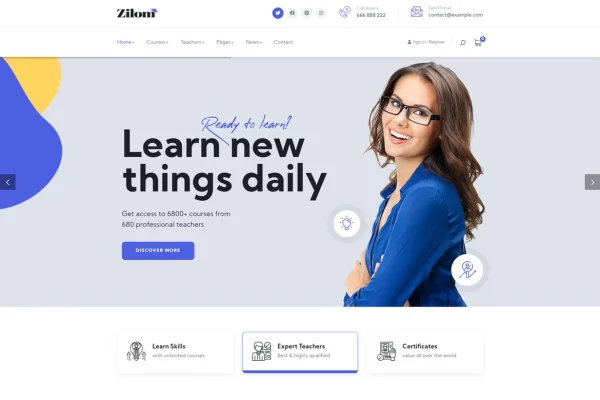
Theme
Updated
Zilom
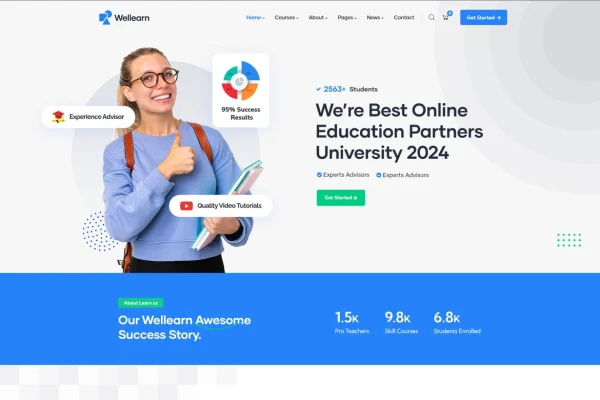
Zilom is a WordPress theme built for online education websites. It gives educators, training centers and institutions a ready structure for presenting courses, running quizzes and giving students a personal dashboard, with layout options that let you match the site to your brand.
- Version
- 1.4.6
- Released
- Aug 17, 2026
- Developer
- gavias
- Type
- WordPress theme
- Licence
- GPL
- Included in
- Every plan, or $3.99 on its own
What’s new in Zilom 1.4.6
Version 1.4.6 · Aug 17, 2026
Latest
What it does
Setting up an e-learning site on WordPress usually means stitching together a design, a course system and student tools. This theme brings those pieces into one education-focused package. You can build and organize courses with drag-and-drop tools, add quizzes and tests to check learner progress, and embed videos, audio, presentations and documents inside your lessons. It works with LMS plugins such as LearnPress and LifterLMS if you want to run your courses through one of them.
On the design side, the layout is responsive, so pages adapt to phones, tablets and desktops. A theme options panel lets you change settings without writing code, and you can pick from multiple header styles, color schemes and typography options. Students get a dashboard with their courses, progress and resources, while multi-instructor support lets several teachers manage their own courses. Built-in blog and news sections cover announcements and articles.
Best for
- Independent teachers selling or hosting online courses
- Training centers running courses with several instructors
- Schools and institutions building an e-learning website
Features
Drag-and-drop course builder
Create and organize courses using drag-and-drop tools, which keeps course setup simple and makes it easier to arrange lessons and content in a clear order.
Quizzes and assessments
Add interactive quizzes and tests to your courses so learners can check their knowledge and you can track how they are progressing.
LMS plugin compatibility
Works with learning management plugins including LearnPress and LifterLMS, so you can run your course system through the plugin you prefer.
Student dashboard
Learners get a personal dashboard with access to their enrolled courses, progress tracking and learning resources gathered in one place.
Multi-instructor support
Several educators can manage their own courses on the same site, which suits schools and training centers with more than one teacher.
Multimedia lesson content
Embed videos, audio, presentations and documents in your learning materials to give students a mix of formats within each course.
Customizable look and options
Choose from multiple header styles, color schemes and typography settings, and adjust site settings through a theme options panel without coding.
Blog and news sections
Built-in blog and news areas let you publish educational articles, updates and announcements for your students and wider community.
Zilom older versions
- 1.4.2Nov 2, 2025
- 1.3.9Oct 1, 2025
- 1.3.7Sep 11, 2025
- 1.3.5Jul 22, 2025
- 1.3.2Mar 2, 2025
- 1.2.2Jun 17, 2023
Members and buyers of this product can download older versions.
Questions about Zilom
Does Zilom work with LearnPress or LifterLMS?
Yes. The theme is described as compatible with LMS plugins such as LearnPress and LifterLMS, so you can use either one to handle course functionality while the theme takes care of the design and layout.
Can more than one teacher manage courses on the site?
Yes. Multi-instructor support lets multiple educators manage their own courses. This is useful for institutions or training centers where different faculty members are responsible for different subjects.
What do students see when they log in?
Students get a personal dashboard that gives them access to their courses, shows their progress and collects their learning resources, so they can pick up where they left off.
Can I change the design without coding?
Yes. A theme options panel lets you configure site settings without code, and you can choose between multiple header styles, color schemes and typography options to match your brand.
Is Zilom free?
The code of Zilom is licensed under the GPL, so anyone may use, change and share it. GPL Feast is a paid service: a plan or a single purchase gives you the download and automatic updates. The developer's own support, licence key and online services are not included.
Which version of Zilom is this?
Version 1.4.6, released Aug 17, 2026. New versions appear here when the developer publishes them, and members get them as automatic updates.
How do I update Zilom?
Install the free GPL Feast Updater on your site and connect it with your API key. It installs new versions of Zilom automatically and keeps a backup, so you can roll back.