Plugin
Updated
Divi Ghoster
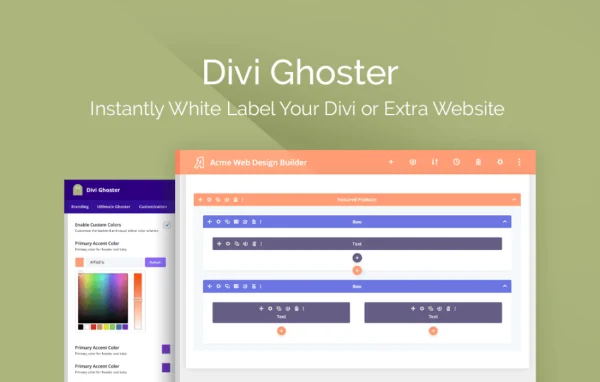
Divi Ghoster is a WordPress plugin by Aspen Grove Studios that white labels the Divi and Extra themes. It hides or replaces Elegant Themes branding on the front end and in the admin dashboard, so clients see your brand instead.
- Version
- 5.0.58
- Released
- Oct 13, 2025
- Developer
- WP Zone
- Type
- WordPress plugin
- Licence
- GPL
- Included in
- Every plan, or $3.99 a year on its own
What’s new in Divi Ghoster 5.0.58
Version 5.0.58 · Oct 13, 2025
Latest
- FixedHide help icon in the backend visual builder
What it does
Agencies and freelancers who build on Divi often want client sites to carry their own branding. Out of the box, the theme name, logos, menus and product tours all point back to Elegant Themes. This plugin lets you change the theme name, author, slug and thumbnail, hide Divi and Extra branding throughout the backend, and brand the login page. All of it is handled through settings and toggles, so no coding is needed.
Beyond branding, the plugin gives you control over what clients can reach. You can hide Divi menu items such as Theme Options, Theme Builder and Support Center, conceal Divi-related plugins, and hide specific pages from the dashboard. Admins can still get to hidden features through a hidden link or keyboard shortcuts. It works with Divi and Extra child themes, and theme updates show up under your branded name.
Best for
- Agencies building client sites on Divi or Extra
- Freelancers who deliver Divi sites under their own brand
- Developers who want to limit client access to theme settings
Features
Theme name and slug rebranding
Replace the Divi or Extra theme name, author, slug and thumbnail with your own branding so the theme appears custom-built in the dashboard.
Hide Divi and Extra branding
Remove Divi and Extra logos, menus and product tours from the site and backend so clients only see your brand.
Branded login page
Design the WordPress login with Divi Builder templates, add custom logos and background images, and mask the login URL.
Restrict Divi menu items
A dedicated module hides Divi menu items like Theme Options, Theme Builder and Support Center, keeping clients away from settings they should not change.
Conceal related plugins
Hide Divi-related plugins such as Divi Switch, Divi Bars and Divi Booster, plus Divi Ghoster itself, for a cleaner admin plugin list.
Custom backend colors
Set custom colors and branding in the Divi Builder backend to match your own style or your client's identity.
Dashboard cleanup tools
Hide specific pages, remove the WordPress logo and admin footer, and swap default dashboard widgets for your own branded widgets.
Hidden admin access
Admins can reach hidden Divi features through a secure hidden link or keyboard shortcuts, so restrictions do not slow down your own work.
Divi Ghoster older versions
- 5.0.57Jun 13, 20241 fix
- 5.0.56Feb 26, 20242 improvements, 1 fix
- 5.0.55Dec 27, 20231 fix
- 5.0.54Nov 30, 2023
- 5.0.53Nov 23, 2023
- 5.0.52Oct 21, 2023
- 5.0.51Oct 11, 2023
- 5.0.50Sep 15, 2023
- 5.0.49Apr 18, 2023
Members and buyers of this product can download older versions.
Questions about Divi Ghoster
Does it work with the Extra theme as well as Divi?
Yes. The plugin is built to rebrand both Divi and Extra. You can change the theme name, author, slug and thumbnail, and hide branding for either theme. It also works with Divi and Extra child themes.
Can I stop clients from changing Divi theme settings?
Yes. Its menu-hiding module lets you hide items such as Theme Options, Theme Builder and Support Center. You can also hide specific dashboard pages. Admins can still reach hidden features through a secure hidden link or keyboard shortcuts.
Will theme updates reveal the Divi name to my clients?
No. Theme updates appear as updates to your branded version, so the white label stays in place and Elegant Themes is not mentioned in the update notices.
Do I need to write code to rebrand my site?
No coding is required. Rebranding is handled through settings and one-click toggles, including the login page design, backend colors, and which plugins, menus and widgets are hidden.
Is Divi Ghoster free?
The code of Divi Ghoster is licensed under the GPL, so anyone may use, change and share it. GPL Feast is a paid service: a plan or a single purchase gives you the download and automatic updates. The developer's own support, licence key and online services are not included.
Which version of Divi Ghoster is this?
Version 5.0.58, released Oct 13, 2025. New versions appear here when the developer publishes them, and members get them as automatic updates.
How do I update Divi Ghoster?
Install the free GPL Feast Updater on your site and connect it with your API key. It installs new versions of Divi Ghoster automatically and keeps a backup, so you can roll back.
More from WP Zone