Plugin
Updated
Divi Widget Builder
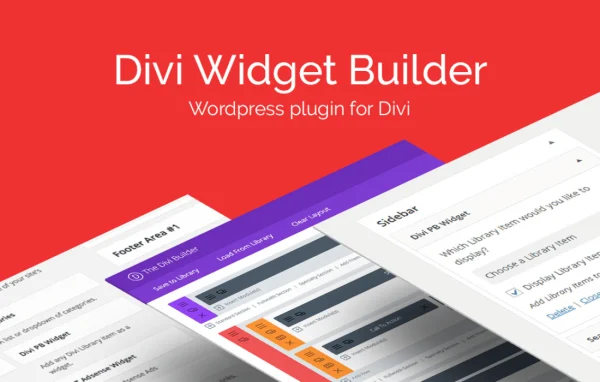
Divi Widget Builder is a WordPress plugin by Aspen Grove Studios for sites built with Divi. It lets you create custom widget areas and place Divi Builder modules and saved Divi Library layouts inside them, so sidebars and footers can carry the same designs as the rest of your pages.
- Version
- 1.0.4
- Released
- May 2, 2026
- Developer
- WP Zone
- Type
- WordPress plugin
- Licence
- GPL
- Included in
- Every plan, or $3.99 a year on its own
What’s new in Divi Widget Builder 1.0.4
Version 1.0.4 · May 2, 2026
Latest
What it does
Widget areas in WordPress usually hold simple widgets such as text, menus or recent posts. Adding a new widget area that works well with Divi normally means editing theme files and writing code. This plugin removes that step. You create new widget areas from inside WordPress, then fill them with content designed in the Divi Builder, which brings full layouts and modules to places that used to hold only basic widgets.
The workflow uses tools Divi users already know. You design a layout or module and save it to your Divi Library. Then you open the standard WordPress Widgets screen, drag the Divi PB Widget into any widget area and choose the saved item to display. Because the same saved designs can be reused across sidebars, footers and other widget-ready spots, your site keeps a consistent look without rebuilding sections by hand.
Best for
- Site owners running the Divi theme
- Freelancers building client sites with Divi
- Agencies that reuse Divi Library designs across projects
Features
Custom widget area creation
Add new widget areas to your Divi site without editing theme files or writing code, giving you more places to put content.
Divi Library integration
Display modules and pages saved in your Divi Library inside any widget area, so existing designs can be reused wherever you need them.
Divi PB Widget
A dedicated widget you drag into any widget area through the native WordPress Widgets interface to show Divi Builder content.
Full layouts in sidebars
Place multi-module Divi layouts in sidebars instead of being limited to the simple widgets WordPress provides by default.
Footer and widget-ready areas
Use Divi modules in footers and other widget-ready locations across your theme for richer content placement.
No coding required
Everything happens through the Divi Builder and the Widgets screen, which makes it approachable for beginners and practical for developers.
Divi Widget Builder older versions
- 1.0.3Apr 18, 2023
Members and buyers of this product can download older versions.
Questions about Divi Widget Builder
Can I use my saved Divi Library layouts in a sidebar?
Yes. Any module or page saved to your Divi Library can be displayed inside a widget area. You add the Divi PB Widget to the sidebar from the WordPress Widgets screen and select the saved item you want to show.
Do I need to edit theme files to add new widget areas?
No. The plugin lets you create custom widget areas from within WordPress, so you skip the manual coding and theme file edits that adding Divi-compatible widget areas would otherwise require.
Where can the Divi content appear on my site?
It can go in any widget-ready area, including sidebars, footers and the new custom widget areas you create with the plugin. That lets you place Divi modules and layouts in spots normally reserved for basic widgets.
Is this plugin meant for Divi sites only?
It is built for the Divi ecosystem. Its features depend on the Divi Builder and the Divi Library, so it suits websites that use Divi for their page design.
Is Divi Widget Builder free?
The code of Divi Widget Builder is licensed under the GPL, so anyone may use, change and share it. GPL Feast is a paid service: a plan or a single purchase gives you the download and automatic updates. The developer's own support, licence key and online services are not included.
Which version of Divi Widget Builder is this?
Version 1.0.4, released May 2, 2026. New versions appear here when the developer publishes them, and members get them as automatic updates.
How do I update Divi Widget Builder?
Install the free GPL Feast Updater on your site and connect it with your API key. It installs new versions of Divi Widget Builder automatically and keeps a backup, so you can roll back.
More from WP Zone