Plugin
Plugin
Updated
Divi Mega Pro
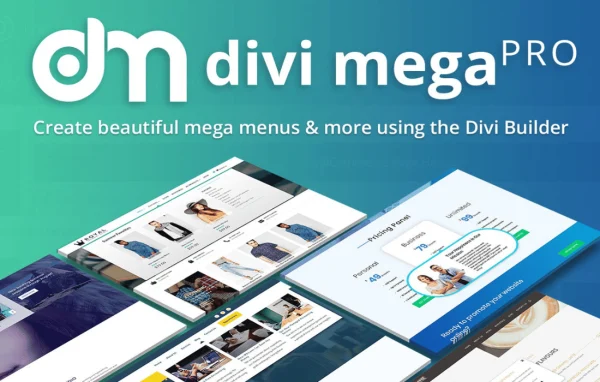
Divi Mega Pro by Divi Life is a WordPress plugin for sites built with Divi. It lets you design mega menus and Mega Tooltips in the Divi Builder, so your navigation and pop-up content can hold modules, images, forms and products instead of plain text links.
- Version
- 1.9.8.9
- Released
- Apr 2, 2024
- Developer
- Divi Life
- Type
- WordPress plugin
- Licence
- GPL
- Included in
- Every plan, or $4.79 a year on its own
What’s new in Divi Mega Pro 1.9.8.9
Version 1.9.8.9 · Apr 2, 2024
Latest
- ImprovedPositioning when triggered from Divi main content or Divi section with Sticky Position
- ImprovedImprove mobile device support
- ImprovedSwap default Arrow SVG icon to Arrow with sharp edges
- FixedClick trigger issue on macOS - Safari latest releases
- FixedRare cases where 10px padding left is added when Mega Pro width is 100%
- FixedNo placement on top in Mobile when trigger is on footer
- FixedMega Pro appending to hidden Divi content
What it does
Standard WordPress menus are limited to text links, which makes it hard to point visitors toward products, sign-in forms or featured content from the navigation. This plugin lets you build those menus as Divi layouts. You design each mega menu in the Visual Builder using multi-column layouts and Divi modules, then style it with Divi's design settings such as gradients, shadows and animations. It is built for Divi and works with Divi 5.
Beyond menus, the plugin adds Mega Tooltips: content panels that appear when a visitor hovers over or clicks an element anywhere on the page. You attach a menu or tooltip to an element through a CSS class and pick the trigger. Each menu and tooltip is stored as its own custom post type entry, which keeps many of them organized. Menus and tooltips are responsive, and WooCommerce content such as carts, login forms and products can be placed inside them.
Best for
- Divi sites that need richer, multi-column navigation
- WooCommerce stores built with Divi
- Designers adding hover or click tooltips to Divi pages
Setup
How to import Layout Templates
- Download and unzip Template zip file.
- Now unzip one of the layouts files.
- Then, navigate to the individual edit screen for the Divi Bar or Divi Overlay or Divi Mega Pro.
- Next, Click the “portability icon” (up and down arrows) in the upper right corner of the Divi Builder, and import the unzipped .json file.
- Enjoy the template and create something awesome.
Features
Visual mega menu builder
Design multi-column mega menus in the Divi Visual Builder, with full control over the layout and styling of each menu.
Any Divi module inside menus
Place built-in Divi modules, plus modules from third-party and WordPress plugins, inside menus. Sliders, tabs and shopping carts are all options.
Mega Tooltips
Create pop-up content panels that open on hover or click anywhere on your site, useful for extra information, images or forms.
Hover or click triggers
Attach a mega menu or tooltip to any page element using a CSS class, then choose whether it opens on hover or on click.
Custom post type management
Each mega menu and tooltip is saved as its own custom post type entry, making it simple to organize and manage many of them.
Divi design options
Apply Divi's design tools, including gradients, shadows and animations, to give menus and tooltips a distinct look without writing code.
Responsive on all screens
Menus and tooltips are built to adapt to different devices and screen sizes, including phones and tablets.
WooCommerce content in menus
Add WooCommerce login forms, shopping carts and products directly inside your mega menus for store visitors.
Divi Mega Pro older versions
- 1.9.8.2Aug 16, 20232 improvements, 1 fix
- 1.9.7Apr 18, 20234 fixes
Members and buyers of this product can download older versions.
Questions about Divi Mega Pro
Does Divi Mega Pro work with Divi 5?
Yes. The plugin is built for Divi users and is compatible with Divi 5. You design menus and tooltips with the Divi Builder, so the workflow matches the way you already build pages.
What is a Mega Tooltip?
A Mega Tooltip is a content panel that appears when a visitor hovers over or clicks an element on your page. It can contain any Divi layout, such as text, images or forms, and you attach it to an element with a CSS class.
Can I put WooCommerce products or a cart in my menu?
Yes. The plugin supports WooCommerce content inside mega menus, including login forms, shopping carts and products. Since menus are built from Divi modules, you arrange that content with the same layout tools you use elsewhere.
Do I need to know how to code?
No. Menus and tooltips are designed visually in the Divi Builder with its design options. The only technical step is adding a CSS class to the element that should trigger a menu or tooltip.
Is Divi Mega Pro free?
The code of Divi Mega Pro is licensed under the GPL, so anyone may use, change and share it. GPL Feast is a paid service: a plan or a single purchase gives you the download and automatic updates. The developer's own support, licence key and online services are not included.
Which version of Divi Mega Pro is this?
Version 1.9.8.9, released Apr 2, 2024. New versions appear here when the developer publishes them, and members get them as automatic updates.
How do I update Divi Mega Pro?
Install the free GPL Feast Updater on your site and connect it with your API key. It installs new versions of Divi Mega Pro automatically and keeps a backup, so you can roll back.
More from Divi Life
Plugin
Plugin
Plugin
Plugin


