
Plugin
Updated
Download Monitor (PRO)
Download Monitor (PRO) by WPChill is a WordPress plugin for managing the files you offer to visitors. It lets you upload, organize and protect downloads, then track how often they are used. It works as an add-on to the core Download Monitor plugin.
- Version
- 1.1.4
- Released
- Oct 15, 2026
- Developer
- Download Monitor
- Type
- WordPress plugin
- Requires
- Download Monitor
- Licence
- GPL
- Included in
- Every plan, or $4.79 a year on its own
What’s new in Download Monitor (PRO) 1.1.4
Version 1.1.4 · Oct 15, 2026
Latest
- FixedNinja Forms download actions not showing in the form builder.
- FixedEmail Logs menu missing on new installs.
What it does
Sites that hand out software, eBooks or media files often end up with loose links scattered across posts and no clear record of who grabbed what. This plugin gathers those files into one dashboard where you can upload, categorize and tag them. You can host files locally or point to external URLs, so files kept in third-party storage can still be managed and counted in the same place.
Once files are in place, you add download links and lists to pages with shortcodes and widgets, adjusting how they look and behave. Access controls let you lock files with passwords, set links to expire and limit downloads by user role, and visitors who are refused see a message explaining the reason. Reports cover download counts, user activity and geographic data, and email notifications tell you when downloads happen.
Best for
- Software developers distributing plugins, apps or updates
- Authors and publishers offering eBooks and documents
- Sites that restrict files to certain users or roles
Features
Central file dashboard
Upload, categorize and manage multiple digital downloads from a single dashboard inside WordPress, so your files stay organized in one place.
Download reports
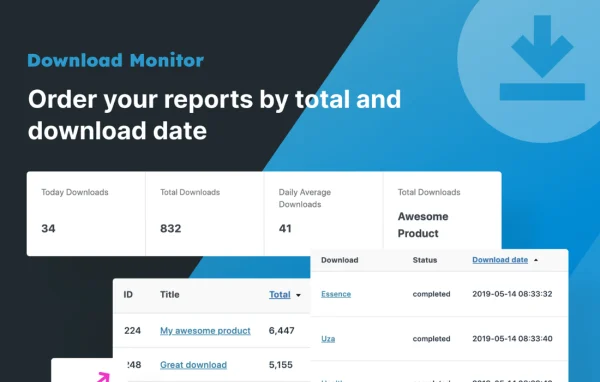
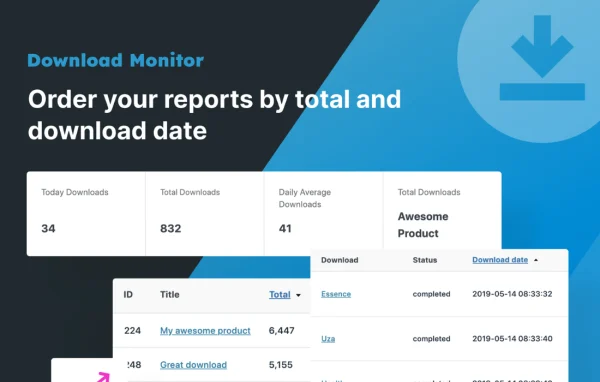
Review reports on download counts, user activity and geographic data to see which files visitors use and where they come from.
Password and role restrictions
Protect files with password locks and restrict downloads by user role, so only the visitors you choose can access them.
Expiring links
Set expiration dates on download links so access ends at a set point, and denied visitors see the specific reason access was refused.
Local or external hosting
Serve files stored on your own server or link to external URLs, which lets you work with files kept in third-party storage.
Shortcodes and widgets
Place download links and lists anywhere on your site using shortcodes and widgets, with options to customize their appearance and behavior.
File versions
Manage and publish different versions of a downloadable file so visitors can get the latest release of your software or document.
Email notifications
Receive automatic email notifications when downloads occur, helping you keep track of activity without checking reports constantly.
Download Monitor (PRO) older versions
- 1.1.0Sep 293 new, 1 improvement, 1 fix
- 1.0.4Apr 11 new
- 1.0.2Aug 12, 20251 fix
Members and buyers of this product can download older versions.
Questions about Download Monitor (PRO)
Does this work on its own or need another plugin?
It needs the core Download Monitor plugin installed, since this PRO edition adds extra features on top of it, including password locks, expiring links, reporting and notifications.
Can I control who is allowed to download a file?
Yes. You can protect files with passwords, set links to expire on a chosen date and restrict access by user role. When someone is refused, the message tells them the specific reason access was denied.
Can I offer files stored somewhere other than my server?
Yes. The plugin supports both locally hosted files and external URLs, so you can manage and track files kept with third-party storage alongside the ones on your own server. It handles all common file types.
What kind of download data can I see?
Reports show download counts, user activity and geographic data. You can also turn on email notifications so you hear about downloads as they happen.
Is Download Monitor (PRO) free?
The code of Download Monitor (PRO) is licensed under the GPL, so anyone may use, change and share it. GPL Feast is a paid service: a plan or a single purchase gives you the download and automatic updates. The developer's own support, licence key and online services are not included.
Which version of Download Monitor (PRO) is this?
Version 1.1.4, released Oct 15, 2026. New versions appear here when the developer publishes them, and members get them as automatic updates.
How do I update Download Monitor (PRO)?
Install the free GPL Feast Updater on your site and connect it with your API key. It installs new versions of Download Monitor (PRO) automatically and keeps a backup, so you can roll back.
What does Download Monitor (PRO) need?
Download Monitor (PRO) needs Download Monitor installed and active.
More from Download Monitor