Plugin
Updated
Genesis Custom Blocks Pro
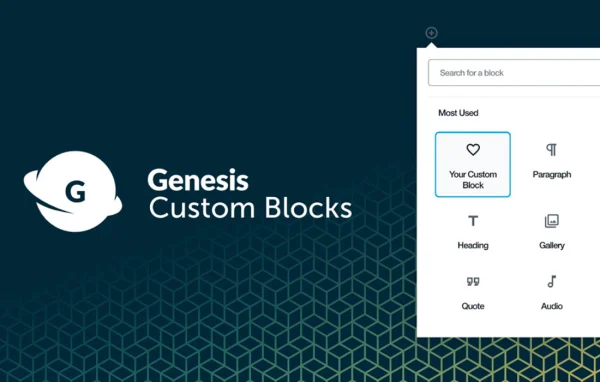
Genesis Custom Blocks Pro by WP Engine is a WordPress plugin for building your own custom Gutenberg blocks. You set up each block and its fields in the WordPress admin, then control how it looks on the front end with familiar PHP template files.
- Version
- 1.7.1
- Released
- Apr 28, 2026
- Developer
- StudioPress
- Type
- WordPress plugin
- Licence
- GPL
- Included in
- Every plan, or $4.79 a year on its own
What’s new in Genesis Custom Blocks Pro 1.7.1
Version 1.7.1 · Apr 28, 2026
Latest
- ImprovedInclude most recent changes from the free Genesis Custom Blocks plugin.
- SecurityFix Classic Field type and modernize documentation and developer tooling.
What it does
Many WordPress sites need content blocks that the default block editor does not offer, such as a team member card or a styled call-out with specific fields. Building those as native blocks usually means writing a fair amount of JavaScript. Genesis Custom Blocks Pro takes a different route. You create and manage blocks from a simple screen in the WordPress dashboard, add the configurable fields each block needs, and the plugin turns that setup into a native block that editors can use in Gutenberg.
The front end is handled through PHP template files, so developers can style and lay out each block using standard WordPress practices and functions they already know. That keeps the work approachable and easier to maintain over time. Custom blocks can also be extended and connected with third-party plugins and applications. The plugin suits agencies, freelancers and in-house developers who want tailored blocks for client or company sites while giving content editors a familiar editing experience.
Best for
- Developers building custom Gutenberg blocks with PHP
- Agencies creating tailored blocks for client websites
- Content teams needing structured, reusable block layouts
Features
Admin interface for blocks
Create and manage custom blocks directly in the WordPress dashboard, without setting up complicated code just to register a new block.
Configurable block fields
Add a wide range of configurable fields to each block so its content and appearance match what your project actually needs.
PHP front-end templates
Design how each block appears on the front end using familiar PHP template files, giving you control over styling and layout.
Native Gutenberg blocks
Blocks you build work as native WordPress blocks inside the block editor, so editors add and fill them like any other block.
Third-party integration
Extend your custom blocks by connecting them with third-party plugins and applications to add the functionality your site requires.
Standard WordPress workflow
Work with standard WordPress development practices and PHP functions, which keeps custom blocks approachable for developers and easier to maintain.
Genesis Custom Blocks Pro older versions
- 1.6.0Dec 30, 20231 fix
- 1.5.1Apr 18, 20231 improvement
Members and buyers of this product can download older versions.
Questions about Genesis Custom Blocks Pro
Do I need to know JavaScript to build blocks with this plugin?
The plugin relies on PHP templating rather than heavy JavaScript. You configure blocks and their fields in the WordPress admin, then write PHP template files to control the front-end output, which follows standard WordPress development practices.
Will the blocks I create work in the regular block editor?
Yes. Blocks built with the plugin are native WordPress blocks that sit inside the Gutenberg editor, so editors can insert and fill them in the same way they use the built-in blocks.
Can I control how each custom block looks on my site?
You can. Each block's front-end appearance is defined in a PHP template file, so you decide the markup, styling and layout. Configurable fields let you shape what content editors enter into the block.
Can custom blocks connect with other plugins?
The plugin lets you extend and integrate your custom blocks with third-party plugins and applications, so a block can pull in or work alongside functionality from other tools on your site.
Is Genesis Custom Blocks Pro free?
The code of Genesis Custom Blocks Pro is licensed under the GPL, so anyone may use, change and share it. GPL Feast is a paid service: a plan or a single purchase gives you the download and automatic updates. The developer's own support, licence key and online services are not included.
Which version of Genesis Custom Blocks Pro is this?
Version 1.7.1, released Apr 28, 2026. New versions appear here when the developer publishes them, and members get them as automatic updates.
How do I update Genesis Custom Blocks Pro?
Install the free GPL Feast Updater on your site and connect it with your API key. It installs new versions of Genesis Custom Blocks Pro automatically and keeps a backup, so you can roll back.
More from StudioPress