Plugin
Updated
NEX-Forms ADD ON - Super Select
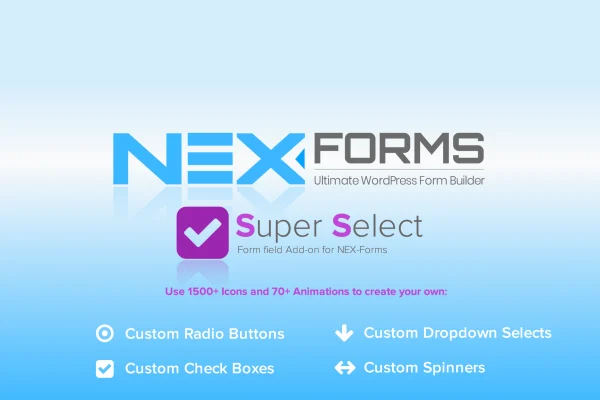
This add-on plugin extends NEX-Forms with more control over selection fields. It lets you restyle radio buttons, checkboxes, drop-down selects and spinner selects with icons, on/off colors and animations, and it can link selections to other fields in the same form.
- Version
- 7.5.12.1
- Released
- May 2, 2023
- Developer
- NEX-Forms
- Type
- WordPress plugin
- Licence
- GPL
- Included in
- Every plan, or $1.59 on its own
What’s new in NEX-Forms ADD ON - Super Select 7.5.12.1
Version 7.5.12.1 · May 2, 2023
Latest
What it does
Default selection fields in most forms look plain, and they rarely match the rest of a site's design. This add-on gives you control over how each option looks and responds. You can pick from over 1500 icons, set separate on and off colors and icons for every option, and apply one of more than 70 animations that play when a visitor makes a choice. That visual feedback makes it clearer which option is selected.
The add-on works inside NEX-Forms alongside its other form building tools and add-ons, so it suits people who already build contact forms, surveys or other interactive forms with that plugin. Selection fields can be linked to other form fields, which lets one choice affect what happens elsewhere in the form without writing code. Icon support includes libraries such as FontAwesome, and the fields are designed to be responsive on desktops, tablets and phones.
Best for
- Sites already building forms with NEX-Forms
- Surveys and quizzes that need visual answer choices
- Designers matching form fields to a brand style
Features
Large icon selection
Choose from over 1500 icons to style radio buttons, checkboxes, drop-down selects and spinner selects so each option fits your branding.
On and off states
Set distinct on and off colors and icons for each individual option, giving you control over how selected and unselected choices look.
Selection animations
Apply any of more than 70 animations to selections, giving visitors a clear visual cue when they pick an option in your form.
Linked form fields
Connect selection fields to other fields in the form so a visitor's choice can drive conditional behavior, all set up without coding.
FontAwesome icon support
Use icons from popular libraries such as FontAwesome, so a wide range of familiar icons is available for your selection options.
Responsive selection fields
The styled fields are built to adapt to different screen sizes, so forms remain usable on desktops, tablets and mobile phones.
Works within NEX-Forms
The add-on fits into the NEX-Forms setup and can be used together with its other form building tools and add-ons.
Questions about NEX-Forms ADD ON - Super Select
Which field types can I customize with this add-on?
It works with radio buttons, checkboxes, drop-down selects and spinner selects. For each of these you can assign icons, set on and off colors and icons per option, and add animations to the selection.
Do I need NEX-Forms to use it?
Yes. This is an add-on for NEX-Forms, designed to work within that form builder alongside its other tools and add-ons. It extends the selection fields you create there.
Can a selection change other parts of my form?
Yes. You can link selection fields to other form fields, which supports conditional logic and smarter form flows. This is configured without writing any code.
Will the styled fields work on phones?
The add-on is designed to be responsive, so the customized selection fields are meant to display and work properly on desktops, tablets and mobile devices.
Is NEX-Forms ADD ON - Super Select free?
The code of NEX-Forms ADD ON - Super Select is licensed under the GPL, so anyone may use, change and share it. GPL Feast is a paid service: a plan or a single purchase gives you the download and automatic updates. The developer's own support, licence key and online services are not included.
Which version of NEX-Forms ADD ON - Super Select is this?
Version 7.5.12.1, released May 2, 2023. New versions appear here when the developer publishes them, and members get them as automatic updates.
How do I update NEX-Forms ADD ON - Super Select?
Install the free GPL Feast Updater on your site and connect it with your API key. It installs new versions of NEX-Forms ADD ON - Super Select automatically and keeps a backup, so you can roll back.
More from NEX-Forms