Plugin
Updated
PeepSo Block Theme
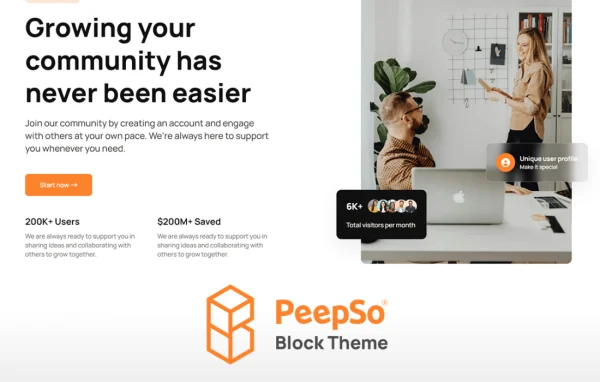
PeepSo Block Theme is a WordPress theme made to pair with the PeepSo social plugin. It styles profiles, activity feeds and groups, and it lets you shape your community layouts in the WordPress block editor without writing code.
- Version
- 9.0.5.3
- Released
- Jul 16, 2026
- Developer
- PeepSo
- Type
- WordPress plugin
- Licence
- GPL
- Included in
- Every plan, or $3.19 a year on its own
What’s new in PeepSo Block Theme 9.0.5.3
Version 9.0.5.3 · Jul 16, 2026
Latest
- SecuritySecurity issue – SQL injection (discovered by Yukusawa18 via Patchstack)
- FixedDelete_post() could wipe every module-1 activity; WP Adverts ad deletion triggered it. Photos and WP Event Manager hardened against the same path
- NewBundled translations now load as a fallback layer, with regional locale fallback
- ImprovedHot ranking: slower decay, so engagement still counts in the short windows
- FixedStream sort labels reworded to Today / One week / One month / One year / All time
- ImprovedMedia Title should be optional for video/audio uploads/links
- ImprovedYouTube embeds lost title and description; existing posts self-heal on view
- FixedLeaving an RSVP never removed its activity row
What it does
Running a community on PeepSo means your theme has to handle profiles, activity streams and group pages, which many general themes were never designed for. This theme is built around those social components, so they come styled from the start. It suits niche membership sites, club platforms and larger social networks that want a consistent look across both regular pages and community areas.
Layouts are built with the native WordPress block editor, so you can arrange pages by dragging blocks instead of editing templates by hand. Ready-made templates cover profile pages, group feeds and community walls, giving you a starting point you can adjust. You can also change headers, footers, widgets and sidebars to match your branding, and the responsive design adapts to desktops, tablets and phones.
Best for
- Community sites running the PeepSo social plugin
- Niche membership sites and club platforms
- Site owners who prefer the WordPress block editor
Features
Styled PeepSo components
Profiles, activity feeds and groups from the PeepSo plugin are supported and styled out of the box, so community areas match the rest of your site.
Block editor layouts
Design pages with the WordPress block editor using drag and drop, building custom layouts for your community without touching any code.
Pre-built social templates
Ready-made templates for profile pages, group feeds and community walls give you a starting structure that you can adjust to suit your site.
Custom headers and footers
Change headers, footers, widgets and sidebars to create a distinct appearance that lines up with your community's branding and style.
Responsive design
The layout adapts across screen sizes, from desktop monitors to smartphones, so members can browse the community comfortably on any device.
Accessibility-ready build
The theme is designed following accessibility best practices, helping make your social platform usable for more people, including members with disabilities.
PeepSo Block Theme older versions
- 9.0.2.0May 309 new, 16 improvements, 3 fixes, 1 security fix
- 9.0.1.0May 268 new, 3 improvements, 9 fixes
- 8.0.0.0Dec 12, 202534 new, 2 removals
- 7.1.1.0Nov 13, 2025
- 7.1.0.1Oct 3, 2025
Members and buyers of this product can download older versions.
Questions about PeepSo Block Theme
Does this theme work without PeepSo?
It is designed specifically to work with the PeepSo social plugin. Its styling and templates target PeepSo components such as profiles, activity feeds and groups, so it makes the most sense on a site that already runs PeepSo or plans to.
Do I need coding skills to customize the layout?
No. Layouts are built in the native WordPress block editor with drag and drop. You can adjust pages, headers, footers, widgets and sidebars visually, and the included templates give you a starting point.
Which page templates are included?
The theme provides ready-made templates for profile pages, group feeds and community walls, among others. You can use them as they are or customize them in the block editor to fit your community.
Will my community look right on mobile devices?
Yes. The design is responsive and adapts to different screen sizes, from desktop computers to smartphones, so profiles, feeds and group pages stay readable and usable for members on the go.
Is PeepSo Block Theme free?
The code of PeepSo Block Theme is licensed under the GPL, so anyone may use, change and share it. GPL Feast is a paid service: a plan or a single purchase gives you the download and automatic updates. The developer's own support, licence key and online services are not included.
Which version of PeepSo Block Theme is this?
Version 9.0.5.3, released Jul 16, 2026. New versions appear here when the developer publishes them, and members get them as automatic updates.
How do I update PeepSo Block Theme?
Install the free GPL Feast Updater on your site and connect it with your API key. It installs new versions of PeepSo Block Theme automatically and keeps a backup, so you can roll back.
More from PeepSo