Plugin
Updated
Restrict Content Pro - Timelock
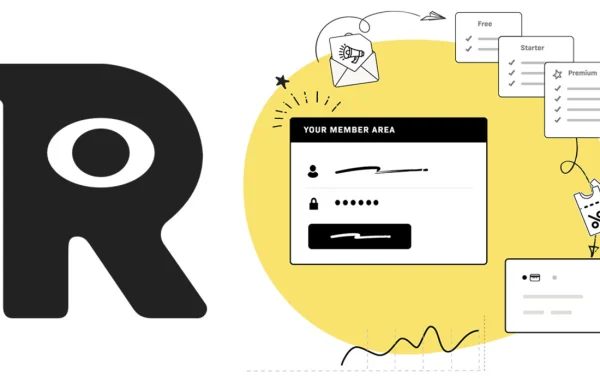
This is an extension for the Restrict Content Pro membership plugin. It lets you set the exact time restricted content becomes available to members, so you can release lessons, articles or offers on a schedule instead of all at once.
- Version
- 1.1.2
- Released
- Jan 8, 2021
- Developer
- Restrict Content Pro
- Type
- WordPress plugin
- Licence
- GPL
- Included in
- Every plan, or $1.03 on its own
- Topics
- Membership Plugins
What’s new in Restrict Content Pro - Timelock 1.1.2
Version 1.1.2 · Jan 8, 2021
Latest
- FixedFixing jQuery Deprecations
What it does
Many membership sites publish a full library on day one, which gives members little reason to come back. Timed access solves that. With this add-on you pick when a piece of restricted content opens, so a course can roll out lesson by lesson or a members-only offer can appear on a planned date. It works on top of your existing Restrict Content Pro setup, adding another layer of control to the restrictions you already use.
Scheduling happens in a clean dashboard that needs no coding, so non-technical site owners can manage it. You can set different access times for different membership levels or content types, which gives you fine control over who sees what and when. Before content opens, members can see a countdown or a coming soon notice, so they know something is on the way. It suits course creators, publishers and anyone running a subscription site with staged releases.
Best for
- Membership sites built on Restrict Content Pro
- Online course creators releasing lessons on a schedule
- Publishers offering time-based members-only content
Features
Scheduled content access
Choose the exact time restricted content becomes available, so lessons, articles or exclusive offers can be released to members gradually over time.
Works with Restrict Content Pro
Adds time-based control to your existing Restrict Content Pro setup without requiring complicated configuration or a separate membership system.
Rules by level or content type
Set different access times for different membership levels or content types, giving you granular control over who can see each item and when.
Drip-feed releases
Stagger course lessons or premium articles at planned intervals so members receive material in a steady sequence rather than all at once.
No-code scheduling dashboard
Manage your timed releases through a clean, user-friendly dashboard that requires no coding knowledge, which keeps setup quick for non-technical owners.
Countdowns and notices
Show members personalized countdowns or coming soon messages for content that has not opened yet, so they know what is scheduled.
Questions about Restrict Content Pro - Timelock
Does this work on its own or do I need Restrict Content Pro?
It is an extension for Restrict Content Pro, so you need that plugin running on your site. Timelock adds scheduled, time-based access on top of the restrictions Restrict Content Pro already handles.
Can different membership levels get content at different times?
Yes. You can set different access times for different membership levels or content types. That lets you, for example, open content earlier for one level and later for another, or schedule articles differently from lessons.
What do members see before content becomes available?
You can display a personalized countdown or a coming soon notice to members. This tells them that the content is scheduled and lets them see when to come back for it.
Do I need coding skills to schedule content?
No. Timed releases are managed through a clean, user-friendly dashboard that requires no coding knowledge, so site owners without a technical background can set up schedules themselves.
Is Restrict Content Pro - Timelock free?
The code of Restrict Content Pro - Timelock is licensed under the GPL, so anyone may use, change and share it. GPL Feast is a paid service: a plan or a single purchase gives you the download and automatic updates. The developer's own support, licence key and online services are not included.
Which version of Restrict Content Pro - Timelock is this?
Version 1.1.2, released Jan 8, 2021. New versions appear here when the developer publishes them, and members get them as automatic updates.
How do I update Restrict Content Pro - Timelock?
Install the free GPL Feast Updater on your site and connect it with your API key. It installs new versions of Restrict Content Pro - Timelock automatically and keeps a backup, so you can roll back.
More from Restrict Content Pro