Plugin
Updated
Tasty Pins
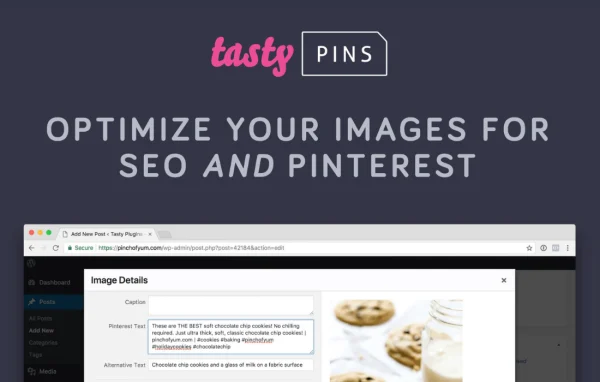
Tasty Pins is a WordPress plugin that prepares your site's images for Pinterest. It lets you set pin descriptions, image titles and alt text, add hidden descriptions that only Pinterest sees, and choose which images can be pinned from each post or page.
- Version
- 2.4.3
- Released
- Aug 18, 2026
- Developer
- WP Tasty
- Type
- WordPress plugin
- Licence
- GPL
- Included in
- Every plan, or $5.59 a year on its own
What’s new in Tasty Pins 2.4.3
Version 2.4.3 · Aug 18, 2026
Latest
- ImprovedImprovements to the licensing system
- ImprovedRestrict Pins settings to administrators
- FixedIssue looking up pin metadata for Image blocks without an ID
What it does
When readers pin an image from your site, Pinterest pulls whatever text and image it can find, and the result is often a blank or awkward pin. Tasty Pins gives you control over that. You can write the description that travels with each pin, set image titles and alt tags, and pick a default pin image for every post or page so the right picture gets shared.
The plugin works from your WordPress dashboard, so Pinterest settings sit alongside the rest of your content. It handles hidden Pinterest descriptions that stay off the visible page, supports metadata for Rich Pins, and works with Gutenberg and Elementor. Pins settings can be restricted to administrators, which helps on sites with several authors or editors.
Best for
- Food, recipe and lifestyle blogs that get Pinterest traffic
- Bloggers who want control over how their pins look
- Agencies managing content sites with several authors
Features
Pinterest-ready images
Turns the images already on your site into pins, so you can work with the visuals you have without building separate graphics for every post.
Custom pin metadata
Set pin descriptions, image titles and alt tags so each image carries the text you want when someone saves it to Pinterest.
Hidden Pinterest descriptions
Add descriptions that Pinterest reads but that stay hidden on your page, keeping your layout and reading experience unchanged.
Control over pinnable images
Decide which images visitors can pin and choose a default pin image for each post or page.
Rich Pins metadata support
Supports the metadata Pinterest uses for Rich Pins, which affects how your pins display on the platform.
Gutenberg and Elementor compatibility
Works with the block editor, including Image blocks, and with Elementor, so you can keep building pages the way you already do.
Admin-only settings
Pins settings can be limited to administrators, so other users on the site cannot change your Pinterest configuration.
Tasty Pins older versions
- 2.4.2Apr 21 improvement, 1 fix
- 2.4.1Feb 201 improvement, 1 fix
- 2.4Oct 24, 20256 new, 3 improvements, 1 fix
- 2.3.2Aug 19, 2025
- 2.3Jun 5, 2025
- 2.2.4Mar 5, 2025
Members and buyers of this product can download older versions.
Questions about Tasty Pins
Can I hide a Pinterest description so it doesn't show on my page?
Yes. You can add hidden Pinterest descriptions that Pinterest picks up when an image is pinned, while visitors reading your post never see that text on the page.
Can I choose which image gets pinned from a post?
Yes. You can set a default pin image for each post or page and decide which images on the page are allowed to be pinned, so visitors share the picture you intended.
Does Tasty Pins work with Elementor and the block editor?
The plugin is compatible with Gutenberg and Elementor. It also handles pin metadata for block editor Image blocks, so you can keep using your usual editing tools.
Can I stop editors and authors from changing pin settings?
Yes. Pins settings can be restricted to administrators, which keeps your Pinterest setup consistent on sites where several people publish content.
Is Tasty Pins free?
The code of Tasty Pins is licensed under the GPL, so anyone may use, change and share it. GPL Feast is a paid service: a plan or a single purchase gives you the download and automatic updates. The developer's own support, licence key and online services are not included.
Which version of Tasty Pins is this?
Version 2.4.3, released Aug 18, 2026. New versions appear here when the developer publishes them, and members get them as automatic updates.
How do I update Tasty Pins?
Install the free GPL Feast Updater on your site and connect it with your API key. It installs new versions of Tasty Pins automatically and keeps a backup, so you can roll back.
More from WP Tasty