Plugin
Updated
WooPack for Beaver Builder
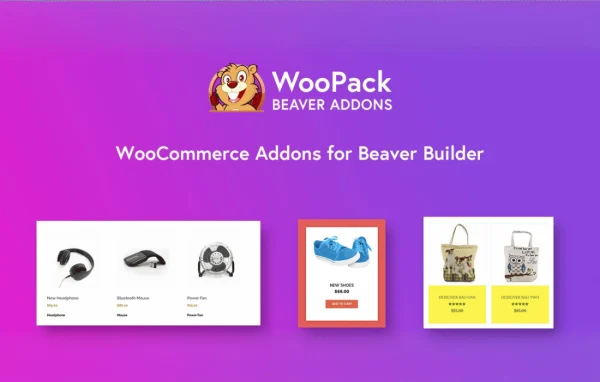
WooPack for Beaver Builder by Team IdeaBox is a WordPress plugin that adds a set of WooCommerce modules to the Beaver Builder editor. It lets you design product listings, cart pages, checkout layouts and mini carts visually, without writing code. It requires WooCommerce.
- Version
- 1.6.0
- Released
- Sep 21, 2026
- Developer
- Beaver Builder
- Type
- WordPress plugin
- Requires
- WooCommerce
- Licence
- GPL
- Included in
- Every plan, or $5.59 a year on its own
What’s new in WooPack for Beaver Builder 1.6.0
Version 1.6.0 · Sep 21, 2026
Latest
- NewProduct Search module
- NewSale Countdown module
- NewFree Shipping Progress module
What it does
Beaver Builder handles page layouts well, but styling WooCommerce pages usually means working around default templates or writing custom CSS. This plugin fills that gap with more than 10 dedicated WooCommerce modules that drop into your Beaver Builder layouts like any other module. You can place product grids, carousels, category displays and single product embeds on any page, then adjust their look with the builder's design controls.
The modules also reach the parts of a store that are often hard to change. There are stylers for the cart and checkout pages, a mini cart for headers and menus, and an off-canvas cart panel that slides in over the current page. Newer modules cover product search, sale countdowns and a free shipping progress display. It fits designers and store owners who already build with Beaver Builder and want their shop pages to match the rest of the site.
Best for
- WooCommerce stores built with Beaver Builder
- Web designers creating custom shop and checkout layouts
- Store owners building product landing pages
Features
Product grid with AJAX filters
Display products in grid or masonry layouts with multiple styling options, plus AJAX filters that help visitors narrow down items without reloading the page.
Product carousel and slider
Show popular, latest or promotional products in a slider placed anywhere on your site, useful for drawing attention to special offers.
Single product embeds
Place an individual product display on any page to build focused sales or landing pages, so customers can buy without being sent to another page.
Product categories display
Present product categories in a customizable grid or carousel, with the category image, title and product count shown for each one.
Add to cart with quick purchase
Add a customizable add-to-cart button with preset quantities and 1-click purchase, letting shoppers check out quickly directly from landing pages.
Cart and checkout stylers
Restyle the cart page beyond the default table, and set checkout to single or two columns with styled input fields, section titles, buttons and colors.
Mini cart and off-canvas cart
Put a mini cart icon with real-time item counts in your header or menu, or use an off-canvas panel that shows cart contents without leaving the page.
Search, countdown and shipping modules
Use the Product Search, Sale Countdown and Free Shipping Progress modules to add store search, sale timers and a progress display toward free shipping.
WooPack for Beaver Builder older versions
- 1.5.11Dec 10, 20251 fix
- 1.5.10Nov 27, 20253 fixes
- 1.5.9Jun 27, 20253 improvements, 3 fixes
- 1.5.8.1Apr 10, 2025
- 1.5.8Feb 20, 2025
- 1.5.7.1Oct 7, 2024
- 1.5.6Jun 5, 2024
- 1.5.5.1Jan 20, 2024
- 1.5.5Jan 14, 2024
- 1.5.4Oct 17, 2023
Members and buyers of this product can download older versions.
12 older versions in all. If you need one that is not listed, ask support.
Questions about WooPack for Beaver Builder
Do I need WooCommerce to use this plugin?
Yes. The plugin requires WooCommerce, since every module works with WooCommerce products, carts and checkout. It is also built for Beaver Builder, so the modules appear inside the Beaver Builder editor alongside its standard modules.
Can I change how my cart and checkout pages look?
Yes. The Cart Styler module lets you restyle the cart page beyond the default table layout. The Checkout Page Styler module offers single or two-column layouts and styling for input fields, section titles, buttons and colors.
Can I sell a product from a landing page without sending visitors to the shop?
You can. The Single Product module embeds a product display on any page, and the Add to Cart module offers preset quantities and 1-click purchase, so shoppers can buy directly from the landing page you build.
How many WooCommerce modules are included?
The plugin includes more than 10 WooCommerce modules. They cover product grids, carousels, categories, single products, add to cart, cart and checkout styling, mini cart, off-canvas cart, product search, sale countdown and free shipping progress.
Is WooPack for Beaver Builder free?
The code of WooPack for Beaver Builder is licensed under the GPL, so anyone may use, change and share it. GPL Feast is a paid service: a plan or a single purchase gives you the download and automatic updates. The developer's own support, licence key and online services are not included.
Which version of WooPack for Beaver Builder is this?
Version 1.6.0, released Sep 21, 2026. New versions appear here when the developer publishes them, and members get them as automatic updates.
How do I update WooPack for Beaver Builder?
Install the free GPL Feast Updater on your site and connect it with your API key. It installs new versions of WooPack for Beaver Builder automatically and keeps a backup, so you can roll back.
What does WooPack for Beaver Builder need?
WooPack for Beaver Builder needs WooCommerce installed and active.
More from Beaver Builder