Plugin
Updated
WP Everest Forms (Pro)
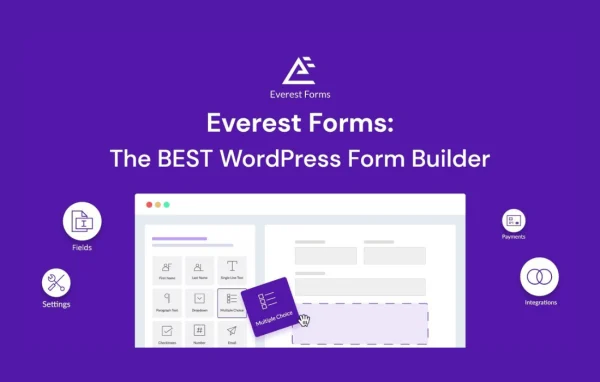
WP Everest Forms (Pro) is a WordPress plugin by WPEverest for building forms with a drag and drop editor. It handles contact forms, registration forms and surveys, and adds multi-part layouts, conditional logic and connections to PayPal, Mailchimp and Google Sheets. You can put a working form on a page without writing code.
- Version
- 1.9.21
- Released
- Sep 7, 2026
- Developer
- Everest Forms
- Type
- WordPress plugin
- Requires
- Everest Forms
- Licence
- GPL
- Included in
- Every plan, or $7.19 on its own
What’s new in WP Everest Forms (Pro) 1.9.21
Version 1.9.21 · Sep 7, 2026
Latest
- FixedSmart Phone field losing its country code, and a false "unsaved changes" prompt, when saving an entry from the entry edit screen.
- FixedManage Columns dropped or hid a field from the Entries table when another field shared its label.
- FixedSquare Live Payments intermittently stuck in Pending after a successful charge.
- FixedGoogle Drive OAuth authorization page not displaying when Google granted additional scopes, and the "Remove Authentication" link rendering as broken text.
- FixedFatal error exporting an entry's CSV from the entry detail sidebar.
What it does
Most sites need more than one kind of form. A contact page, a sign-up form, a customer survey and an order or payment form all have different fields and different jobs. This plugin gives you one builder for all of them. You drag fields onto the form, arrange them, and adjust styles, fonts and layouts so the result matches the rest of your site. Pre-built templates give you a starting point when you would rather edit than build from a blank form.
Longer forms can be split into steps with multi-part forms, and conditional logic shows or hides fields based on what a visitor picks. Submissions can collect payments through PayPal, add subscribers to Mailchimp, or send data to Google Sheets. Notification emails go out after each submission, and visitors can attach files. reCAPTCHA and honeypot fields help keep spam out. Saved entries can be reviewed, edited and exported to CSV, and developers get hooks and filters for custom work.
Best for
- Business sites needing contact, quote or registration forms
- Organizations running surveys or collecting payments through forms
- Freelancers and agencies building custom forms for client sites
Features
Drag and drop builder
Build forms by dragging fields into place and arranging them visually, so contact forms, registration forms and surveys can be made without writing any code.
Multi-part forms
Break a long form into separate steps so visitors fill it in one section at a time instead of facing every field on a single screen.
Conditional logic
Show or hide fields depending on the answers a visitor gives, so each person only sees the questions that apply to their situation.
PayPal, Mailchimp and Google Sheets
Collect payments through PayPal, send new subscribers to Mailchimp, and export form submissions to Google Sheets for tracking and reporting.
Spam protection
Add reCAPTCHA and honeypot fields to your forms to filter out automated and unwanted submissions before they reach your inbox or entries list.
File uploads
Let visitors attach documents, images or other files directly in a form, which suits applications, support requests and quote forms.
Styling and templates
Start from pre-built form templates, then adjust styles, fonts and layouts to fit your brand. Forms are responsive on phones and tablets.
Hooks and filters
Developers can use hooks and filters to customize form behavior and build their own integrations on top of the plugin.
WP Everest Forms (Pro) older versions
- 1.9.20Aug 235 fixes
- 1.9.19Aug 510 fixes
- 1.9.18Jul 92 fixes
- 1.9.17Jun 18
- 1.9.16May 4
- 1.9.15Apr 28
- 1.9.14Apr 1
- 1.9.12Feb 25
- 1.9.11Feb 2
- 1.9.10Oct 6, 2025
Members and buyers of this product can download older versions.
21 older versions in all. If you need one that is not listed, ask support.
Questions about WP Everest Forms (Pro)
Can I take payments through my forms?
Yes. The plugin includes a PayPal integration, so you can add payment collection to a form. This works well for things like event registrations, deposits or simple order forms where the visitor fills in details and pays in the same step.
Do I need to know how to code to build a form?
No. Forms are built with a drag and drop editor, and pre-built templates give you a starting layout. Styles, fonts and layouts can be adjusted from the settings. Developers who want deeper changes can use the available hooks and filters.
How does the plugin handle spam submissions?
You can add reCAPTCHA and honeypot fields to your forms. Honeypot fields are hidden from people but tend to catch bots, and reCAPTCHA adds a check for visitors. Using them together helps keep unwanted entries out of your submissions.
Can I send form data to other tools?
Yes. Submissions can be exported to Google Sheets for analysis and reporting, and subscriber details can be sent to Mailchimp for email marketing. Notification emails can also go out to you and to the person who submitted the form.
Is WP Everest Forms (Pro) free?
The code of WP Everest Forms (Pro) is licensed under the GPL, so anyone may use, change and share it. GPL Feast is a paid service: a plan or a single purchase gives you the download and automatic updates. The developer's own support, licence key and online services are not included.
Which version of WP Everest Forms (Pro) is this?
Version 1.9.21, released Sep 7, 2026. New versions appear here when the developer publishes them, and members get them as automatic updates.
How do I update WP Everest Forms (Pro)?
Install the free GPL Feast Updater on your site and connect it with your API key. It installs new versions of WP Everest Forms (Pro) automatically and keeps a backup, so you can roll back.
What does WP Everest Forms (Pro) need?
WP Everest Forms (Pro) needs Everest Forms installed and active.
More from Everest Forms