Plugin
Updated
YITH Tab Manager Premium
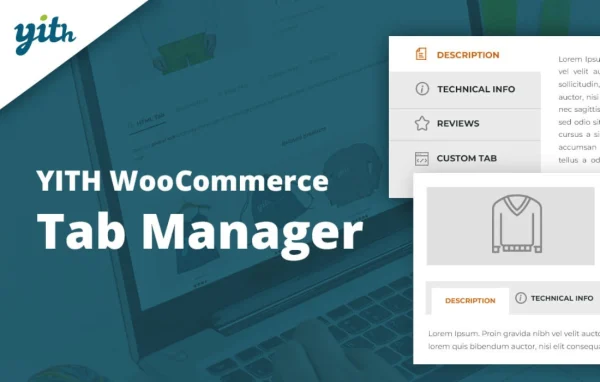
YITH WooCommerce Tab Manager Premium by YITH is a WooCommerce plugin for adding and managing tabs on product pages. You can create new tabs with text, galleries, videos, files or FAQs, and hide or reorder the default WooCommerce tabs so product information is easier to find.
No further updatesYITH products are no longer updated. You will only get the version that is listed below. Install the YITH License Activator plugin to Activate this plugin. Click Here to Download
Go to product- Version
- 2.16.0
- Released
- May 14, 2026
- Developer
- YITH
- Type
- WordPress plugin
- Requires
- WooCommerce
- Licence
- GPL
- Included in
- Every plan, or $8.79 a year on its own
What’s new in YITH Tab Manager Premium 2.16.0
Version 2.16.0 · May 14, 2026
Latest
- NewSupport for WooCommerce 10.8
- ImprovedYITH plugin framework
What it does
The default WooCommerce product page gives you a short list of fixed tabs, which often leaves no clean place for manuals, size charts, tutorials or common questions. This plugin lets you add as many tabs as you need and fill each one with the right kind of content. It requires WooCommerce and works inside your existing product pages, so shoppers get detailed information organized under clear headings instead of one long description.
Tabs can be set at three levels. Global tabs appear on every product, category tabs show only within chosen product categories, and individual tabs hold content for a single item, such as a special offer or a contact form for out-of-catalog requests. A built-in editor handles formatting without code, and you can pick from different tab layouts. It suits shops with detailed products that need more space than the standard tabs allow.
Best for
- WooCommerce stores selling products that need detailed information
- Shops wanting size charts, manuals or FAQs on product pages
- Agencies customizing WooCommerce product pages for clients
Features
Unlimited custom tabs
Add as many tabs as you need, holding text, images, videos and downloadable files for descriptions, manuals, tutorials and FAQs.
Global and category tabs
Apply a tab to every product in the shop, or limit it to specific product categories so each section shows relevant information.
Individual product tabs
Create tabs for a single product with its own content, such as special offers, video reviews, specific FAQs or a contact form.
Control over default tabs
Disable default WooCommerce tabs like Additional information or Reviews, or move them into a different order on the product page.
Image gallery with lightbox
Build tabs with multiple images arranged the way you like, opening in a lightbox popup, useful for photo galleries or size charts.
Video tabs
Embed instructional, promotional or customer review videos inside a tab to show how a product works or looks in use.
FAQ tabs
Collect common customer questions and answers in an easy-to-navigate FAQ tab right on the product page.
Built-in editor and layouts
Add and format any content type with the built-in editor without coding, and choose from different tab layouts to match your shop.
YITH Tab Manager Premium older versions
- 2.15.0Apr 212 new, 1 improvement
- 2.8.0Jul 10, 20251 new, 1 improvement
- 2.7.0Jun 20, 20251 new, 1 improvement
- 2.6.0Jun 2, 2025
- 1.33.0Mar 23, 2024
- 1.32.0Feb 15, 2024
- 1.31.0Jan 28, 2024
- 1.22.0Apr 18, 2023
Members and buyers of this product can download older versions.
Questions about YITH Tab Manager Premium
Can I show a tab only on certain products?
Yes. You can create global tabs for the whole shop, tabs limited to specific product categories, or tabs attached to one individual product with its own unique content.
Can I remove the default Reviews or Additional information tabs?
Yes. The plugin lets you disable default WooCommerce tabs you do not want, such as Additional information or Reviews, and rearrange the remaining ones into a different order.
What kinds of content can a tab hold?
Tabs can contain text, images, videos, downloadable files and contact forms. There are also dedicated image gallery tabs with a lightbox popup and FAQ tabs for answering common customer questions.
Do I need to know code to build tabs?
No. A built-in editor lets you add and format content in each tab without coding, and you can choose from different tab layouts to fit your shop's style. WooCommerce is required.
Is YITH Tab Manager Premium free?
The code of YITH Tab Manager Premium is licensed under the GPL, so anyone may use, change and share it. GPL Feast is a paid service: a plan or a single purchase gives you the download. The developer's own support, licence key and online services are not included.
Which version of YITH Tab Manager Premium is this?
Version 2.16.0, released May 14, 2026.
What does YITH Tab Manager Premium need?
YITH Tab Manager Premium needs WooCommerce installed and active.
More from YITH