Theme
Updated
Accelerate Pro
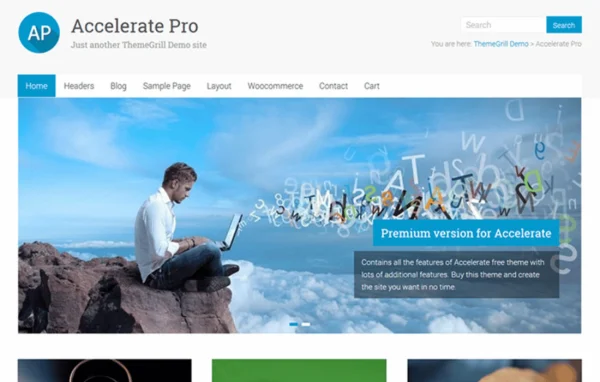
Accelerate Pro by ThemeGrill is a WordPress theme for business, portfolio and blog websites. It gives you a clean, responsive design and lets you adjust layouts, colors, widget areas, the header and the footer without writing code.
- Version
- 2.3.12
- Released
- Jul 15, 2025
- Developer
- ThemeGrill
- Type
- WordPress theme
- Licence
- GPL
- Included in
- Every plan, or $4.79 a year on its own
What’s new in Accelerate Pro 2.3.12
Version 2.3.12 · Jul 15, 2025
Latest
- FixedFreemius Too many redirects issue.
What it does
Many site owners need one theme that can handle a company site, a portfolio of creative work or a regular blog. This theme covers that range with a clean, modern look and a layout that adapts to desktops, tablets and phones. You can pick from multiple page and blog layouts, set a color scheme that matches your brand, and arrange content across several widget areas. The header and footer can also be customized to hold the navigation links and details your visitors need most.
The theme fits small businesses, freelancers and bloggers who want a tidy, adaptable base for their site. It is built with lightweight code and an SEO-friendly structure. It is also compatible with WooCommerce, so you can add an online store and sell products from the same site. Translation and right-to-left language support make it a workable choice for multilingual websites and audiences that read languages such as Arabic or Hebrew.
Best for
- Small business and corporate websites
- Creative portfolios for designers and photographers
- Personal and professional blogs
Features
Responsive layout
The design adapts to desktops, tablets and smartphones, so pages stay readable and usable on whatever screen your visitors are using.
Multiple layout options
Choose from several page and blog layouts to build a site structure that suits how you organize and present your content.
Color scheme customization
Adjust the color palette so the site matches your brand identity, all through theme settings rather than custom code.
Widget-ready areas
Several widget zones let you place extra content such as menus, recent posts or contact details in different parts of the page.
Customizable header and footer
Shape the header and footer areas to feature navigation links and the information you most want visitors to see.
WooCommerce compatible
Works with WooCommerce, so you can add an online store to your business site and sell products directly from it.
Translation and RTL ready
Supports translation and right-to-left languages, which makes it suitable for multilingual sites and audiences reading languages like Arabic.
Accelerate Pro older versions
- 2.3.10Jul 8, 20251 new
- 2.3.9Jun 23, 20251 improvement
- 2.3.5Aug 23, 20241 fix
Members and buyers of this product can download older versions.
Questions about Accelerate Pro
Can I use this theme for an online store?
Yes. The theme is compatible with WooCommerce, so you can add a shop to your site and sell products directly. That makes it practical for a business site that also needs to handle product listings and sales.
Do I need coding skills to customize the design?
No. You can change layouts, color schemes, widget areas, the header and the footer through the theme's customization options without editing code. That covers most of the adjustments needed to match a site to your brand.
Will my site work on phones and tablets?
Yes. Accelerate Pro uses a responsive design that adjusts to desktops, tablets and smartphones, so your pages stay readable and easy to navigate on smaller screens.
Does it support languages other than English?
It is translation ready and supports right-to-left languages. You can translate the theme for a non-English site and use it with languages such as Arabic or Hebrew.
Is Accelerate Pro free?
The code of Accelerate Pro is licensed under the GPL, so anyone may use, change and share it. GPL Feast is a paid service: a plan or a single purchase gives you the download and automatic updates. The developer's own support, licence key and online services are not included.
Which version of Accelerate Pro is this?
Version 2.3.12, released Jul 15, 2025. New versions appear here when the developer publishes them, and members get them as automatic updates.
How do I update Accelerate Pro?
Install the free GPL Feast Updater on your site and connect it with your API key. It installs new versions of Accelerate Pro automatically and keeps a backup, so you can roll back.
More from ThemeGrill