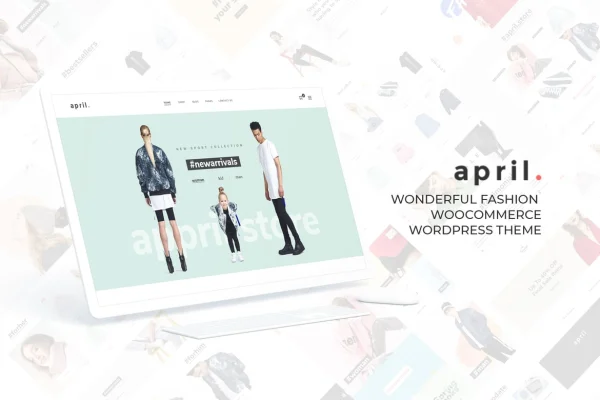
Theme
Updated
APRIL Theme
APRIL is a WordPress theme by G5Theme built for fashion and lifestyle online stores. It works with WooCommerce and gives boutiques, cosmetics shops and accessories sellers a set of ready-made demos, homepage styles and header layouts to start from.
- Version
- 7.0
- Released
- Aug 18, 2026
- Developer
- G5Theme
- Type
- WordPress theme
- Licence
- GPL
- Included in
- Every plan, or $3.99 on its own
What’s new in APRIL Theme 7.0
Version 7.0 · Aug 18, 2026
Latest
What it does
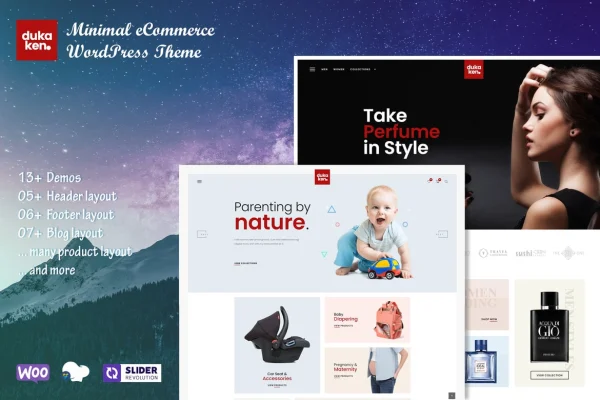
Building a fashion store from a blank theme takes a lot of design work before a single product goes live. This theme gives you 14 complete demos and 10 homepage styles aimed at different ecommerce niches, and a one-click demo import brings in the content and settings so you can begin with a finished layout. From there you replace the sample products, images and text with your own and adjust the look to fit your brand.
Customization happens through options rather than code. You can pick from 8 header layouts, set up a mega menu for product categories and promotions, choose from 800+ Google Fonts, and switch skins, colors and sidebars. The design is responsive and retina ready, and it is built on the Bootstrap framework. Pages can be edited with WPBakery Page Builder, Visual Composer or Gutenberg, and WooCommerce handles the store itself.
Best for
- Fashion boutiques selling clothing online with WooCommerce
- Cosmetics and beauty product stores
- Accessories catalogs and bespoke fashion design shops
Features
Fourteen ready-made demos
Start from one of 14 complete demo sites designed for different fashion and lifestyle ecommerce niches, then swap in your own products and branding.
One-click demo import
Bring in a demo's content and settings in a single step, so your store begins with a working layout instead of an empty page.
Ten homepage styles
Choose among 10 homepage designs and switch between them to match your branding or a seasonal campaign.
Eight header layouts
Select from 8 header designs to set how your logo, navigation and store links appear at the top of every page.
Smart mega menu
Organize product categories and promotions in large dropdown menus so shoppers can browse a big catalog more easily.
Fonts, colors and skins
Pick from 800+ Google Fonts, set unlimited color and sidebar options, and switch skin palettes without writing any code.
Page builder compatibility
Edit pages with WPBakery Page Builder, Visual Composer or Gutenberg, using drag and drop layouts where the builder supports them.
Responsive and retina ready
Layouts adapt to phones, tablets and desktops, and graphics stay sharp on high-resolution displays, with a Bootstrap framework underneath.
APRIL Theme older versions
- 6.9Feb 12
- 6.8Apr 19, 2025
- 6.5Oct 7, 2024
- 6.3Jan 18, 2024
- 6.2May 8, 2023
Members and buyers of this product can download older versions.
Questions about APRIL Theme
Does this theme work with WooCommerce?
Yes. It is designed as a WooCommerce theme for fashion and lifestyle stores, so product listings, the cart and checkout run through WooCommerce while the theme handles the design and layout.
Which page builders can I use with it?
The theme is compatible with WPBakery Page Builder, Visual Composer and Gutenberg. You can use whichever of these you prefer to build and edit your pages.
How many demo designs are included?
There are 14 complete demos and 10 homepage styles. A one-click import loads a demo's content and settings, giving you a ready layout to customize with your own products and images.
Can I change colors and fonts without coding?
Yes. The theme offers skin options for switching color palettes, unlimited color and sidebar settings, and access to 800+ Google Fonts, all adjustable through theme options rather than code.
Is APRIL Theme free?
The code of APRIL Theme is licensed under the GPL, so anyone may use, change and share it. GPL Feast is a paid service: a plan or a single purchase gives you the download and automatic updates. The developer's own support, licence key and online services are not included.
Which version of APRIL Theme is this?
Version 7.0, released Aug 18, 2026. New versions appear here when the developer publishes them, and members get them as automatic updates.
How do I update APRIL Theme?
Install the free GPL Feast Updater on your site and connect it with your API key. It installs new versions of APRIL Theme automatically and keeps a backup, so you can roll back.