Theme
Updated
ArchSan
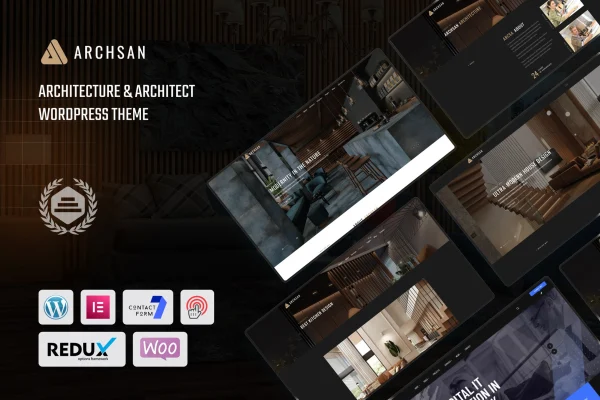
ArchSan is a WordPress theme built for architects, architecture firms and design professionals. It gives you a clean, minimal website for presenting projects, explaining your services and telling your company story, with layouts and style options you can adjust without writing code.
- Version
- 1.0
- Released
- Aug 13, 2024
- Developer
- shtheme
- Type
- WordPress theme
- Licence
- GPL
- Included in
- Every plan, or $3.99 on its own
What’s new in ArchSan 1.0.0
Version 1.0.0 · Sep 29, 2023
Latest
- NewFirst release.
What it does
Architects need a website that lets the work speak first. This theme follows the clean lines and minimal look of contemporary architecture, so photos of buildings and interiors take center stage. You can present projects in grid or slider formats, add client testimonials and run a blog for design insights, project updates or industry news. The result is a site that reads as professional and keeps attention on your portfolio.
Setup starts with a one-click demo import, which brings in pre-built pages you can then edit to fit your firm. Several homepage variations cover different architectural styles and firm profiles, and a drag-and-drop page builder handles layout changes without code. Typography and color controls help match your brand, and the responsive design adapts pages to desktops, tablets and phones. Built-in contact and inquiry forms give prospective clients a direct way to reach you.
Best for
- Independent architects building a portfolio website
- Architecture firms presenting projects and company story
- Interior and design studios wanting a minimal look
Features
Customizable portfolio layouts
Present architectural projects with portfolio options you can adjust, including grid and slider formats suited to photos of buildings and interiors.
Multiple homepage variations
Choose from several homepage designs tailored to different architectural styles and firm profiles, then adapt the one that fits your practice.
Drag-and-drop page building
Build and rearrange pages with the included page builder, so layout changes do not require any coding skills.
Typography and color controls
Adjust fonts and colors across the site to match your brand identity and keep a consistent visual style on every page.
Integrated blog layouts
Publish design insights, industry news or project updates using blog layouts that sit alongside your portfolio and service pages.
Contact and inquiry forms
Use built-in forms to collect messages and project inquiries from potential clients directly through your website.
One-click demo import
Import pre-built demo content in one step, then replace the text and images with your own projects and details.
Responsive design
Pages adapt to desktops, tablets and smartphones, so visitors can browse your projects comfortably on any screen size.
Questions about ArchSan
Can I show my projects in different layouts?
Yes. The theme includes customizable portfolio options, and you can highlight projects in a grid or slider format. This lets you choose a presentation that suits your photography and the number of projects you want to feature.
Do I need coding skills to customize the site?
No. The theme includes a drag-and-drop page builder plus typography and color settings, so you can change layouts and styling without touching code. Starting from an imported demo also gives you finished pages to edit.
Is there a way for clients to contact me through the site?
Yes. The theme comes with built-in contact and inquiry forms, so potential clients can send messages and project requests directly from your website.
Can I add testimonials and a blog?
Yes. You can add client testimonials to support your portfolio, and integrated blog layouts let you share design insights, project updates or industry news with your visitors.
Is ArchSan free?
The code of ArchSan is licensed under the GPL, so anyone may use, change and share it. GPL Feast is a paid service: a plan or a single purchase gives you the download and automatic updates. The developer's own support, licence key and online services are not included.
Which version of ArchSan is this?
Version 1.0, released Aug 13, 2024. New versions appear here when the developer publishes them, and members get them as automatic updates.
How do I update ArchSan?
Install the free GPL Feast Updater on your site and connect it with your API key. It installs new versions of ArchSan automatically and keeps a backup, so you can roll back.