Theme
Updated
Arena
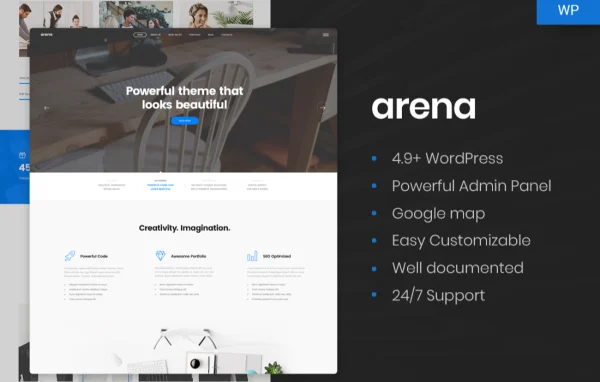
Arena is a WordPress theme by Nunforest built for business and agency websites. It pairs a clean, modern look with a drag-and-drop visual editor and pre-designed layouts, so you can put together service pages, portfolios and company profiles without writing code.
- Version
- 1.0.3
- Developer
- Nunforest
- Type
- WordPress theme
- Licence
- GPL
- Included in
- Every plan, or $3.99 on its own
What’s new in Arena 1.0.3
Version 1.0.3
Latest
What it does
Many businesses and agencies need a professional website that presents their services, shows past work and gives clients a way to get in touch. Building that from scratch takes design and coding time most teams would rather spend elsewhere. This theme gives you a starting point: a set of pre-designed templates aimed at agencies and businesses, plus a visual drag-and-drop editor for adjusting layouts. You pick a layout close to what you want, then change the content and structure to suit your brand.
Beyond the layouts, you can adjust colors, fonts, headers and other design settings so the site matches your brand identity. The design is responsive, so pages adapt to desktops, tablets and phones. The code includes schema markup, and the theme works with WooCommerce if you want to add a shop. It also supports popular plugins such as Contact Form 7 and WPML, which helps with contact forms and multilingual sites, and documentation is included to guide you through setup and customization.
Best for
- Digital, creative and marketing agencies
- Small and mid-sized business websites
- Freelancers building company sites for clients
Features
Drag-and-drop page building
A visual editor lets you arrange and customize page layouts by dragging elements into place, with no coding knowledge needed to build or change pages.
Pre-designed templates
Choose from multiple ready-to-use layouts made for agencies and businesses, giving you a finished structure to fill with your own content.
Responsive layouts
Pages adjust to different screen sizes, so your site displays properly for visitors on desktops, tablets and smartphones.
Brand customization options
Change colors, fonts, headers and other design settings to match the theme to your company's visual identity.
Schema markup in the code
The theme is built with SEO practices in mind and includes schema markup, giving search engines structured information about your pages.
WooCommerce compatibility
Arena works with WooCommerce, so you can add an online store to your business or agency website when you need one.
Popular plugin support
The theme supports plugins such as Contact Form 7 for contact forms and WPML for building multilingual versions of your site.
Included documentation
Detailed guides walk you through building, customizing and maintaining your website with the theme.
Questions about Arena
Do I need coding skills to build pages with this theme?
No. The theme includes a drag-and-drop visual editor, so you can arrange and customize layouts without writing code. The pre-designed templates also give you a starting structure, which means much of the work is replacing the sample content with your own.
Can I sell products on a site built with Arena?
Yes. The theme is compatible with WooCommerce, so you can add an online store alongside your service pages and portfolio. This suits agencies or businesses that want to offer products directly from their main website.
Will the theme work for a multilingual website?
The theme supports WPML, a popular plugin for creating multilingual WordPress sites. With WPML in place, you can offer your pages in more than one language. It also supports Contact Form 7 for adding contact forms.
How much can I change the design to match my brand?
You can adjust colors, fonts, headers and other design settings through the theme's customization options. Combined with the drag-and-drop editor and the choice of pre-designed templates, this gives you room to shape the site around your brand's look.
Is Arena free?
The code of Arena is licensed under the GPL, so anyone may use, change and share it. GPL Feast is a paid service: a plan or a single purchase gives you the download and automatic updates. The developer's own support, licence key and online services are not included.
Which version of Arena is this?
Version 1.0.3. New versions appear here when the developer publishes them, and members get them as automatic updates.
How do I update Arena?
Install the free GPL Feast Updater on your site and connect it with your API key. It installs new versions of Arena automatically and keeps a backup, so you can roll back.
You might also like