Theme
Updated
Eventium
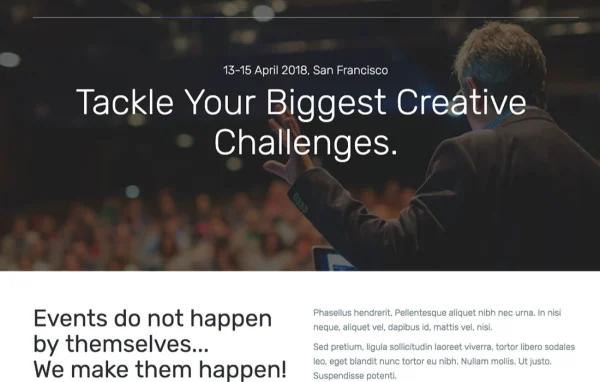
Eventium is a responsive WordPress theme by Nunforest, built for event websites. It gives organizers ready layouts for schedules, speakers, galleries and countdowns, plus support for multiple ticketing platforms, so you can present a conference, concert, seminar or community gathering on one site.
- Version
- 1.1.2
- Developer
- Nunforest
- Type
- WordPress theme
- Licence
- GPL
- Included in
- Every plan, or $3.99 on its own
What’s new in Eventium 1.1.2
Version 1.1.2
Latest
What it does
Event sites need to answer the same questions every time: when it happens, who is speaking, what the agenda looks like and how to get a ticket. Eventium gives you dedicated sections for each of these. There are schedule and agenda layouts, speaker and team profiles with bios and photos, a live countdown to your event date, and gallery sections for photos and videos. The layout is responsive, so visitors on desktops, tablets and phones see a page that fits their screen.
Getting started is quicker with the one-click demo import, which loads pre-built demos you can then adjust. Customization options let you change colors, fonts and layouts to match your event branding. The theme supports multiple ticketing platforms for handling registrations and ticket sales, includes social sharing and follow buttons, and works with WPML if you need the site in more than one language. It suits large conferences as well as small workshops and local gatherings.
Best for
- Conference and seminar organizers
- Concert promoters and music event websites
- Community groups running workshops and local gatherings
Features
Responsive layout
Pages adapt to desktop, tablet and phone screens, so attendees can check details and schedules on whatever device they use.
Ticketing platform support
Works with multiple ticketing platforms, helping you handle attendee registrations and ticket sales from your event website.
Schedule and agenda layouts
Dedicated layouts present your event schedule and agenda clearly, so attendees can see what happens and when throughout the event.
Countdown timer
Displays a live countdown to your event date, giving visitors a clear sense of how much time is left before things start.
Speaker and team profiles
Dedicated sections highlight speakers and organizers with bios and photos, helping visitors learn who will be presenting or running the event.
Galleries and media
Share photos and videos from past or current events in gallery sections built into the theme's layouts.
Social media and multilingual
Built-in social sharing and follow buttons, plus WPML compatibility for building an event site in multiple languages.
One-click demo import
Import pre-built demos in one step, then customize colors, fonts and layouts to match your event's brand.
Questions about Eventium
Can I sell tickets through an Eventium site?
Eventium supports multiple ticketing platforms, so you can connect your site to a ticketing system to manage attendee registrations and ticket sales. This keeps event details and the path to buying a ticket together on the same website.
Does the theme include a speaker section?
Yes. There are dedicated speaker and team profile sections where you can add bios and photos for presenters and organizers. They sit alongside the schedule and agenda layouts, so visitors can see who is speaking and when.
Can I make a multilingual event website with it?
The theme is compatible with WPML, the multilingual plugin, so you can offer your event pages in more than one language. This is useful for international conferences or events with a diverse audience.
How hard is it to make the demo look like my brand?
You can import a pre-built demo with one click, then use the customization options to change colors, fonts and layouts. That lets you start from a finished design and adapt it to your event's identity.
Is Eventium free?
The code of Eventium is licensed under the GPL, so anyone may use, change and share it. GPL Feast is a paid service: a plan or a single purchase gives you the download and automatic updates. The developer's own support, licence key and online services are not included.
Which version of Eventium is this?
Version 1.1.2. New versions appear here when the developer publishes them, and members get them as automatic updates.
How do I update Eventium?
Install the free GPL Feast Updater on your site and connect it with your API key. It installs new versions of Eventium automatically and keeps a backup, so you can roll back.
You might also like