Theme
Updated
Bloom
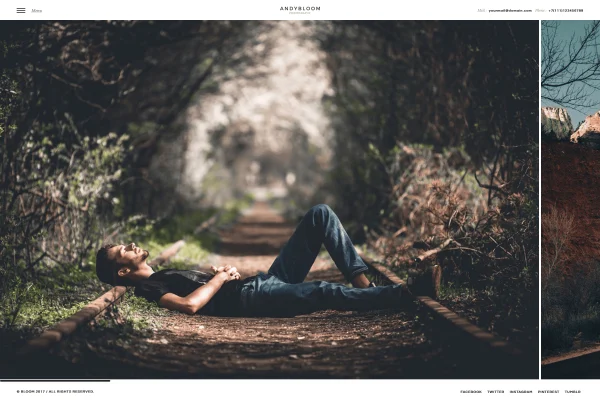
Bloom is a WordPress theme by cththemes built for photographers, designers, architects and other creative professionals. It gives you portfolio and gallery layouts, six homepage styles and a WPBakery page builder setup so you can present your work without writing code.
- Version
- 1.1
- Developer
- cththemes
- Type
- WordPress theme
- Licence
- GPL
- Included in
- Every plan, or $3.99 on its own
What’s new in Bloom 1.1
Version 1.1
Latest
What it does
A portfolio site lives or dies on how well it presents images, and a general purpose theme often leaves photographers fighting with layouts. This theme starts from the portfolio side. It offers six homepage styles, including sliders, carousels, static images and YouTube or self-hosted video backgrounds, plus light and dark versions so the look can match your brand. Ajax page transitions move visitors between pages without a full reload, and infinite scroll loads more portfolio images and galleries as people browse.
Page building runs through WPBakery's drag and drop builder, which comes with the theme, along with design elements tailored for it. A Before and After element, based on the Twenty Twenty jQuery library, lets you compare two versions of an image, which suits retouching, renovation or design projects. The layout is built on Bootstrap, is responsive and retina ready, and works with WPML if you need your portfolio in more than one language.
Best for
- Photographers building an online portfolio
- Designers, architects and artists presenting project work
- Freelancers and agencies creating sites for creative clients
Features
Six homepage styles
Choose from homepage layouts built around sliders, carousels, static images, or YouTube and self-hosted video backgrounds to set the tone of your portfolio.
Light and dark versions
Switch between light and dark mode versions of the design to suit your branding and the kind of photography you present.
Ajax page transitions
Pages load through Ajax transitions, so visitors move between sections of your site without a full page refresh.
Infinite scroll galleries
Additional portfolio images and galleries load as visitors scroll down, so they can keep browsing your work without clicking through pages.
Before and after images
A Before and After element built on the Twenty Twenty jQuery library lets visitors compare two versions of an image side by side.
WPBakery page builder
The WPBakery drag and drop builder is included, with design elements made for it, so you can arrange layouts without code.
Multilingual with WPML
The theme works with WPML, so you can build a portfolio site that is available in several languages.
Responsive and retina ready
Built on the Bootstrap framework, layouts adapt to phones, tablets and large monitors, and images display sharply on retina screens.
Questions about Bloom
Which page builder does Bloom use?
The theme is built around WPBakery's drag and drop page builder, which is included. It also comes with design elements made specifically for WPBakery, so you can build and adjust page layouts without writing code.
Can I show before and after versions of my photos?
Yes. There is a Before and After image element powered by the Twenty Twenty jQuery library. It places two images in one frame so visitors can compare them, which works well for retouching, restoration or renovation projects.
Does the theme have a dark mode?
It comes in light and dark mode versions. You can pick the one that fits your branding, and dark layouts often suit photography portfolios where you want images to stand out against the background.
Can I run my portfolio in more than one language?
Yes. The theme is compatible with WPML, the multilingual plugin for WordPress, so you can translate your pages and present your portfolio to visitors in different languages.
Is Bloom free?
The code of Bloom is licensed under the GPL, so anyone may use, change and share it. GPL Feast is a paid service: a plan or a single purchase gives you the download and automatic updates. The developer's own support, licence key and online services are not included.
Which version of Bloom is this?
Version 1.1. New versions appear here when the developer publishes them, and members get them as automatic updates.
How do I update Bloom?
Install the free GPL Feast Updater on your site and connect it with your API key. It installs new versions of Bloom automatically and keeps a backup, so you can roll back.
More from cththemes