Theme
Updated
EasyBook
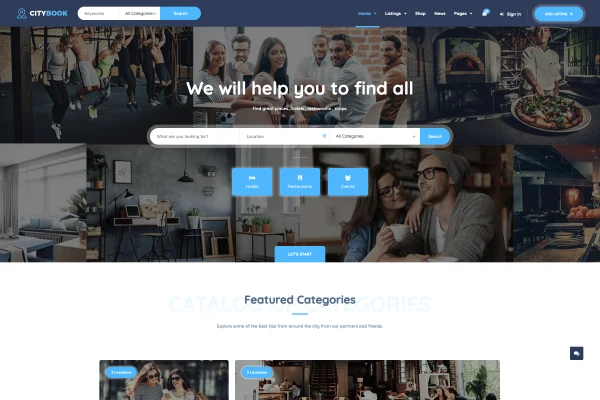
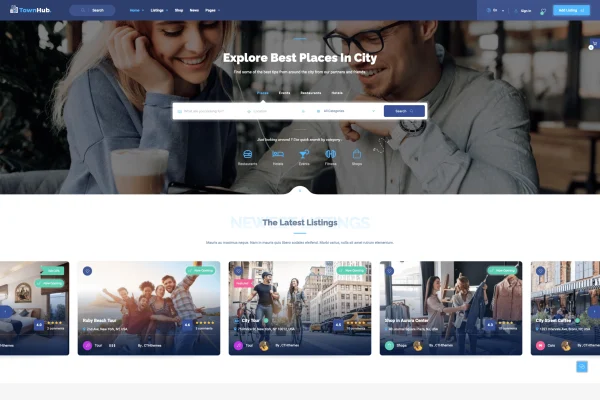
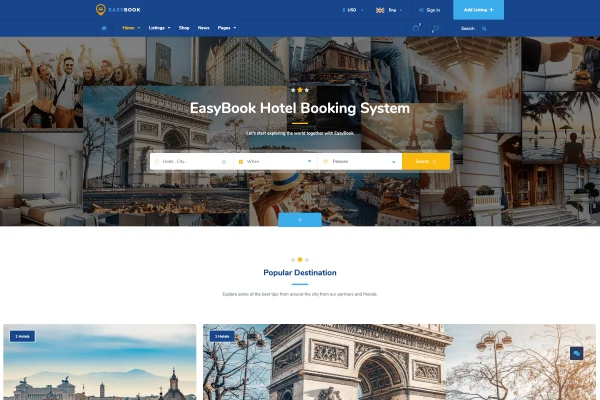
EasyBook is a WordPress theme for building hotel, tour and travel directory websites. It gives you listing categories, a built-in booking system and review tools, all managed through an option panel that does not require coding.
- Version
- 1.4.5
- Released
- Aug 11, 2026
- Developer
- cththemes
- Type
- WordPress theme
- Licence
- GPL
- Included in
- Every plan, or $3.99 on its own
What’s new in EasyBook 1.4.5
Version 1.4.5 · Aug 11, 2026
Latest
What it does
Running a travel site means juggling hotel and tour listings, bookings, opening hours and guest feedback. This theme brings those pieces into one place. You set up listing categories, each with its own features and options, so a hotel listing can carry different details than a tour. Visitors can browse city listings in a grid or list view, open a detailed single page for each item and book directly on your site.
The theme suits anyone building a local accommodation listing or a wider travel directory. Colors, layouts, widgets and listing features are adjusted from the option panel, so you can shape the look without touching code. It is responsive and retina ready, and it works with WPBakery Page Builder for drag and drop page building and WooCommerce for online payments. Reviews, ratings and like or unlike options let guests leave feedback on listings.
Best for
- Hotels and guesthouses taking bookings online
- Tour operators listing and selling tours
- Travel directory sites covering multiple cities
Features
Flexible listing categories
Create multiple listing categories, each with its own features and options, to cover hotels, tours and other directory types on the same site.
Built-in booking system
Visitors can book hotels and tours directly from your website, keeping the whole reservation process on your own pages.
Grid and list layouts
Show city listings in a grid or list view, and give each listing a detailed single page layout with its own information.
Reviews, ratings and likes
Guests can leave reviews, rate listings and use like or unlike options, giving future visitors feedback from other users.
Working hour management
Display business hours for each listing so visitors can see when a hotel desk, tour office or other business is open.
No-code option panel
Adjust colors, layouts, widgets and listing features from an admin panel, and manage listings, bookings and content from the dashboard.
WPBakery and WooCommerce support
Works with WPBakery Page Builder for drag and drop page building and with WooCommerce for handling online payments.
Responsive, retina ready design
Layouts adapt to different screen sizes and display sharply on high resolution screens, from phones to desktop monitors.
EasyBook older versions
- 1.4.2May 24, 2023
Members and buyers of this product can download older versions.
Questions about EasyBook
Can I list both hotels and tours on the same site?
Yes. The theme lets you create multiple listing categories, and each category can have its own features and options. That means hotels, tours and other directory types can sit side by side, each showing the details that matter for that kind of listing.
Do guests book through my own website?
Yes. EasyBook includes an integrated booking system, so visitors can book hotels and tours directly from your site. For online payments, the theme is compatible with WooCommerce.
Do I need to know how to code to customize it?
No coding is needed for the main settings. Colors, layouts, widgets and listing features are adjusted through the option panel, and you can manage listings, bookings and site content from the admin dashboard. It also works with WPBakery Page Builder for drag and drop page editing.
Can visitors leave feedback on listings?
Yes. The theme includes a review and rating system along with like and unlike options. Guests can share their experience on individual listings, which gives other visitors more information before they book.
Is EasyBook free?
The code of EasyBook is licensed under the GPL, so anyone may use, change and share it. GPL Feast is a paid service: a plan or a single purchase gives you the download and automatic updates. The developer's own support, licence key and online services are not included.
Which version of EasyBook is this?
Version 1.4.5, released Aug 11, 2026. New versions appear here when the developer publishes them, and members get them as automatic updates.
How do I update EasyBook?
Install the free GPL Feast Updater on your site and connect it with your API key. It installs new versions of EasyBook automatically and keeps a backup, so you can roll back.
More from cththemes