Theme
Updated
Calliope
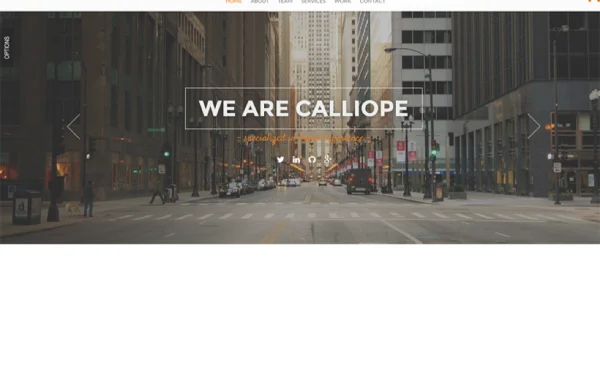
Calliope is a portfolio and agency WordPress theme by OceanThemes. It gives creatives, freelancers and agencies a clean, minimal design for presenting projects and services, with pre-designed templates and drag-and-drop page building so you can shape the site without writing code.
- Version
- 1.1.1
- Developer
- OceanThemes
- Type
- WordPress theme
- Licence
- GPL
- Included in
- Every plan, or $3.99 on its own
What’s new in Calliope 1.1.1
Version 1.1.1
Latest
- ImprovedImproving the php code in theme options.
- FixedMenu dot on right header.
- ChangedFiles Updated: sample-config.php, style.css
What it does
A portfolio or agency site needs to put the work first, and that is the job this theme is built around. Its minimal design keeps layouts uncluttered so photography, design projects and service descriptions get the attention. The layout is responsive, adjusting to desktops, tablets and phones, and the graphics are retina ready so images stay sharp on high-resolution screens. It is also built to display consistently across the major web browsers.
You start from ready-made layouts for portfolio pages, service pages, about pages and more, then adjust them with the drag-and-drop page builder and the layout options. That approach suits beginners as well as people who are comfortable with WordPress, since changes to structure and style happen visually. The theme works with common plugins such as WooCommerce and Contact Form 7, so you can add a shop or contact forms, and it comes with documentation covering setup and use.
Best for
- Freelance designers and photographers presenting their portfolios
- Creative and digital agencies listing services and projects
- Beginners building a professional site without coding
Features
Responsive design
Layouts adapt to desktops, tablets and smartphones, so your portfolio or agency pages display properly whatever device a visitor uses.
Drag-and-drop page building
Build and edit pages by dragging elements into place, which lets people of any skill level customize the site without touching code.
Pre-designed page templates
Ready-made layouts cover portfolios, services, about pages and more, giving you a finished starting point for the main sections of your site.
Customizable layout options
Adjust the structure and style of your pages so the site matches your brand's look rather than a fixed default design.
Retina ready graphics
Visuals are prepared for high-resolution screens, keeping project images and design work crisp on modern displays.
Plugin compatibility
Works with popular WordPress plugins including WooCommerce and Contact Form 7, so you can add a store or contact forms to your site.
Cross-browser compatibility
The theme is built to display consistently across the major web browsers, so visitors see the same layout wherever they browse.
Questions about Calliope
Can I build pages with this theme if I don't know how to code?
Yes. The theme includes drag-and-drop page building and a set of pre-designed templates, so you can create and adjust pages visually. It is described as user-friendly for beginners while still giving experienced users layout and style control.
What kinds of page templates come with it?
The theme includes ready-made layouts for portfolio pages, service pages, about pages and more. You can use them as starting points and then customize the layout and style to fit your brand.
Can I sell products or add contact forms on a site using Calliope?
The theme is compatible with popular WordPress plugins, including WooCommerce for running a store and Contact Form 7 for building contact forms. That lets you add a shop or inquiry forms alongside your portfolio.
Will my site look right on phones and high-resolution screens?
The design is fully responsive, adjusting to desktops, tablets and smartphones. Its graphics are also retina ready, so images and visuals stay sharp on high-resolution displays.
Is Calliope free?
The code of Calliope is licensed under the GPL, so anyone may use, change and share it. GPL Feast is a paid service: a plan or a single purchase gives you the download and automatic updates. The developer's own support, licence key and online services are not included.
Which version of Calliope is this?
Version 1.1.1. New versions appear here when the developer publishes them, and members get them as automatic updates.
How do I update Calliope?
Install the free GPL Feast Updater on your site and connect it with your API key. It installs new versions of Calliope automatically and keeps a backup, so you can roll back.
More from OceanThemes