Theme
Updated
Charingo
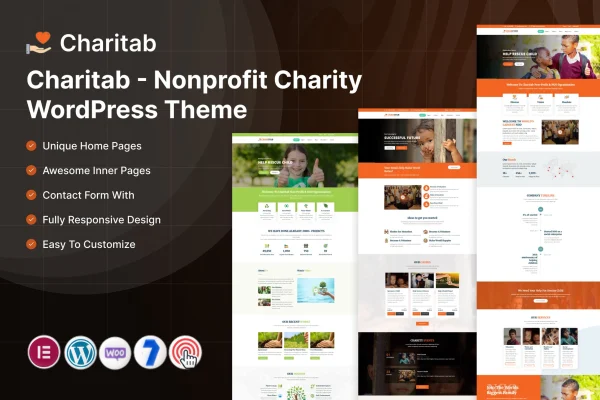
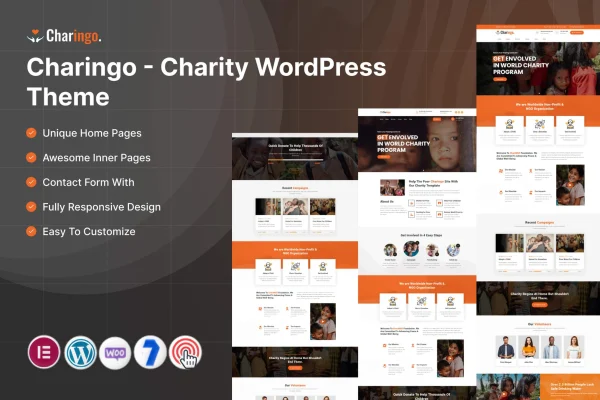
Charingo is a charity WordPress theme by ThemeMascot, built for nonprofits, charities and fundraising campaigns. It gives you a clean, modern website where you can present your missions, collect donations, promote events and recruit volunteers. It works with Elementor, so you can adjust pages without writing code.
- Version
- 4.0
- Released
- Feb 4, 2025
- Developer
- ThemeMascot
- Type
- WordPress theme
- Requires
- Elementor
- Licence
- GPL
- Included in
- Every plan, or $3.99 on its own
What’s new in Charingo 4.0
Version 4.0 · Feb 4, 2025
Latest
- ImprovedWooCommerce.
- ImprovedCore & Theme Plugins.
What it does
Charity websites have a lot to handle at once. They need to explain a cause, take donations, announce events and bring in volunteers, and most small organizations have no developer on staff. This theme brings those jobs into one design. It includes built-in donation tools, event calendars with registration forms and volunteer sign-up forms, so supporters can give money, register for an event or offer their time from the same site.
You start with one of several pre-designed homepage layouts that feature missions, upcoming events and success stories, then adjust it in Elementor with drag and drop editing. A theme options panel controls colors, typography and layouts. The design is responsive across desktops and phones, and it supports multilingual sites and right-to-left languages, which helps organizations that serve communities in more than one language.
Best for
- Nonprofits and charities building their main website
- Fundraising campaigns that collect online donations
- Organizations running events and recruiting volunteers
Features
Built-in donation tools
Collect funds directly on your website through the included donation system, giving supporters a simple way to contribute to your cause.
Event calendars and registration
Organize and promote fundraising events with integrated event calendars and registration forms that let people sign up to attend.
Volunteer sign-up forms
Recruit helpers with straightforward sign-up forms, so people who want to give their time can reach your organization quickly.
Pre-designed homepage layouts
Choose from multiple homepage templates that present your missions, upcoming events and success stories, then adapt them to your own content.
Elementor page editing
Customize each section with drag and drop editing in Elementor, with no coding required to change layouts or content.
Theme options panel
Adjust colors, typography and layouts from a central options panel to match the look of your organization's brand.
Multilingual and RTL support
Build multilingual websites with full right-to-left language support, useful for international charities and communities that read in RTL languages.
Responsive design and social links
Pages adapt to desktops, tablets and phones, and you can connect your charity's social media profiles to the site.
Questions about Charingo
Can I accept donations with this theme?
Yes. The theme includes built-in donation tools that let you collect funds directly from your website, so supporters can contribute to your cause without leaving your pages.
Do I need Elementor to use Charingo?
Yes, the theme requires Elementor. You use it to customize page sections with drag and drop editing, and the theme options panel handles global settings such as colors, typography and layouts.
Can I manage events and volunteers on the site?
Yes. The theme comes with integrated event calendars and registration forms for promoting fundraising events, plus volunteer sign-up forms so people can offer their time to your organization.
Will it work for a charity that publishes in more than one language?
The theme supports multilingual websites and includes full right-to-left language support, so it can suit organizations that reach audiences in several languages, including Arabic or Hebrew readers.
Is Charingo free?
The code of Charingo is licensed under the GPL, so anyone may use, change and share it. GPL Feast is a paid service: a plan or a single purchase gives you the download and automatic updates. The developer's own support, licence key and online services are not included.
Which version of Charingo is this?
Version 4.0, released Feb 4, 2025. New versions appear here when the developer publishes them, and members get them as automatic updates.
How do I update Charingo?
Install the free GPL Feast Updater on your site and connect it with your API key. It installs new versions of Charingo automatically and keeps a backup, so you can roll back.
What does Charingo need?
Charingo needs Elementor installed and active.