Theme
Updated
Crysa Theme
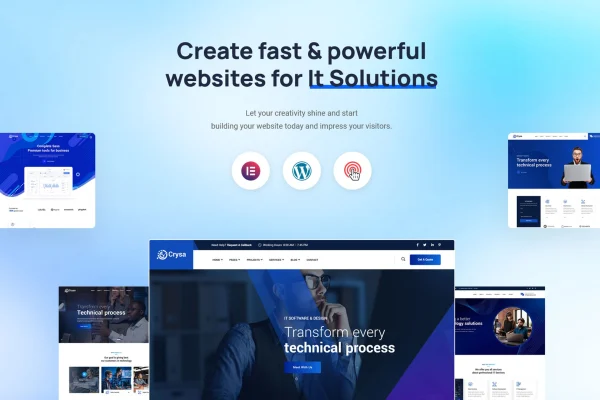
Crysa Theme is a WordPress theme built for technology and IT solutions businesses. It gives tech companies, consultancies and startups a sharp, professional design they can customize with Elementor's drag-and-drop builder, without writing code.
- Version
- 2.1.0
- Released
- Jun 12, 2025
- Developer
- validthemes
- Type
- WordPress theme
- Licence
- GPL
- Included in
- Every plan, or $3.99 on its own
What’s new in Crysa Theme 2.1.0
Version 2.1.0 · Jun 12, 2025
Latest
What it does
Tech and IT businesses need a website that explains their services clearly and looks credible to clients. This theme targets that need, with designs suited to IT solutions, cyber security, engineering, computing and scientific companies. You start from one of 12 homepage layouts and ready-made inner pages such as About, Team, Projects, Blog and a 404 page, so the basic structure of a company site is already in place before you add your own content.
Page building runs through Elementor, using more than 30 custom Elementor blocks and over 20 custom addons made for the theme, including tech-oriented widgets. A theme options panel handles colors, fonts and layouts. The design is responsive and retina ready, built on the Bootstrap framework with W3C validated, commented code. Contact Form 7 handles inquiry forms, and WooCommerce compatibility lets you sell tech products or services from the same site.
Best for
- IT service providers and technology consultancies
- Cyber security, engineering and computing companies
- Tech startups needing a company site or small store
Features
Twelve homepage layouts
Choose from 12 distinct homepage designs suited to different tech niches, then adjust the one that best matches your company and services.
Custom Elementor blocks
More than 30 custom Elementor blocks let you build and rearrange page sections with drag and drop, without touching any code.
Theme-specific Elementor addons
Over 20 custom Elementor addons made for the theme add specialized widgets aimed at technology and IT company websites.
Pre-built inner pages
About, Team, Projects, Blog and 404 pages come ready to use, giving you a full site structure to fill with your own content.
Theme options panel
Change colors, fonts and layouts from a central options panel, so you can match your brand without editing theme files.
Contact Form 7 support
The theme works with Contact Form 7, so you can build custom contact and inquiry forms for prospective clients.
WooCommerce compatibility
Set up an online store with WooCommerce to sell tech products or services alongside your company pages.
Responsive Bootstrap foundation
Built on the Bootstrap framework with a responsive, retina-ready design, the theme adapts to desktops, tablets and phones. Its code is W3C validated and well commented.
Crysa Theme older versions
- 2.0.0Nov 20, 2023
Members and buyers of this product can download older versions.
Questions about Crysa Theme
Do I need Elementor to build pages with this theme?
Page building is designed around Elementor. The theme is fully compatible with it and adds more than 30 custom Elementor blocks plus over 20 custom addons, so Elementor is how you would use its drag-and-drop layouts and widgets.
Can I sell products or services on a site built with Crysa Theme?
Yes. The theme is compatible with WooCommerce, so you can run an online store for tech products or services on the same site as your company pages, projects and blog.
What pages are included besides the homepage?
Along with 12 homepage layouts, the theme includes pre-built About, Team, Projects, Blog and 404 pages. These cover the usual sections of a technology company website and can be edited in Elementor.
Can I change the colors and fonts without coding?
Yes. A theme options panel lets you adjust colors, fonts and layouts without code. For deeper changes, the code is well commented and documented, which helps developers customize it.
Is Crysa Theme free?
The code of Crysa Theme is licensed under the GPL, so anyone may use, change and share it. GPL Feast is a paid service: a plan or a single purchase gives you the download and automatic updates. The developer's own support, licence key and online services are not included.
Which version of Crysa Theme is this?
Version 2.1.0, released Jun 12, 2025. New versions appear here when the developer publishes them, and members get them as automatic updates.
How do I update Crysa Theme?
Install the free GPL Feast Updater on your site and connect it with your API key. It installs new versions of Crysa Theme automatically and keeps a backup, so you can roll back.