Theme
Updated
Docle
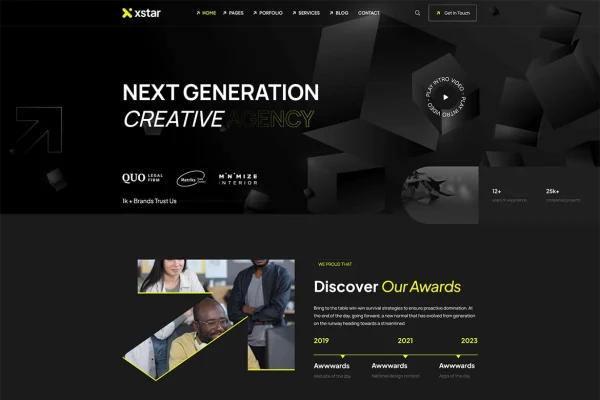
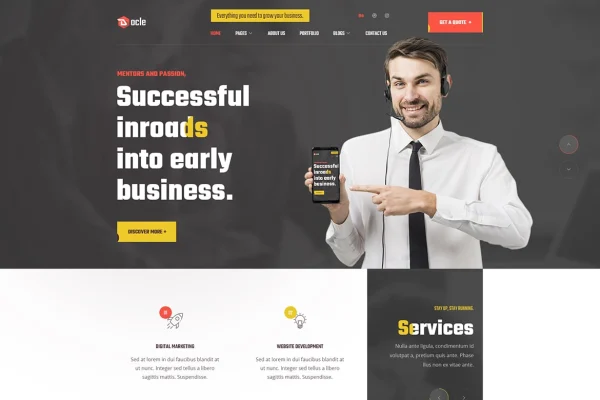
Docle is a WordPress theme built for digital agencies and related businesses such as web design studios, SEO services and internet marketing companies. It gives you agency-focused layouts you can edit in Elementor, plus demo content you can import in one click to get a working site in place.
- Version
- 1.0.2
- Developer
- themesflat
- Type
- WordPress theme
- Licence
- GPL
- Included in
- Every plan, or $3.99 on its own
What’s new in Docle 1.0.2
Version 1.0.2
Latest
What it does
Agency websites usually need the same set of pages: services, portfolio work, company details and a way for prospects to get in touch. This theme provides ready-made layouts for that kind of site, so you start from a working structure instead of a blank page. After importing the demo content, you can swap in your logo, business details and contact information, then adjust pages in Elementor with drag and drop editing and no coding.
Beyond the page layouts, the theme includes a theme options panel for managing colors, fonts, layouts and other settings in one place. It is built on the Bootstrap framework, works with WPML for multilingual sites and is child theme ready for developers who want to make deeper changes safely. The design is responsive and retina ready, and it includes privacy policy pages and cookie consent options to help with GDPR requirements.
Best for
- Digital agencies presenting services and portfolio work
- Web design firms and SEO service providers
- Internet marketing companies needing multilingual websites
Features
Elementor page editing
Build and customize pages with Elementor's drag and drop editor, changing layouts and content visually without writing any code.
One-click demo importer
Import pre-built layouts and demo content in one step, then replace the logo, business details and contact information with your own.
Theme options panel
Control colors, fonts, layouts and other site-wide settings from a central dashboard instead of editing each page separately.
WPML compatibility
Works with WPML, so you can run a multilingual version of your agency site for clients who speak different languages.
Responsive and retina ready
Layouts adapt to phones, tablets and desktops, and graphics stay sharp on high-resolution displays.
Bootstrap framework base
The theme is built on Bootstrap, a familiar framework that makes responsive layouts and developer customization easier to work with.
Child theme ready
Use a child theme to make advanced code or style changes without losing them when the parent theme changes.
GDPR privacy features
Includes privacy policy pages and cookie consent options to help you meet data protection requirements on your site.
Questions about Docle
Do I need to know how to code to build pages with this theme?
No. Pages are built and edited in Elementor using drag and drop, so you can change layouts, text and images visually. Developers who want deeper changes can use the child theme support and the Bootstrap framework the theme is built on.
Can I start from a ready-made design instead of building from scratch?
Yes. The one-click demo importer loads pre-built layouts and demo content. From there you can update your logo, business details and contact information, then adjust individual pages in Elementor to suit your agency.
Will Docle work for a multilingual agency site?
The theme is compatible with WPML, the multilingual plugin for WordPress. That lets you offer your site's pages in more than one language for clients in different regions.
Does the theme help with cookie and privacy requirements?
It includes privacy policy pages and cookie consent options aimed at GDPR compliance. You will still want to review the wording and settings to make sure they match how your own business handles visitor data.
Is Docle free?
The code of Docle is licensed under the GPL, so anyone may use, change and share it. GPL Feast is a paid service: a plan or a single purchase gives you the download and automatic updates. The developer's own support, licence key and online services are not included.
Which version of Docle is this?
Version 1.0.2. New versions appear here when the developer publishes them, and members get them as automatic updates.
How do I update Docle?
Install the free GPL Feast Updater on your site and connect it with your API key. It installs new versions of Docle automatically and keeps a backup, so you can roll back.