
Theme
Updated
Doclik
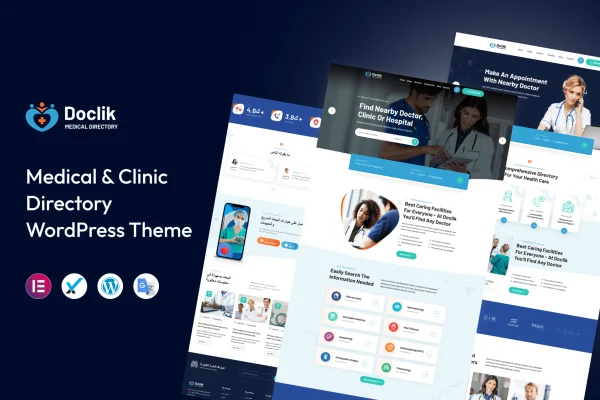
Doclik is a WordPress theme for building a medical directory website. It lets visitors search and filter listings of doctors, clinics, hospitals and pharmacies, then contact providers or request appointments. It suits hospital networks, clinics and independent practitioners who want a directory-style site.
- Version
- 1.0.1
- Released
- Apr 19, 2024
- Developer
- template_path
- Type
- WordPress theme
- Licence
- GPL
- Included in
- Every plan, or $3.99 on its own
What’s new in Doclik 1.0.1
Version 1.0.1 · Apr 19, 2024
Latest
What it does
A health directory has to do a few jobs at once. Patients need to find the right provider by specialty or location, and providers need a way to keep their details current. Doclik handles both with search and filtering tools, several listing types and profiles that medical professionals can create and manage on their own, so the directory stays accurate without the site owner editing every entry.
The theme comes with pre-built demos you can import with one click and then adjust to your healthcare niche. Multiple layout options and drag-and-drop page building let you shape the directory around your brand. Booking and contact forms connect patients with providers, and a rating and review system lets patients leave feedback. The responsive design adapts to phones, tablets and desktops.
Best for
- Medical directories listing doctors, clinics and pharmacies
- Hospital networks presenting multiple facilities and staff
- Clinics and independent practitioners accepting appointment requests
Features
Search and filtering
Visitors can find medical professionals and services by specialty, location and other criteria, which helps them narrow a large directory down to relevant results.
Multiple listing types
The directory supports separate categories for doctors, clinics, hospitals and pharmacies, so one site can cover several kinds of healthcare providers.
Provider profile management
Medical professionals can create and manage their own profiles, keeping their information up to date without needing the site owner to make every change.
Booking and contact forms
Built-in forms let patients contact healthcare providers directly and request appointments from the directory listings.
Ratings and reviews
Patients can leave ratings and written feedback on listings, giving other visitors more information when choosing a provider.
Customizable layouts
Choose from multiple layout options and use drag-and-drop page building to shape the directory pages around your brand identity.
One-click demo import
Pre-built demos can be imported in one step, giving you a starting site that you can then customize for your specific healthcare niche.
Responsive design
Pages adapt to smartphones, tablets and desktop screens, so patients can browse listings on whatever device they use.
Questions about Doclik
What kinds of providers can I list with this theme?
The theme supports multiple listing types, including doctors, clinics, hospitals and pharmacies. You can run a directory focused on one type or combine several in the same site.
Can doctors update their own listings?
Yes. Doclik includes user profile management, so medical professionals can create and manage their own profiles and keep details such as their information accurate over time.
Can patients book appointments through the site?
The theme includes integrated booking and contact forms that let patients reach healthcare providers directly and request appointments from the directory.
Do I have to build the site from scratch?
No. You can start from a pre-built demo using the one-click import, then adjust layouts and pages with the drag-and-drop page building options to fit your niche.
Is Doclik free?
The code of Doclik is licensed under the GPL, so anyone may use, change and share it. GPL Feast is a paid service: a plan or a single purchase gives you the download and automatic updates. The developer's own support, licence key and online services are not included.
Which version of Doclik is this?
Version 1.0.1, released Apr 19, 2024. New versions appear here when the developer publishes them, and members get them as automatic updates.
How do I update Doclik?
Install the free GPL Feast Updater on your site and connect it with your API key. It installs new versions of Doclik automatically and keeps a backup, so you can roll back.






